

Cluster Idle Resources: Causes, Costs & Optimization Strategies



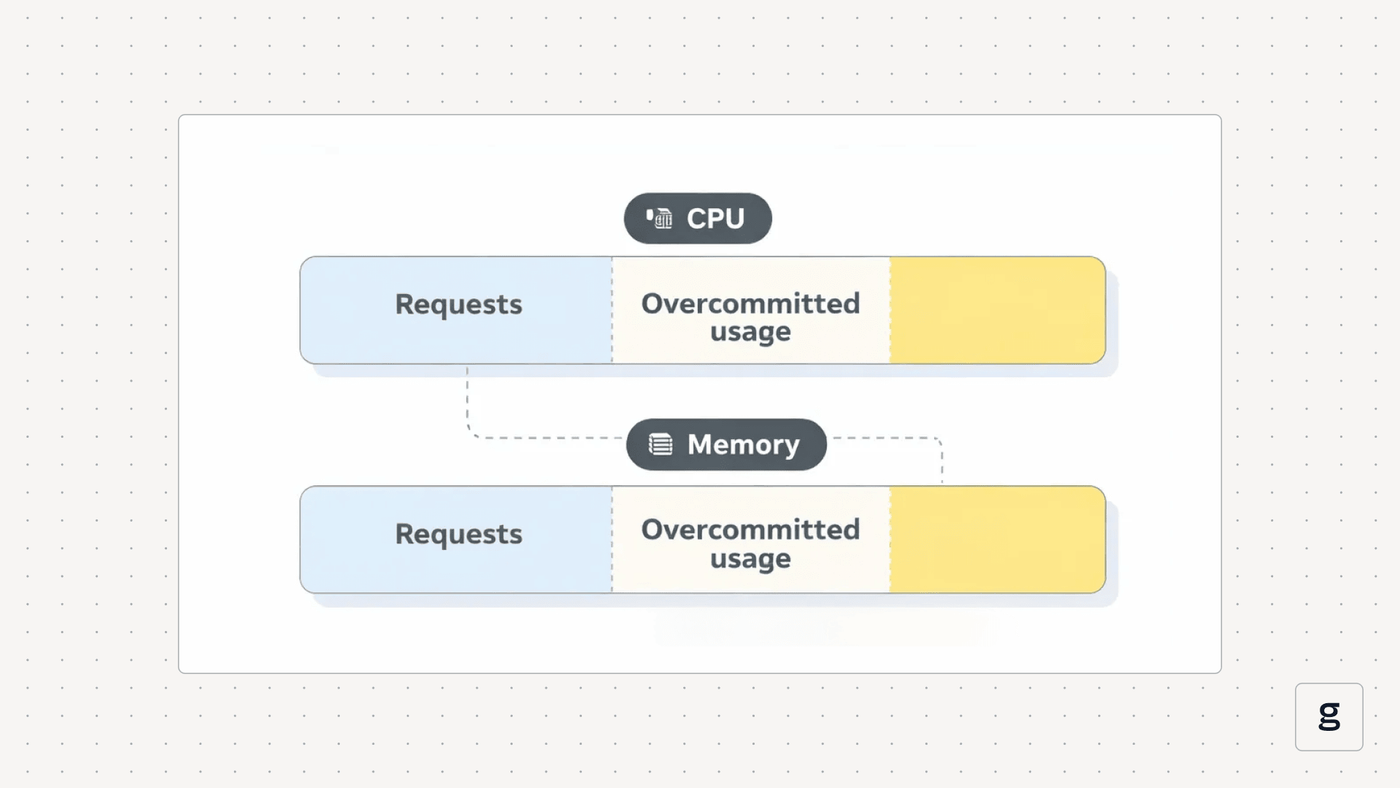
Just as you can lead a horse to water but not make it drink, you can provision compute resources, memory, and other resources for an application but not make it use them - and when cluster resources sit idle, it’s not a good situation. Cluster idle resources can waste money. They can also negatively impact the performance of workloads in situations where resources that one workload needs are reserved for another workload that isn’t using them.
Hence the importance of identifying cluster idle resources and taking steps to mitigate the issue. Read on for guidance as we explain cluster idle resource detection techniques, best practices for minimizing idle resources and how best to optimize resource utilization in Kubernetes and other cloud-native environments.
What are cluster idle resources, and why do they matter?
Cluster idle resources are resources (such as CPU or memory) that have been allocated to a cluster (or, in some cases, an individual workload) but are not actually being used.
For example, imagine that you have a Kubernetes cluster consisting of 100 nodes, but the workloads it is hosting can run adequately using the CPU and memory resources available on just half of those nodes. In this case, you’d have a substantial amount of cluster resources sitting idle (even after factoring in the need to have some spare resources on hand in case the cluster’s resource utilization increases above the average).
At the workload level, idle cluster resources could occur if you use the request feature in Kubernetes to assign a minimum of 500 megabytes of memory for a particular Pod. But if the Pod is only using 300 megabytes of memory, 200 megabytes of memory would be sitting idle.
Resource idling can also occur at the cluster level if a cluster includes an excess amount of total resources. For instance, the nodes in a cluster might provide a total of 10,000 gigabytes of memory, but your applications consume only about half that amount at peak load. The other half of the memory would be unused, creating resource idling.
How idle resources accumulate in modern environments
Most admins don’t want to waste resources. However, idle or unused resources often have a tendency to pile up in clusters. Here are some common reasons why:
- Over-provisioning: Admins might allocate more resources to a cluster than it needs because they worry that otherwise, workloads will slow down or become unavailable.
- Changing workload requirements: The amount of resources that workloads consume can change over time. If admins allocate a certain amount initially without factoring in future trends, a cluster may end up over-provisioned in the future.
- Orphaned resources: Sometimes, part of a cluster may keep running when it’s no longer actively in use. For example, a Kubernetes admin could configure node taints that prevent any workloads from running on a particular node because they plan to shut the node down and only bring it back up if the cluster begins running short of available resources. But then they forget to shut it down, leaving it sitting idle.
- Configuration oversights: Mistakes when configuring resource allocations - such as setting a resource request that is higher than intended - could cause resource idling if the allocations provision more resources than necessary.
Common types of cluster idle resources
There are four main types of idle resources to watch for in a cluster:
- Compute resources (sometimes called CPU): The type of resource that allows workloads to perform computational tasks.
- Memory (RAM): Provides short-term data storage for running applications.
- Disk: Provides persistent storage for stateful applications. Disk space is also important for storing persistent cluster-level data, like configuration and log files.
- Network traffic bandwidth: Allows applications to transfer data over the network.
Other, more specialized types of resources could become idle, too. For instance, you could include GPUs in some of your nodes to support workload types like AI models. But if actual GPU utilization is below what your workloads require, some of your GPUs will end up being idle.
| Resource type | Description |
|---|---|
| Compute resources | Clusters can receive allocation of more physical CPU time (or virtual CPUs, if they’re running in a virtual machine) than they need. |
| Memory | The amount of memory (RAM) available within a cluster may exceed the amount that workloads actually require. |
| Disk | A cluster could include more persistent storage space than it needs. |
| Network | In setups where network bandwidth can be allocated to specific clusters or workloads using load balancers, over-provisioning can occur if more bandwidth is reserved than necessary. |
The hidden cost impact of cluster idle resources
The main challenge of idle cluster resources is financial waste.
Typically, organizations have to pay for the resources they allocate to a cluster, regardless of whether they’re actually used. Thus, if you join 100 nodes but only use half of them, you end up paying much more than necessary.
Worse, unused resources can become a sort of “hidden” cost because they’re easy to overlook. Kubernetes includes no built-in cost tracking features to report costs or identify idle resources. It’s only when you take time to step back and compare your actual costs for infrastructure to your minimum necessary costs that you can gain a sense of what you may be wasting financially.
Beyond the financial issue, idle resources can also negatively impact overall workload performance. This can occur if resources are over-allocated to some clusters or workloads while others lack the resources they need to perform adequately. In that case, the organization could achieve better overall performance at the same cost by redistributing resources based on where they are needed most.
Cluster idle resources in Kubernetes and other cloud-native platforms
Idle resources can be a problem and contribute to cloud waste in virtually any type of environment. But they’re especially challenging in complex, cloud-native environments like Kubernetes due to:
- Dynamism: The fast-changing nature of cloud-native workloads can make it difficult to keep resource allocations in balance with fluctuating cluster load.
- Complexity: Cloud-native platforms involve many layers, and they typically abstract workloads from underlying resources, making it more difficult to determine how many resources each workload actually needs and is currently using.
- Varying pricing models: The way businesses pay for cloud resources can vary; for example, if you’ve committed to a reserve instance cloud server, it can sometimes make sense to keep it running even if it’s idle due to the early termination fees that would apply if you shut it down before the commitment period ends. The math is different for pay-as-you-go instances.
- Lack of cloud cost management tooling: As we said, Kubernetes and most other cloud-native platforms offer no native functionality for estimating or tracking spending. To perform these tasks, admins must draw on additional data and tools.
How cluster scheduling and autoscaling affect idle resources
Adding even more complexity to resource idling challenges in Kubernetes is the way that Kubernetes handles both scheduling and (when it’s enabled) autoscaling.
Scheduling refers to the process by which Kubernetes decides which node should host each workload (or part of a workload). Usually, Kubernetes tries to balance workloads across available nodes in a way that distributes the load relatively evenly. But because the amount of resources that each workload consumes can vary over time, scheduling decisions may turn out to be suboptimal.
For instance, one node might end up being largely idle because it hosts an application that originally consumed most of the node’s CPU and memory, but that is now only using a fraction of them. This results in idle resources - and typically, Kubernetes will not reschedule the application in order to consume resources more effectively. Once scheduled on a node, workloads stay on that node until an admin drains the node or stops the workload.
As for autoscaling - a capability that can automatically adjust resource allocations for Pods, Pod replicas or total node count - it’s generally a way to help avoid idling. However, autoscaling rules that are too conservative, or where the autoscaler doesn’t respond quickly enough to shifts in application load, could cause conditions where resources remain over-provisioned.
How to identify cluster idle resources across nodes, Pods and workloads
The best way to identify idle cluster resources is to compare assigned resources to actual usage data reported by an observability tool. The process for doing this varies depending on whether you’re assessing resource idling at the cluster level or the Pod level:
- For clusters, calculate the total CPU, memory, and disk resources provided by the nodes in your clusters, then compare it to the total CPU, memory, and disk utilization of the cluster. You can also analyze cluster bandwidth allocations and usage if you manage bandwidth at the cluster level through a load balancer.
- For Pods, examine the resource requests defined for the Pods (if they exist) and compare them to actual resource usage levels.
Challenges in detecting and managing idle cluster resources
While the process for detecting idle resources may seem straightforward enough, it can prove challenging in practice due to complications like the following:
- The need for a buffer: You typically don’t want to provision the bare-minimum amount of resources that your workloads need; if you do, there’s a risk that they’ll start failing if their load increases. Thus, it’s important to create a buffer by, for instance, allocating 20 percent more resources than you expect workloads to need. But determining how large of a buffer to create can be complicated because it requires considering workload SLOs and priority levels, whether autoscaling is in place, and how much you expect load to fluctuate.
- Load fluctuations: Speaking of load fluctuation, resource consumption by clusters and workloads can vary over time. The utilization metrics you track at one point in time may not accurately reflect overall trends.
- Autoscaling: If you have autoscaling in place, you may not immediately know whether the autoscaler will automatically correct a momentary over-provisioning of resources, or if the problem will persist until you intervene manually.
- Limited business context: Sometimes, a business may make a deliberate decision to over-provision because it chooses to prioritize the minimization of workload availability risks over cost savings. If you are trying to detect idle cluster resources without business context like this, you may misidentify over-provisioning scenarios.
| Challenge | Description |
|---|---|
| Buffer requirements | Teams need to maintain a buffer between minimum expected resource requirements and actual allocations in order to account for unexpected spikes in usage - but determining how large the buffer should be (and therefore what counts as an excessive amount of idle resources) can be challenging. |
| Load fluctuations | Workload resource usage fluctuates frequently, making it difficult in some cases to determine whether resource idling is temporary and part of normal shifts in application demand or a sustained issue. |
| Autoscaling | It’s not always clear whether autoscalers will address idle resources if given enough time, or if manual intervention is needed. |
| Limited business context | Based on business priorities, an organization might want to accept a certain amount of idle resources that could seem excessive - but admins who lack this context may wrongly conclude that there are too many idle resources. |
Best practices to reduce cluster idle resources
While it’s important to be able to detect cluster idle resources, even better is reducing or preventing them in the first place. The following best practices can help:
- Enable autoscaling: A properly configured autoscaler can mitigate overprovisioning risks by automatically adjusting resource allocations based on workload needs.
- Schedule rightsizing assessments: For clusters or workloads that you don’t autoscale, schedule regular rightsizing evaluations - ideally, at least once a month - to review current resource allocations and consider changing them.
- Apply business context: As noted above, it’s critical to think not just about technical metrics, but also about business goals and priorities, when deciding how aggressively to minimize resource allocations.
- Define resource limits: In addition to setting requests (which establish the minimum amount of resources for a workload), Kubernetes lets you define limits (which are the maximum amount a workload can consume). Properly configured limits help to avoid over-provisioning.
- Leverage infrastructure discounts: Where possible, take advantage of cost discount opportunities, such as by selecting reserve instances when configuring virtual machines. These won’t reduce the risk of idle resources, but they will reduce the total cost of your resources, which helps to avoid steep cloud costs.
Tools and native capabilities for managing cluster idle resources
Kubernetes offers some tooling for managing idle cluster resources, but it’s limited mostly to basic kubectl commands.
The main tool is the kubectl top command, which can display data about resource utilization by Pods and nodes. Comparing this data to resource allocations, you can identify over-provisioned clusters and workloads. This command is useful for gaining a quick, one-off look into resource utilization. But you have to execute it manually, making it challenging to use kubectl top for ongoing idle resource mitigation.
Reducing cluster idle resources with full-stack visibility using groundcover
For a deeper dive into the state of cluster resources - and if you really want to minimize idle resource risks - you need a full-fledged observability solution, like groundcover.
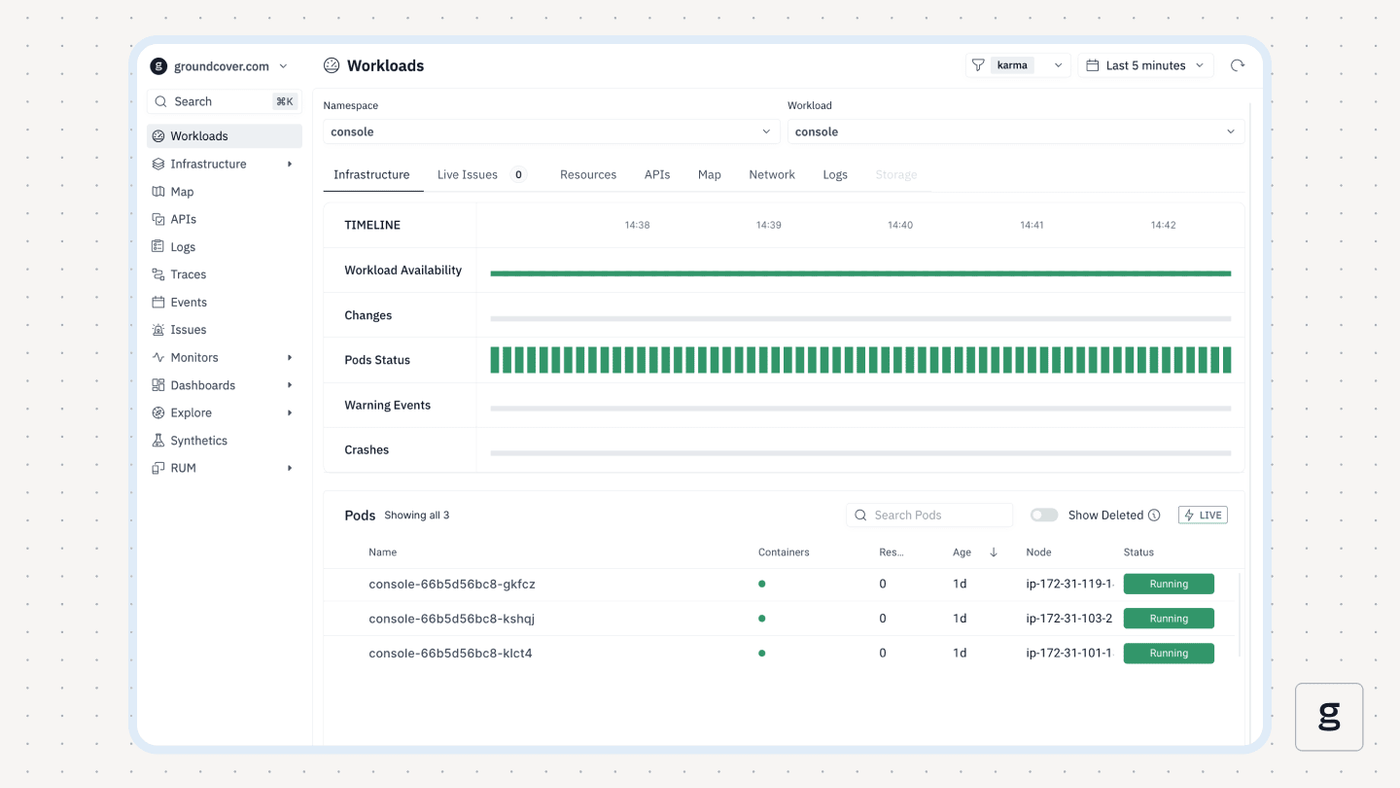
With groundcover, you can continuously collect a wide array of highly granular data to track actual resource utilization and map workload fluctuation trends. You can also generate alerts when utilization rates remain below expected levels for a significant period - a common sign of cluster resource idling.
With these insights, groundcover helps you validate current resource allocations and respond quickly to situations where your clusters may be costing more money than they should.
Putting idle resources to rest
The more efficiently you manage cluster resources, the better your workloads will perform, and the less you’ll pay to run them. That’s why investing in tools and processes that mitigate cluster resource idling risks is so important. Don’t wait until your next cloud bill arrives to discover that your budget is bloated; take proactive action to get ahead of cloud waste by detecting idle resources with help from the right tools.
FAQs
Overprovisioned workloads refer to individual applications that have more resources allocated to them than they need. In contrast, cluster idle resources generally means a situation where the total resources available from a cluster exceed the amount that the cluster requires to support all of the workloads it is hosting.
Even with autoscaling in place, clusters may create idle resources because the autoscaling rules are not aggressive enough or don’t assess requirements frequently enough. In addition, Pods with highly fluctuating resource consumption rates may prevent the cluster autoscaler from consolidating nodes because it will not attempt to drain nodes unless their resource utilization rates are consistently below a certain threshold, which won’t happen if a Pod’s utilization periodically spikes.
By collecting real-time, granular metrics about resource utilization for both Pods and nodes, groundcover provides the context that admins need to understand actual resource consumption requirements and compare them to resource allocations. In this way, teams can scale clusters up or down with confidence.



