

Thanos Query Timeout: Causes, Configuration & Best Practices



The main purpose of using Thanos, a set of tools that extend the open source Prometheus monitoring platform into a more robust, scalable solution, is to ensure that you can collect monitoring insights quickly and efficiently. But when you run into Thanos query timeout problems, the opposite occurs. Thanos query timeouts result in failure to pull Prometheus metrics, which in turn means loss of visibility and observability.
Hence, the importance of learning how to troubleshoot Thanos query timeouts, which this article explains in detail.
What is a Thanos query timeout?
A Thanos query timeout is an error that occurs when Thanos fails to collect metrics within a predefined timeframe.
To unpack the meaning of Thanos query timeouts, let’s talk a bit about how Thanos works and the role that queries play. Thanos, as we mentioned, is a platform designed to extend the functionality of Prometheus, a popular open source monitoring tool. One of its key features is the ability to create clusters of Prometheus instances, which help to scale Prometheus-based monitoring workflows.
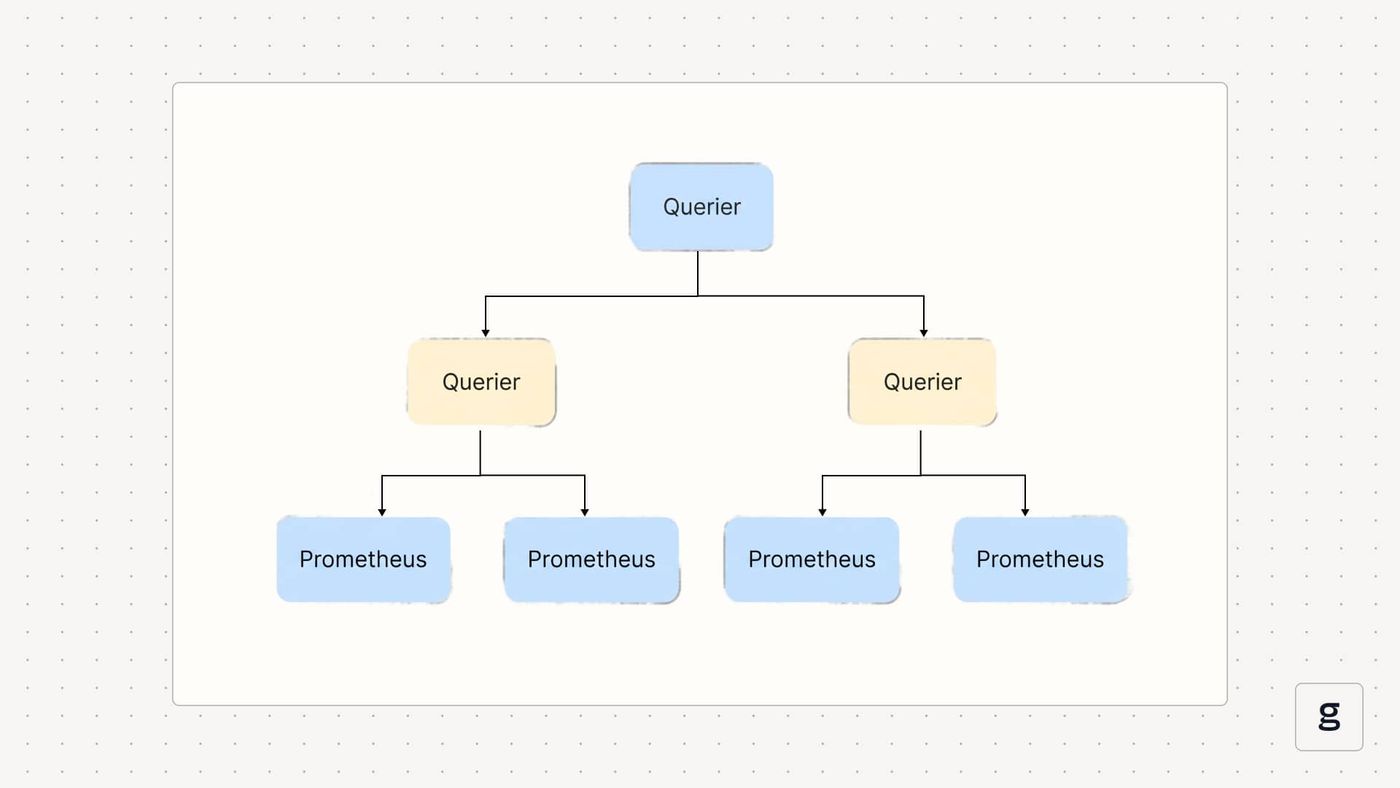
To pull metrics from multiple Prometheus instances within a Thanos cluster, you issue what’s known as a Thanos query. Using a Thanos component called Querier, queries request data from Prometheus, then aggregate it to provide a centralized set of metrics.
Admins can define variables (the main one being --query.timeout, although there are other relevant values, as we explain below) that establish how long the Thanos Querier can take to complete a query. If it is not able to collect all requested metrics before this period expires, then the query times out.
Why do Thanos query timeouts occur?
There are several common causes for Thanos query timeouts:
- Timeout window is too small: Setting a timeout value that is too low to enable effective data fetching can result in frequent timeout failures.
- Requesting too much data: Trying to pull too much data at once can cause a timeout.
- Insufficient CPU: If the servers hosting your Thanos cluster lack enough CPU to process queries, Querier may fail to pull data before the timeout window expires.
- Slow StoreAPIs: StoreAPIs are gRPC interfaces that provide metrics in response to Thanos queries. If the StoreAPIs are buggy or lack enough resources, they may not respond quickly enough, leading to a timeout.
- Slow storage performance: Due to I/O limitations, the storage system that houses Prometheus metrics may not be able to provide data fast enough to allow a Thanos query to complete before it times out.
- Network latency: Latency issues on the networks that connect Thanos components can cause timeouts by preventing data from moving quickly enough.
Key Thanos query timeout flags and parameters
As we mentioned, Thanos admins can configure several variables to define how much time queries are allowed to take before they time out. Here’s a look at the main ones.
--query.timeout
This sets the maximum amount of time a Thanos query is allowed to run before it is forcibly terminated. The main reason why you would want to avoid setting a value that is too high is to prevent queries from getting “stuck” and continuing to consume resources for extended periods.
--store.response-timeout
The store response timeout variable defines how long each StoreAPI resource (such as Thanos sidecars or store gateways) has to respond to a query. If the resource fails to respond within the defined window, Thanos considers that component of the query to fail.
Note that if partial responses (which we’ll discuss in just a moment) are allowed, Thanos will continue queries in the event that at least some StoreAPIs respond. Thus, the failure of just one or a few Thanos stores will not necessarily cause an entire query to time out.
--query.partial-response
This variable - which can be set to true or false - defines whether partial query responses are allowed. As we just mentioned, enabling partial queries tells Thanos to return all available results even if some parts of a query fail or time out. If you set this value to false, the entire query will fail if any part of it is unsuccessful.
Allowing partial queries helps to ensure that you are able to view whichever metrics are available in the event that some StoreAPIs are failing. However, you may want to disallow partial queries if it’s important to have all metrics, from all StoreAPIs, available before analyzing or taking action based on monitoring data.
--query-range.split-interval
This variable controls the behavior of the Query Frontend, an optional Thanos component that helps to manage queries by (among other capabilities) splitting long-range queries into smaller ones to improve performance.
The --query-range.split-interval value tells Thanos which interval value to use when splitting queries. The default value is usually 24 hours, but you can choose a higher or lower value depending on how much data you want to collect as part of each query interval.
"Context Deadline Exceeded" error in Thanos
When query timeouts occur in Thanos, they’ll generally result in a "Context Deadline Exceeded" error event.
Note, however, that query timeouts are not the only possible cause of this type of error. Any other type of timeout event (including ones not related to Querier) can also trigger it - so before assuming that a query timeout is the root cause of the issue, check whether another component might be at fault.
How partial responses affect Thanos query timeout behavior
As we noted, the partial response option in Thanos can affect query timeouts in nuanced ways.
If you disallow partial responses, query timeouts are straightforward in the sense that the failure of at least one StoreAPI to respond to a query within a defined window will cause the entire query to time out.
With partial responses enabled, however, timeout behavior is more complex. In that case, a query can partially timeout due to one or more StoreAPIs not responding fast enough (or at all). But Thanos will still consider the query to have succeeded in this case, and it will collect data from all StoreAPIs that are responsive.
This means that, with partial responses enabled, a query may be considered successful, but that doesn’t necessarily mean that all of the metrics you requested are actually available. Thus, it’s important to monitor the state of each StoreAPI to determine which ones are responsive and, based on this, which data is or isn’t included in query results.
| Query timeout behavior without partial responses enabled | Query timeout behavior with partial responses |
|---|---|
| All StoreAPIs must respond within the timeout period for query to complete successfully. | Query will be considered successful if at least one StoreAPI responds within the timeout period. |
| If one or more StoreAPIs do not respond within the timeout period, no data will be available, and the query will result in an error. | The query will return some data, even if not all StoreAPIs responded. |
How the Query Frontend impacts Thanos query timeout for range queries
Deploying the Query Frontend and enabling query splitting can also impact query timeouts in a nuanced way.
This is because, when the Query Frontend splits a query, the timeout window applies to each sub-query, rather than to the query as a whole.
Splitting queries generally helps to avoid query timeout errors - so in that sense, enabling splitting is a good thing. However, the downside is that there is a risk that completing an overall query consisting of many sub-queries will take a long time, possibly much longer than the timeout value. So, splitting can result in situations where obtaining full query results (across all splits) takes very long and consumes a lot of resources, which may not be desirable.
External factors that trigger Thanos query timeout
In addition to timeout setting options within Thanos, resources and variables external to a Thanos cluster can also impact query timeouts. Here’s a look at common external factors to watch.
Grafana client-side timeouts
Grafana is the main visualization tool for displaying data in Thanos. Grafana clients can set their own timeout windows, and when Thanos requests data from a Grafana client, there is a chance that the client will exceed its timeout value, resulting in a timeout error from the client.
If the Grafana client timeout window is shorter than the Thanos timeout, this can result in scenarios where a query fails even if the timeout window defined in Thanos has not been exceeded.
Reverse proxies and load balancer timeouts
Similarly, queries that require moving data through reverse proxies or load balancers could time out in the event that these networking components impose timeout limits that are shorter than those allowed by Thanos itself.
Network latency between store components
Network latency (meaning delays between when a network request is issued and when the response is received) may cause query timeouts in Thanos if it takes too long for query data to move over the network.
Thus, situations may arise wherein Thanos stores respond within the timeout window, but Thanos doesn’t receive the response quickly enough due to network latency, meaning the query will time out even though the StoreAPIs are responsive.
How to troubleshoot & fix Thanos query timeout, step by step
To troubleshoot and resolve Thanos query timeout problems, work through the following steps.
1. Inspect query logs and execution plans
Query logs provide insight into what happened during a query, such as which components it included and how quickly they responded. Execution plans are visualizations within the Thanos interface that display how queries operate.
Examining both of these resources should be your first stop when troubleshooting query timeouts, since they provide granular visibility into query operations.
2. Validate StoreAPI health
If a query is timing out due to one or more StoreAPIs not being responsive, check StoreAPI status. You can do this within the Thanos interface, which provides a list of active Thanos sidecars and store gateways.
Thanos will typically remove unhealthy StoreAPIs automatically, but how long it takes to do so depends on the value you define in the --store.unhealthy-timeout variable. In addition, a StoreAPI that experiences health problems only intermittently may not be removed by Thanos because it may never be unhealthy long enough to trigger removal.
3. Review timeout flags and overrides
Since the timeout settings described earlier in this article play a key role in shaping query timeout behavior, checking on these values is important for troubleshooting timeout issues.
Most Thanos variables are set at startup time using command-line flags or configuration values within YAML files, and there isn’t an easy way to view them dynamically once Thanos is up and running. However, you should be able to view your command history and/or manifest files to determine which values you used.
4. Test queries with reduced time ranges
To validate whether timeout variables are the root cause of timeout problems, try running Thanos with different values for these variables. You’ll need to restart Thanos to apply new values.
Best practices to prevent Thanos query timeout in Kubernetes
To optimize Thanos query behavior such that queries succeed as much as possible without taking too long or consuming too many resources, consider the following best practices:
- Tune --query.timeout safely: --query.timeout is the single most important variable for shaping Thanos query timeout behavior. While there is no universally “best” value to set, your goal should be to give queries long enough to succeed, while preventing scenarios where they take so long that the metrics are no longer valid by the time the query completes.
- Adjust --store.response-timeout for resilience: Similarly, modifying --store.response-timeout can help to ensure that StoreAPIs have long enough to respond, but without giving them so much time that they slow down the overall query process.
- Enable partial responses: In general, enabling partial responses is a best practice because it will increase the query response rate even if some StoreAPIs are slow. The main reason why you may not want to enable partial responses is if you need query data to be complete before using it.
- Enabling query splitting: Deploying the Query Frontend and turning on query splitting is also generally a best practice. The main downside is that splitting can increase query times and consume more resources, but that is usually a price worth paying in exchange for a higher query success rate and more complete queries.
| Practice | How to do it | How it helps |
|---|---|---|
| Tune --query.timeout safely | Set a custom --query.timeout value when starting Thanos. | Your timeout value should reflect how quickly your infrastructure can respond to queries and how much data you have to move. |
| Adjust --store.response-timeout | Set a custom--store.response-timeout value when starting Thanos. | Giving stores longer to respond can increase query success rates. |
| Enable partial responses | Set --query.partial-response to true when starting thanos. | Allowing partial responses ensures that you will receive some data even if not all stores respond quickly enough to a query. |
| Enable query splitting | Install the Query Frontend and define a --query-range.split-interval value. | Splitting queries into sub-queries increases the ability of Thanos to handle large queries without timing out. |
Reducing Thanos query timeout with eBPF-powered, low-overhead observability from groundcover
The tricky thing about Thanos query timeouts is that there are many ways to configure and manage them, and the best approach for you depends on which types of data sources you’re working with, how much data you’re pulling, which type of storage you’re using and so on.
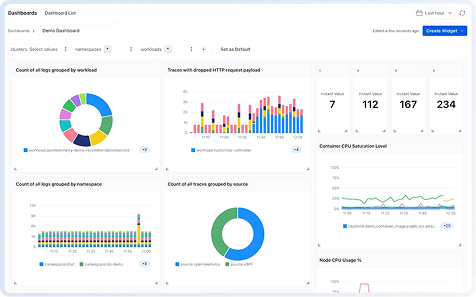
This means that having deep visibility into Thanos cluster behavior is critical for query optimization, and that’s where groundcover comes in. With groundcover, you can understand exactly what’s happening in Thanos (and the Kubernetes cluster hosting it), troubleshoot failing StoreAPIs and get ahead of networking issues, all of which add up to better Thanos query behavior.
Conquering Thanos query timeout issues
The bottom line: Getting the most out of a Prometheus setup requires optimizing Thanos query timeout behavior. While the best way to do this depends on what your infrastructure and goals look like, the more you know about what’s happening in Thanos, the easier it becomes to manage query timeouts effectively.
FAQs
The most common cause of this issue is delays in aggregating data from multiple sources and moving it across the network. These delays can cause Thanos query time to exceed the allowed timeout window, even if the response itself from Prometheus took place within that window.
There is no universally right or wrong answer about the optimal --query.timeout value. As a rule of thumb, two minutes is a good value to consider, but you may want the timeout period to be longer if you have many StoreAPIs or lots of data to work with. Shorter values may make sense if you are worried about long queries exhausting CPU and memory resources.
If you deploy Thanos on Kubernetes, groundcover’s ability to collect and correlate comprehensive observability data from all layers of your stack – including all components of Kubernetes, as well as Thanos – delivers the deep visibility necessary to pinpoint the source of slow query responses. In turn, admins can adjust query timeout values and optimize paths to maximize query success rates without wasting CPU or memory resources.



