Free Text Search for Logs and AI Observability at Scale
Learn how groundcover built scalable free-text log search. Explore the architecture behind fast AI observability and intelligent query routing.


"We just need free-text search"
That sentence sounds like a small feature request when in reality it turned out to be a complex problem.
The main contributor was scale. At groundcover, ‘free-text search’ meant making searches over datasets that include hundreds of billions of log lines over 7–30 daysfeel interactive and take seconds. We were in a challenging spot. We encourage our customers to ingest every event or datapoint they deem interesting, and we built our pricing model and architecture specifically to allow that. groundcover collects data from an eBPF sensor running on the node in your own cloud, and our pricing is per-node, so keeping everything the sensor sees carries no extra cost (with OpenTelemetry available for complementary instrumentation on top). The result is that we store everything from Infra, APM, RUM, and AI Observability.
That changes the nature of the problem. When you let people keep all the data they care about, searches have to scan datasets that are larger by orders of magnitude. The hard part of free-text search at this scale isn't whether it exists at all. It's whether the index is cheaper than the scan, whether the query planner picks the right path, and whether the storage model lets the query run without blowing up cost.
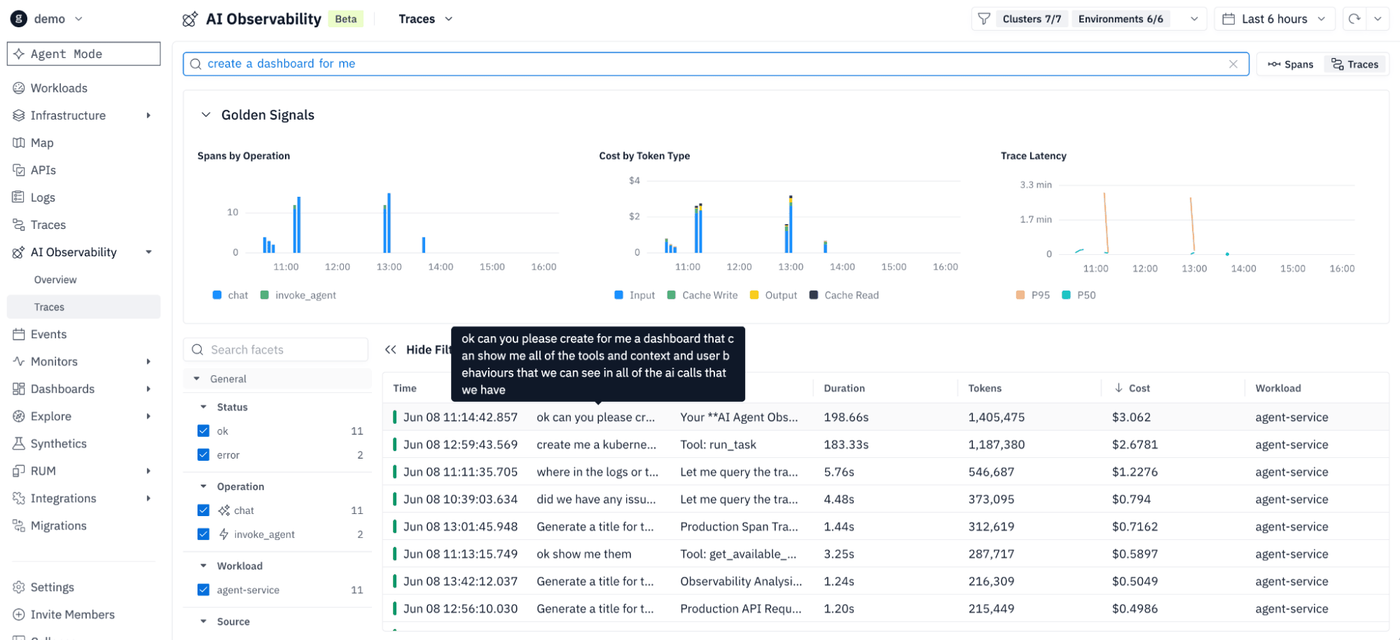
What we learned is that free-text search is a routing problem for which index, over which data shape, for which time horizon. This post walks through how groundcover got from "ClickHouse has some indexes, let's test and use them" to a system that deliberately uses different strategies for different kinds of search and data. Finally, we’ll learn why AI Observability ended up needing its own first-class search surface.
Why this matters before we get into the machinery
It's worth being clear about why free-text search is worth this much engineering effort, Free text lets users start from the thing they actually remember:
- an error phrase
- part of a prompt
- part of a model response
- a transaction clue
- a customer-specific string
- a tool name or a fragment of a payload
The natural flow is to start with a phrase, narrow to a time range, find the matching spans or logs, then pivot into structured filters. Contrast that to having to recall an attribute name or field path. This is the difference between observability that works the way engineers actually investigate versus a system that demands you already speak its schema before it will help you.
Next let’s dive into the indexes and query paths that groundcover tried to make free-text search possible across observability data from RUM, APM, Infra, and AI observability.
Logs: the long road from "slow" to "right shape"
A quick orientation before the timeline. Designing the table schema is really step 0, and the sort key does double duty. ClickHouse's primary index only helps when you filter on the leading columns of the sort key, so everything that follows is about accelerating searches on the other columns, especially free text. But the sort key also shapes how well the data compresses, since rows sorted to put similar values next to each other compress better, and better compression means less disk I/O on every read. groundcover worked through four solutions to get there. Here's the order they reached for each one, and why each fell short or stuck.
First: ClickHouse's native skip indexes
For a long time we leaned on what ClickHouse offered out of the box: data-skipping indexes. These group rows into blocks (one or more granules, where a granule defaults to 8,192 rows) and store a small summary per block, so the engine can skip the whole block when its summary proves nothing inside can match the query. The bloom filter index stores a compact, probabilistic summary of which values appear in a block. It's cheap (roughly 10 bits per value at a 1% false-positive rate) and good at exact-match lookups like a trace ID.
However, a bloom filter only answers "does this value appear in this block?" ClickHouse does have a token bloom filter for strings, which tokenizes the text and can probabilistically answer "is this token in this string," so it handles exact token lookups well enough. What it can't do is anything beyond exact matches, since a bloom filter has no notion of substrings, ranges, or ordering. And at our log volume the bloom filters get large enough that their size is non-negligible, so reading them during a query can take a significant amount of time. The gains from the index wasn't always adequate, and the range/set-style skip indexes never moved the needle on free text because they aren't built for it.
Next: an in-house inverted index for time-bound attributes
About a year ago we built something more specialized. An inverted index works by tokenizing values and mapping each token to the rows that contain it, so a lookup jumps straight to candidate rows instead of scanning. Ours was narrow on purpose: it targeted time-bound identifiers like trace and transaction IDs, which only recur for a few minutes. Instead of mapping a token to rows scattered across all of history, we mapped it to the narrow time window when that identifier is actually relevant, which collapses the search space dramatically.
It was extremely efficient for those temporal lookups, and it's still in use for them today. But it was narrow by design. It solved a class of identifier searches, not free text in general.
The turning point: ClickHouse ships a real full-text index
Then ClickHouse shipped a proper full-text inverted index (GA in ClickHouse 26.2). It tokenizes each log line, keeps a dictionary of every token plus postings lists mapping tokens to rows, and is deterministic, so no false positives from the index itself. It also performs real tokenization, case-insensitive preprocessing, and multi-token search, unlike the bloom filter. In effect, ClickHouse took what we'd attempted in-house and did it better, with recent gains in map support and cold-storage reads. We adopted it as the main path for broad free-text search in logs.
A text index is large (dozens to hundreds of megabytes per part) and costs storage and compute on every write, because we index the log message and not all of the attributes. So we drew a line based on where search actually pays off: index logs broadly, since free text is core there, but for traces only promote the specific fields people actually search. The same principle drives the AI Observability work in the next section: index the fields people actually search, not every field that exists.
The query path matters as much as the index
The route the query takes matters just as much as the right index, and the cheapest first move is almost always to narrow by time. This is exactly where that earlier in-house time-bound index still earns its keep, and it's worth seeing the mechanics. We maintain an index table keyed by value plus timestamp, populated by a materialized view as data is written. For each indexed attribute, it records the timestamps where that attribute appeared. On read, the query engine:
- checks whether the searched attribute is indexed,
- queries that index first to get the relevant timeframe,
- then runs the main query against that much narrower time slice.
That adds one round trip, but for long-range searches the extra hop is far cheaper than a brute-force scan. We reserve it for searches spanning more than a few hours; for shorter windows, the ClickHouse text index handles it on its own. The result isn't one search engine but several optimized paths behind a single search box.
When JSON columns backfired, "favorite attributes" fixed it
The last tool was ClickHouse's newer JSON column, which promotes each JSON path into its own dense, typed subcolumn so querying one attribute reads only that attribute instead of an entire Map blob. Appealing on paper: read one key, not the whole map. In observability it backfired, for one reason: path explosion. Our keys are wildly diverse, sometimes with IDs baked into the key name, so every distinct key can spawn its own subcolumn and blow through the max_dynamic_paths budget. ClickHouse itself recently advised against using the JSON column broadly for observability.
Our fix was to stop pretending every attribute deserves first-class treatment. We introduced "favorite attributes": a scoped subset that gets promoted into the JSON column because users actually query them. A popularity process identifies the hot ones, and usage is the signal. If people keep querying something through the time index, that's a hint it should graduate to favorite. The payoff is cheap, targeted key access without materializing everything, and it's what makes month-long queries tractable at all.
Final Thoughts
"We just need free-text search" was never the whole job. The real work was deciding which text deserves to be first-class, where to index it, which generic paths to stop overloading, and how to make the system fail honestly when the old shape can no longer carry the load. Get that right, and the payoff lands where it matters: an engineer can start an investigation from the thing they actually remember, a phrase from an error or a prompt, and let the system find it. Give a free test search a try with our playground or launch groundcover’s epBPF sensor on your cluster for free.