

Pod Disruption Budgets: Availability Guarantees in Kubernetes



Guaranteeing application availability is a key goal for most Kubernetes workloads. However, it’s also important to be able to perform routine maintenance tasks, such as draining nodes or upgrading a cluster control plane - events that could potentially disrupt application availability by causing Pods to go down.
Fortunately, Kubernetes offers a feature to help safeguard against this risk. It’s called Pod disruption budgets, and it makes it possible to ensure that a fixed number of Pods will remain available in the event of planned or voluntary disruptions to your Kubernetes cluster’s state. Read on for details as we explain how Pod disruption budgets work in Kubernetes, why they’re valuable, and how to use them to greatest effect.
What is a Pod disruption budget in Kubernetes?
In Kubernetes, a Pod disruption budget (PDB) is a type of resource that restricts the number of Pod replicas that can be taken down during a voluntary disruption event.
A voluntary disruption event means a change that a cluster administrator deliberately applies - such as draining a node of Pods or upgrading the Kubernetes control plane software. With a Pod disruption budget in place, Kubernetes will automatically keep a certain number of Pods running within a replicated application during a voluntary disruption event. In this way, the application will remain available to users.
Importantly, Pod disruption budgets don’t guarantee application availability during involuntary disruption events, such as an unexpected node failure. Kubernetes can’t magically keep Pods running if part of your cluster goes down without warning. But it can keep Pods available when it has the ability to plan ahead as part of a voluntary disruption event.
PDBs don’t exist by default in Kubernetes. Admins have to create them manually for any workloads whose availability they want to guarantee during voluntary disruption events.
Pod disruption budgets vs. autoscaling, deployments, and maintenance
Pod disruption budgets completing autoscaling, deployments, and maintenance, but they’re not the same thing:
- Autoscaling is a way to modify the number of Pod replicas or to change resource allocations in response to fluctuations in application load. Autoscaling also helps maintain application availability, but it does so when application demand changes, not in response to voluntary disruptions.
- Deployments are a common way of running an application in Kubernetes. Deployments can define a specific number of Pod replicas. The job of Pod disruption budgets is to define how much disruption to the defined replicas can occur, but the replicas themselves are still managed by a deployment.
Maintenance refers to any event related to maintaining a Kubernetes cluster. Maintenance is a common source of voluntary disruption events. But you can perform maintenance whether or not you have Pod disruption budgets in place.
| Capability or resource | Difference from PDBs |
|---|---|
| Autoscaling | Autoscaling changes Pod replica counts or resource allocations in response to normal fluctuations in application load. PDBs modify replica counts during voluntary disruptions |
| Deployments | Deployments can define how many replicas an application should include under normal circumstances. PDBs define how many replicas to keep running during a voluntary disruption, and this number can vary from the replicas defined within a deployment |
| Maintenance | A generic term for any type of task related to maintaining a cluster. PDBs help enable cluster maintenance while avoiding downtime, but they are not a maintenance resource unto themselves |
Why Pod disruption budgets matter for application availability
From the standpoint of application availability, Pod disruption budgets are valuable because they help avoid downtime during maintenance events.
This is because (as we mentioned above) Pod disruption budgets tell Kubernetes to keep a certain number of Pod replicas running during events that could otherwise cause all replicas to shut down (and, therefore, make an application unavailable).
What makes Pod disruption budgets all the more beneficial is that they can do this automatically. Admins simply define a Pod disruption budget; from there, Kubernetes handles the task of figuring out how to keep replicas available to conform to the budget. There’s no need for admins to worry about redeploying Pod replicas manually or pausing maintenance operations to avoid downtime.
Key components of a Pod disruption budget
There are three key elements of a Pod disruption budget:
- The selector, which identifies the set of Pods to which the PDB applies. The selector usually matches the label of a Deployment, StatefulSet of ReplicaSet.
- MinAvailable, which defines the minimum number (or percentage) of replicas that should remain available during a disruption.
- MaxUnavailable, which specifies the maximum number (of percentage) of Pods that can go offline during a disruption event.
You can include either minAvailable or maxUnavailable in a PDB. You don’t need to define both, since they each are capable of setting availability guarantees on their own.
Pod disruption budget example
Like most Kubernetes resources, Pod disruption budgets are defined in YAML. Here’s an example:
In this example, the PDB applies to an application named some-app and specifies that at least 3 replicas should always be available.
How Pod disruption budgets work during voluntary disruptions
With a Pod disruption budget in place, Kubernetes will automatically enforce the budget so long as there is a feasible way to do so. As an admin, you don’t need to do anything other than create a PDB for your app. As we noted, though, PDBs only apply to voluntary disruptions. Involuntary disruptions (meaning unexpected failures, such as node failures or hardware issues) could result in downtime, even if you’ve defined a PDB.
The impact of Pod disruption budgets on cluster operations
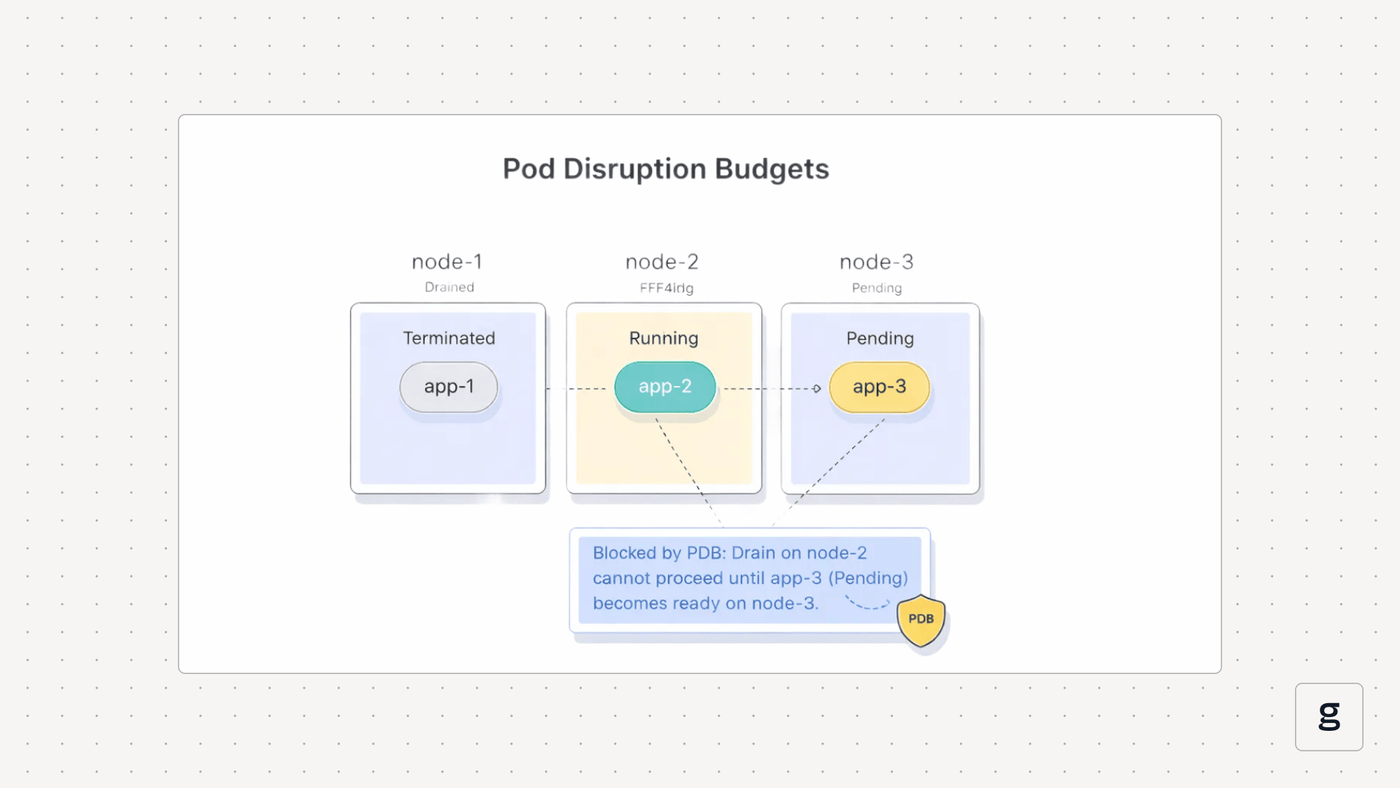
Although Pod disruption budgets are a useful way of boosting application availability, they can sometimes have undesirable impacts on cluster operations. The main risk is that maintenance events will take longer than desired or become delayed indefinitely, due to Kubernetes’s inability to satisfy a PDB.
For instance, imagine that a PDB includes an aggressive minAvailable setting, such as 80 percent. If an admin were to try to drain a node that hosts all of an application’s available Pods, and there aren’t enough other nodes available with minimum availability to host additional replicas, the draining request would be paused because of the inability to satisfy the PDB conditions.
Common Pod disruption budget misconfigurations and risks
| Risk | Description |
|---|---|
| Replica requirements are too high | May make a PDB unsatisfiable because it requires more replicas than a cluster can support during a disruption |
| Replica requirements are too low | Increases the risk of application downtime because an insufficient number of replicas will remain active during a disruption |
| PDB replica count doesn’t support workload replica count | Happens if the total replicas required by a PDB exceed the number defined in a deployment, StatefulSet or other resource, causing the PDB to be unsatisfiable |
| Mismatched labels | Occurs if the PDB label doesn’t apply to the right workload due to mistakes like typos |
To avoid issues like the one we just mentioned, it’s important to steer clear of PDB misconfigurations that could result in unexpected or undesirable outcomes. Common problems include:
- Overly aggressive availability requests: Setting minAvailable too high or maxUnavailable too low can result in situations where Kubernetes can’t meet the PDB conditions.
- Requests that are too low: On the other hand, setting minAvailable too low or maxUnavailable too high could cause application downtime. Even if multiple replicas are still running, there is no guarantee that they’ll be sufficient to meet the application’s load because the app could receive more requests than the available Pods are capable of handling.
- Mismatches between PDBs and replica counts: If you define a replica count within a Deployment, StatefulSet, or other resource that exceeds the range defined in a PDB (for example, if a PDB requires 4 replicas but a Deployment only includes 3 replicas), the PDB’s conditions will be unsatisfiable, resulting in indefinite delays for voluntary disruption events.
- Mismatched label selectors: Errors in configuring the label selector for a PDB will cause it to match the wrong workload (or to match no workload at all), leaving your application unprotected against availability risks.
In the event that a PDB blocks a maintenance activity from succeeding, you can override them by passing the --force and --disable-eviction flags to the kubectl drain command. This allows Kubernetes to resort to directly deleting pods if necessary to perform a maintenance event. But you should do this only as a last resort, in the event that you need to complete critical maintenance and don’t have time to adjust your PDB so that it no longer conflicts with the event.
Limitations of Pod disruption budgets in real-world clusters
While Pod disruption budgets can help to maximize application availability, they don’t always work well in the real world, for three main reasons:
- The risk of misconfigurations - like those described in the section above - that could cause PDBs to fail to work as intended. A PDB is only as effective as the conditions defined within it.
- The risk that real-world Kubernetes cluster conditions will cause a PDB to be unsatisfiable, even if its configuration is accurate and reasonable. For example, you might not have enough spare nodes to keep the desired number of replicas running during a planned eviction event.
- The risk of involuntary disruptions. As we’ve said, PDBs don’t protect against unavailability in this case.
You should certainly invest in PDBs for applications that require high availability. But don’t assume they’re a hard guarantee against outages.
Unhealthy Pod eviction policy
On the topic of how PDBs work in the real world, it’s also worth noting that if a Pod is unhealthy (which happens if it is failing probes), it won’t count toward PDB replica requirements - so situations can arise where you have more total replicas running than a PDB requires, but the PDB is still not satisfied because some of the Pods are unhealthy.
Observability’s role in managing Pod disruption budgets
The key to confirming that a Pod disruption budget is working as expected is observability. It’s only by collecting and correlating metrics like the following:
- Replica count: Knowing how many replicas actually exist tells you whether a PDB is being enforced.
- Application request rate: Tracking requests lets you monitor how much load your app is experiencing and helps determine whether it’s able to sustain that load during an involuntary disruption.
- Latency rate: Latency is another measure of an app’s ability to continue maintaining availability during an involuntary disruption.
- Node CPU and memory utilization: This data provides insight into the available resources of nodes. It’s useful for determining whether sufficient spare resources exist to support a PDB budget during events that would drain or disrupt nodes.
Best practices for using Pod disruption budgets safely
To maximize the benefits of Pod disruption budgets while minimizing risk, consider the following best practices:
- Create PDBs for all applications: As we mentioned, PDBs don’t exist by default, but it’s a best practice to create them for all production applications. This includes apps that don’t actually require high availability; for those, you can create a PDB that allows for disruption by setting maxUnavailable to 100 percent. That way, the app’s disruption tolerance is documented, and you can always change the PDB later if you want to require higher levels of availability.
- Align PDBs with SLOs: To determine how aggressive PDB settings should be, look at your Service Level Objectives (SLOs). SLOs that demand high uptime require more aggressive PDBs.
- Modify PDBs when you scale your cluster: If you add or remove nodes from a cluster, consider changing your PDBs to reflect the change in total cluster resources. Otherwise, you may run into scenarios like being unable to satisfy a PDB because you no longer have enough spare node capacity to maintain the desired replica count.
- Validate PDBs using observability: At the end of the day, the only way to ensure that your PDBs are actually working as you expect is to observe what’s happening in your cluster. Never assume that just because a PDB exists, it is being enforced properly.
- Don’t introduce frequent voluntary disruptions: As a best practice, try to limit the frequency of voluntary disruption events. Even with PDBs in place, there is a risk that downtime could occur.
Improving Pod disruption budget visibility and confidence with groundcover
Gaining observability into Pod disruption budget behavior is where groundcover comes in. By continuously collecting a broad range of resource utilization data for your Pods and nodes, while also monitoring for events like node drains, groundcover alerts you quickly to scenarios where PDBs are not being enforced properly.
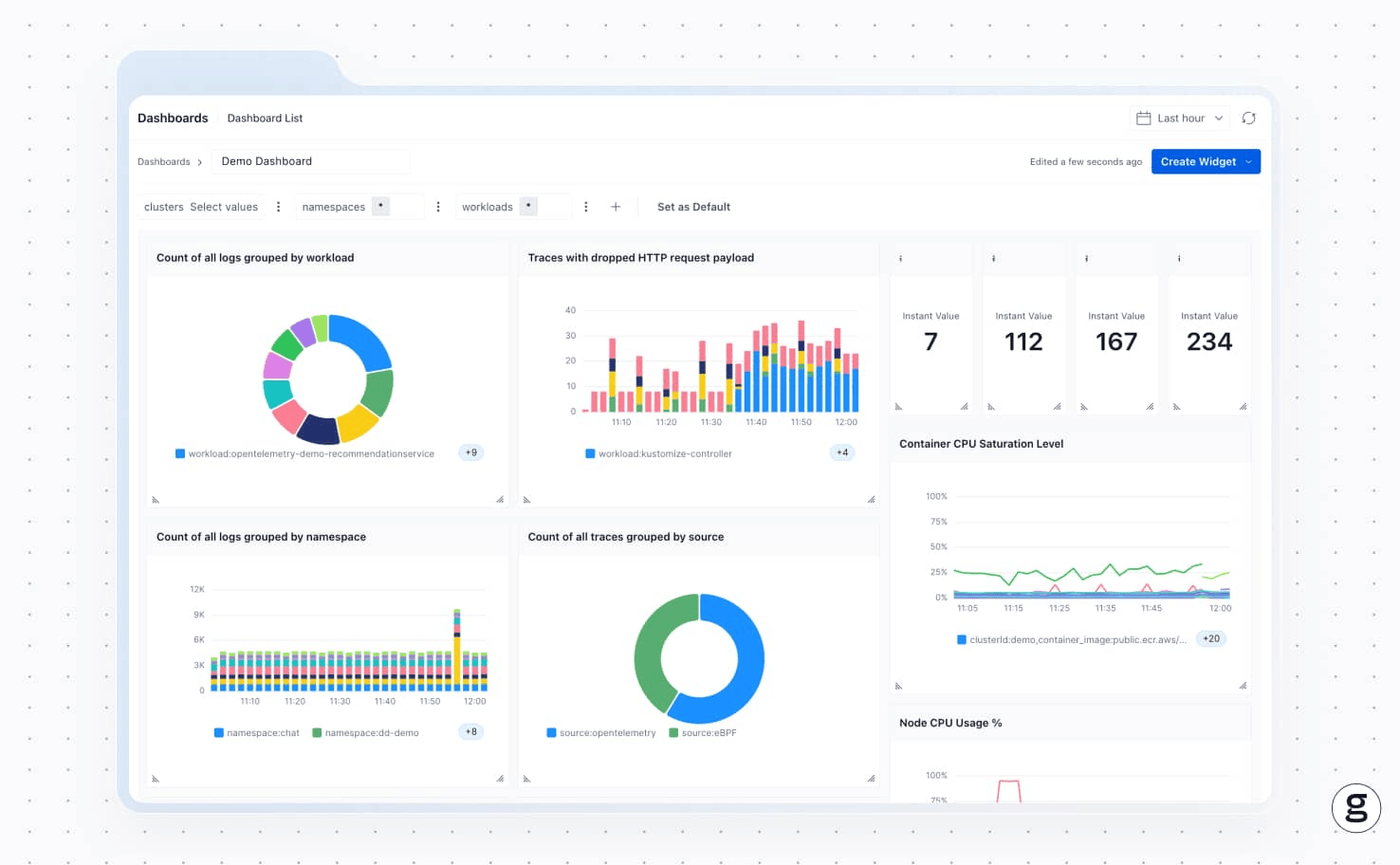
This means you can react before your applications experience downtime, or before a critical maintenance event fails. It also allows you to keep PDB settings aligned with resource availability, helping to ensure the best possible balance between resource usage and application performance.
Avoid disruptions to your Pod disruption budgets
Pod disruption budgets are a handy way to reconcile the tension between Kubernetes maintenance tasks and the need for Pod availability. But as we’ve explained, they are no total guarantee against application outages, which is why it’s vital to ensure that you have the proper observability solutions in place to confirm that PDBs are doing what they should.
FAQs
In general, minAvailable is best for quorum-based applications, meaning those that require a certain number of instances of the application or its services to be active. MaxUnavailable is preferable for scenarios where the priority is faster rolling updates, since it can allow for more replicas to be down at once (and therefore speeds up node draining events).
Yes. This typically happens when the PDB settings are too aggressive, making it impossible for Kubernetes to satisfy them. For example, your PDB may require more replicas than your deployment, or it may require more replicas than other nodes can support while draining one node.
groundcover helps validate PDBs by monitoring resource utilization for workloads and nodes. Based on this context, teams can confirm that the replica counts they define in PDBs are actually supportable based on real-world cluster conditions.



