Getting Started with groundcover–EKS observability with zero-code instrumentation
Learn how to achieve full EKS observability with zero-code instrumentation and groundcover. No SDKs, no restarts, no sampling, just full visibility with eBPF.


Most observability tutorials start with "add this SDK to your app." This one doesn't. By the end of this post you'll have full HTTP trace visibility into a running Kubernetes workload without touching a single line of application code.
We'll use groundcover, which instruments your cluster at the Linux kernel level using eBPF. That means traces, metrics, and service maps emerge automatically from your existing workloads the moment the sensor is deployed. No SDK installs, no restarts, no sampling, no wrestling with Grok patterns to parse and enrich your telemetry data, and no agonizing over retention costs or which metrics are worth ingesting.
You don't know what you don't know, so why play a guessing game around what to collect? When cost and complexity force you to pick and choose upfront, you end up with blind spots baked in and perverse incentives around what you choose to observe. groundcover lets you ingest everything reliably, with a collection that's stable and decoupled from traffic spikes, so your observability isn't quietly shaped by what was cheap to keep.
I hope you're breathing a sigh of relief right now. I can literally feel my shoulders dropping.
In this tutorial we’ll learn how to instrument and EKS cluster with groundcover. The aim of this post is to help you understand the value of groundcover and provide you with the easiest example of how to get started. So let’s jump right in!
This tutorial will cover the following topics:
- Instrumenting an EKS cluster with groundcover.
- Why eBPF matters–understanding through comparison
Prerequisites
This tutorial assumes you have an EKS cluster already up and running. If you do, skip ahead to groundcover in 3 Steps.
Important Note: If you don’t want to spin up any infra you can get a feel for groundcover by checking out the groundcover Playground.
If you're starting from scratch, you'll need to get your AWS credentials working. If you have IAM credentials, use aws configure. I have a federated login so I just used AWS CloudShell to install eksctl:
Then create the EKS cluster with:
This takes about 15-20 minutes. Once complete, verify your nodes are up:
You should see 2 nodes in Ready status. Then set the default storage class — EKS doesn't do this automatically and groundcover requires it:
groundcover in 3 steps
First, sign up at groundcover and create your account. Once logged in, navigate to Data Sources (bottom left of the nav bar) > Kubernetes Clusters>CLI installation option and follow the steps exactly. Make sure to note your tenant endpoint — you'll need it for the values file below. While the instructions in the UI work perfectly, we’ll duplicate them here for your convenience.
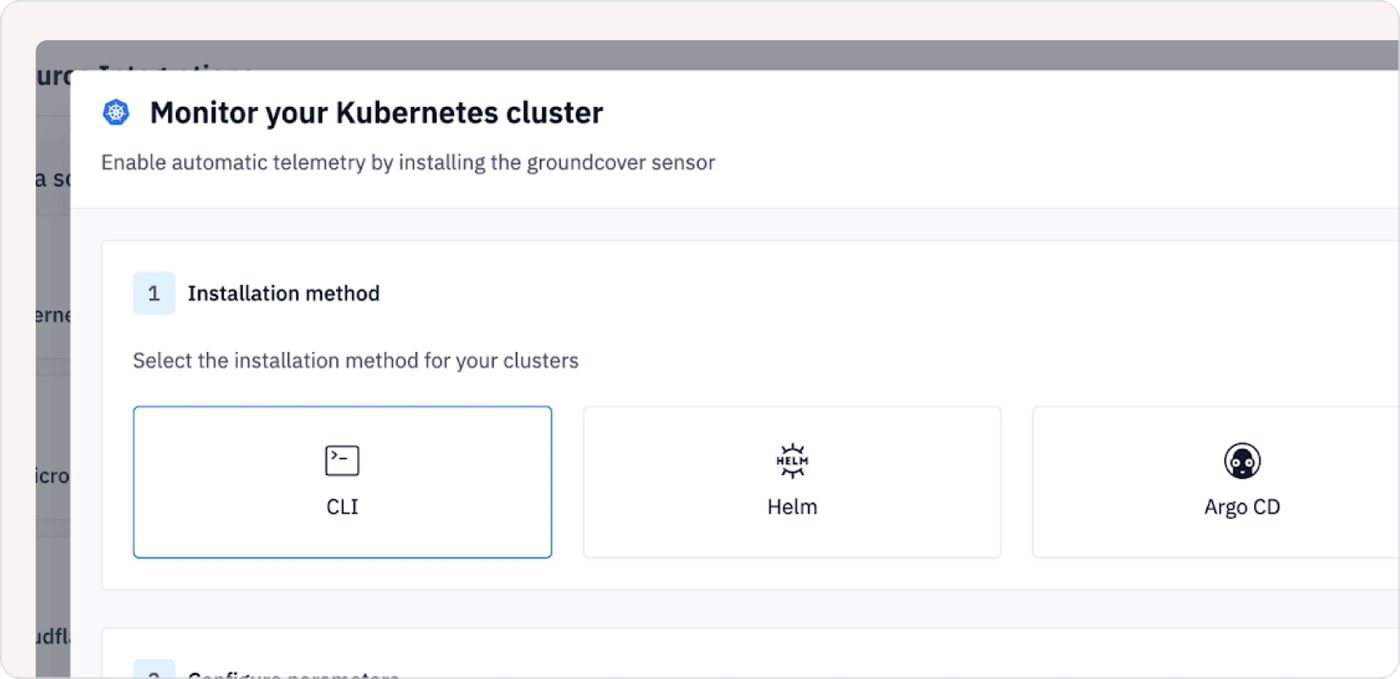
Step 1: Install groundcover
In your terminal, install the groundcover CLI:
Step 2: Create a values.yaml
Create a values.yaml file with your tenant endpoint:
Step 3: Deploy
Deploy with the following:
Your First eBPF Trace
Now that we've installed and deployed groundcover, let's give it something to observe. How about a single nginx pod serving hello-world traffic? You might think this is overly simple, but it is deliberately so. Collecting telemetry in groundcover is identical whether that node is running one container or fifty microservices. Whatever is on the node, groundcover sees it. Additionally, pricing is per node, not per GB, so it doesn't matter whether you generate 60 requests or 60,000. And because it's BYOC, all that data stays inside your own VPC so it’s never shipped off to a third-party cloud.
First let’s create a namespace, deploy a single nginx replica, and expose it on port 80.
Get your pod name:
Then exec into the pod and fire off a mix of requests: 10 successful hits to the root path and 10 errors to a route that doesn't exist.
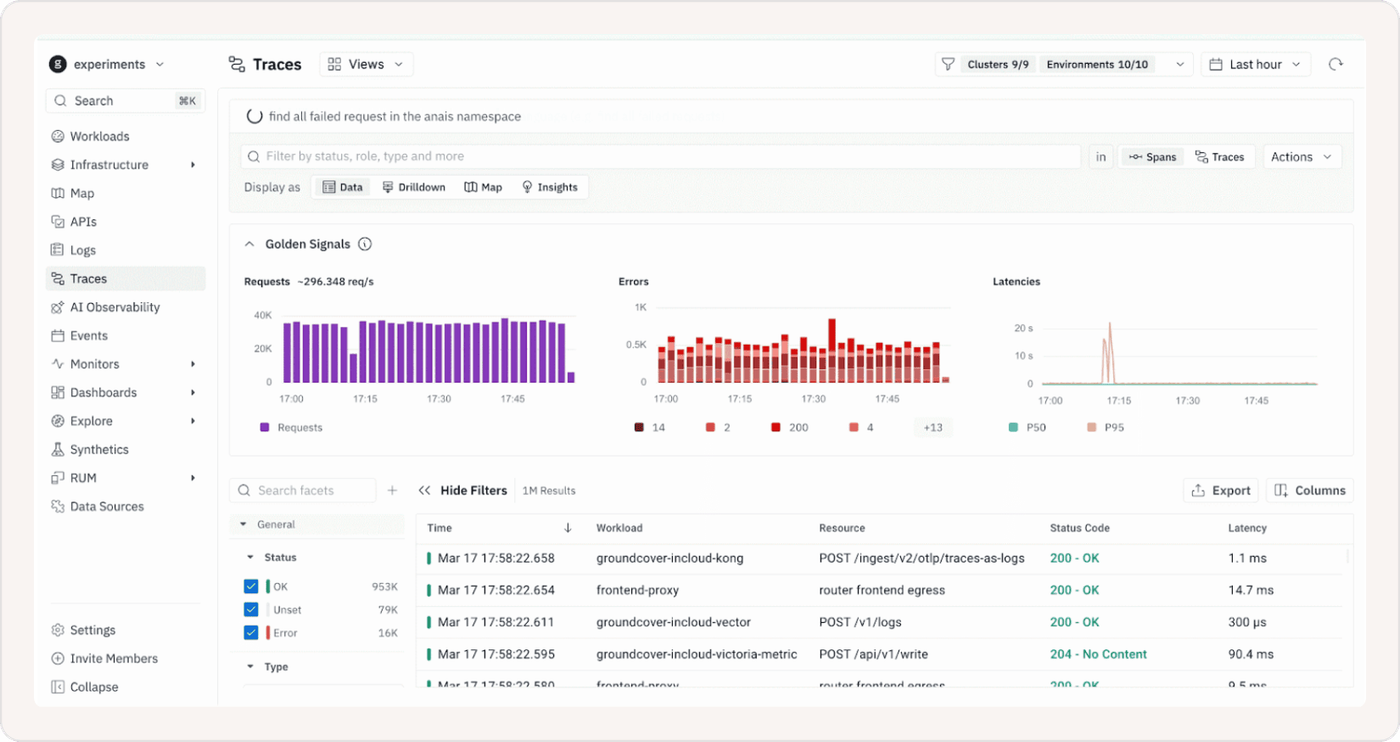
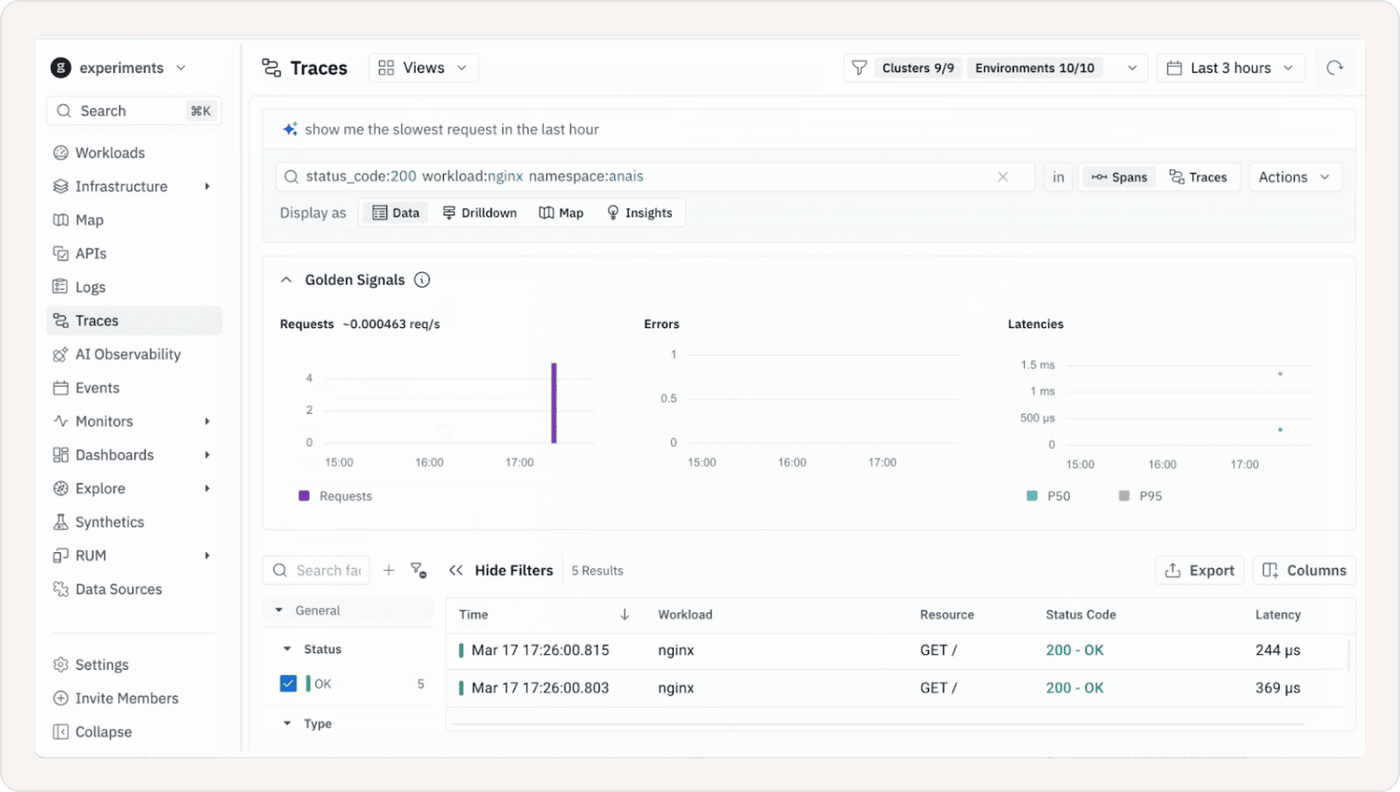
Now head to groundcover and filter by namespace:anais in the Traces view. Without adding a single line of instrumentation, you'll see all 20 requests waiting for you (10 HTTP 200s and 10 HTTP 404s), every one tagged Source: eBPF. groundcover captured the successes, the errors, and the difference between them.
Why eBPF matters–understanding through comparison
First thing’s first. What is eBPF?
eBPF (Extended Berkeley Packet Filter) is a Linux kernel technology that lets you observe and interact with everything happening on a system (network calls, system events, process activity) without modifying application code.
To understand why eBPF matters, let's compare it against the traditional SaaS observability model, Datadog being the most common example. If you've used Datadog, you know the drill. You instrument your app with an SDK, configure an agent, decide what to trace, set a sample rate, and then wait for your bill to arrive and realize you sampled too much. Rinse and repeat. The overhead isn't just technical. It's also cognitive. Every decision about what to instrument is a decision about what you're willing to be blind to.
The fundamental problem with the traditional model is that it puts instrumentation before visibility. You have to know what you want to see before you can see it. And because ingestion-based pricing punishes curiosity, you end up making conservative choices that quietly erode your observability over time.
eBPF flips this entirely. Instead of injecting code into your application, groundcover's sensor attaches directly to the Linux kernel and observes everything that passes through it — every network call, every HTTP request, every system event — without touching your application at all. No SDK. No restart. No sampling decision. By the time you open the Traces view, the data is already there.
Observe Everything. Pay for Your Infrastructure, Not Your Curiosity.
The practical difference is significant. With Datadog, instrumenting a new service means a code change, a deploy, and a conversation about whether the added ingestion cost is worth it. With groundcover, a new service appears in your service map the moment it starts receiving traffic. You didn't have to do anything. That's not a minor convenience — it's a fundamentally different relationship with your own infrastructure.
And the cost model reflects it. Datadog charges by the volume of data you send them which means every span, every log line, every custom metric has a price tag attached. That creates exactly the perverse incentives we talked about earlier. groundcover charges per node. Your 2-node cluster costs the same whether it's handling 100 requests a day or 100,000. Observe everything. Pay for your infrastructure, not your curiosity.
There's one more dimension worth calling out. With Datadog, dropping data is a financial decision as much as a technical one — every span and log line you discard is a cost saving, but potentially a blind spot you've just baked in. With groundcover, dropping data is purely a signal quality decision. Because pricing is per node, your bill doesn't change whether you keep or discard a health check poll or a flood of debug logs. And crucially, when you do choose to drop something, it happens at the sensor level — the earliest possible point — before it ever travels the network or touches storage. You're not paying to ingest noise and then throw it away. You're making an intentional choice about what's worth keeping, for the right reasons, with no financial penalty either way.
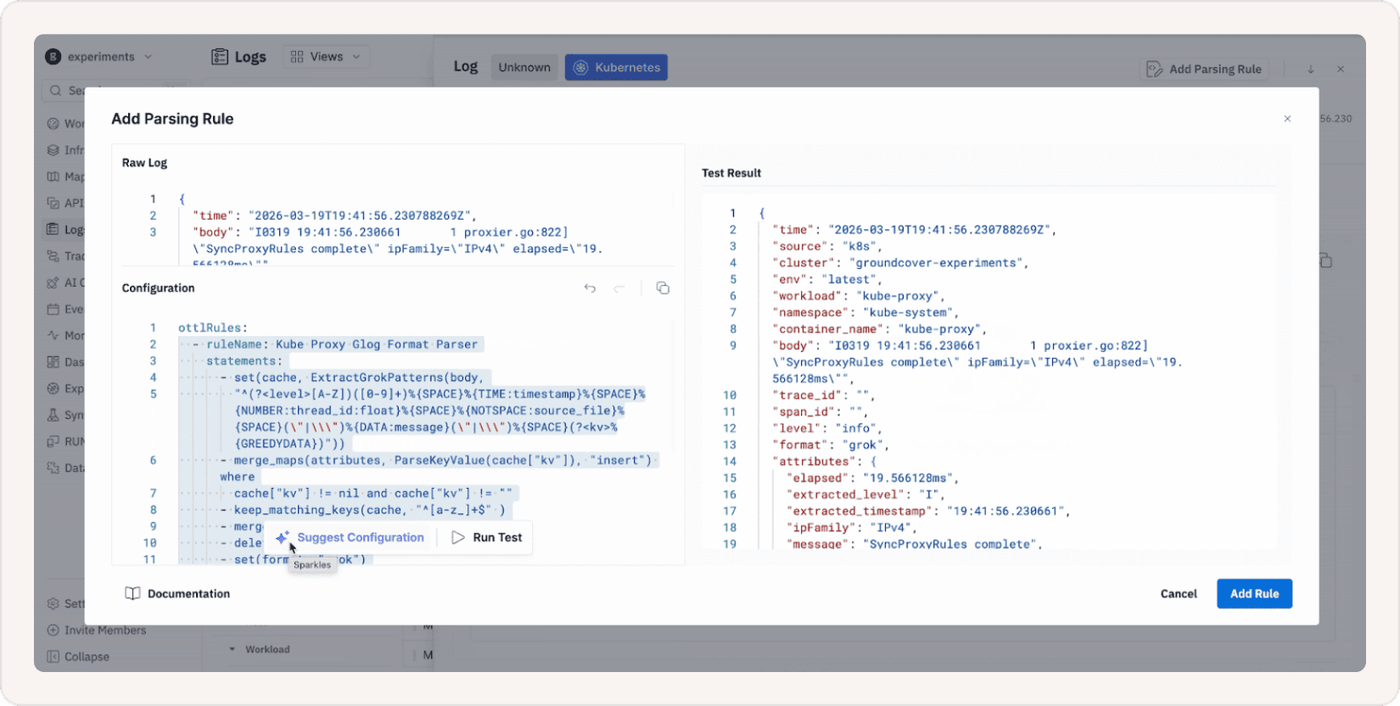
You can also enrich unstructured data on the way in — parsing log lines, extracting key-value pairs, and structuring third party output — all through the Logs Pipeline in the UI, without touching your application code or redeploying anything. Test your rules in the Parsing Playground first, promote them when you're confident, and by the time a log hits your query view it's already structured, tagged, and useful. No Grok debugging at 2am. No pipeline redeploy. Just clean data.
Final Thoughts–No worries, send OTel too
In this tutorial we spun up a 2-node EKS cluster, deployed groundcover in three steps, and had full HTTP trace visibility into a running workload without touching a single line of application code. That's the zero-to-observability promise of eBPF in practice.
However it’s also worth mentioning that if you're already shipping telemetry via OpenTelemetry or Prometheus, you don't have to choose. groundcover supports both. You can forward existing traces, metrics, and logs alongside what the eBPF sensor collects automatically.
Want to get a feel for groundcover, but you don’t want to set up the infrastructure? Make sure to check out the groundcover Playground.