

PVC Resize in Kubernetes: How It Works, Limits & Best Practices



Key Takeaways
- Kubernetes can expand Persistent Volume Claims without recreating volumes, but it only works if the StorageClass and CSI driver explicitly support volume expansion.
- PVC resize happens in two stages: the underlying storage volume grows first, then the filesystem is expanded so applications can actually use the new space.
- Modern CSI drivers support online resize with no downtime, while older or limited drivers still require pod restarts and maintenance windows.
- Most resize failures come from missing allowVolumeExpansion, unsupported drivers, or file system resize issues, so monitoring PVC conditions and Kubernetes events is critical.
- Stateful workloads need extra care because StatefulSet volume templates are immutable, meaning PVCs must be resized individually and coordinated carefully in production.
Managing storage in Kubernetes is rarely a "set it and forget it" problem. Workloads grow, datasets expand, and what seemed like a generous volume allocation at deployment time can start looking tight within weeks. According to the 2024 CNCF Annual Survey, storage management ranks consistently among the top operational pain points for Kubernetes adopters, and running out of persistent volume capacity mid-production is one of the most disruptive ways to find that out.
Fortunately, Kubernetes has supported volume expansion for several years now, and the tooling around PVC resize has matured considerably. But it still has sharp edges: silent failures, driver-specific behaviors, and limitations that bite teams who haven't thought through their storage architecture upfront. This article walks through how PVC resize actually works, what you need to have in place before attempting it, and how to do it safely in production.
What Is PVC Resize in Kubernetes
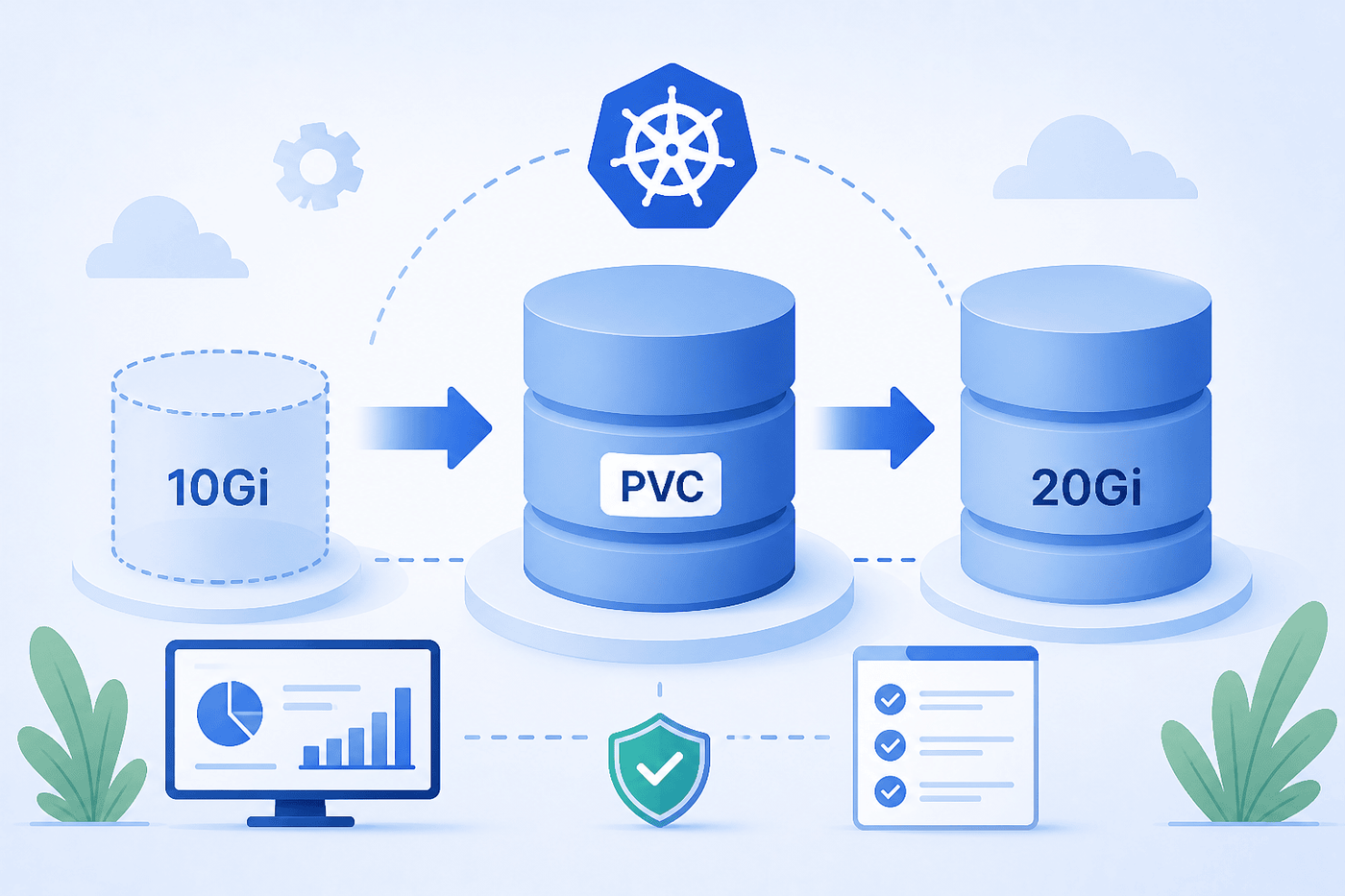
A Persistent Volume Claim (PVC) is how a pod requests storage in Kubernetes. It's essentially a reservation - the PVC asks for a certain amount of storage, and Kubernetes binds it to a Persistent Volume (PV) that satisfies the request. PVC resize is the process of increasing the storage capacity of that bound claim after it's already in use.
Online vs Offline PVC Resize in Kubernetes Environments
| Aspect | Online Resize | Offline Resize |
|---|---|---|
| When it happens | While the pod is still running | Requires the pod to be stopped |
| Downtime | No restarts, no downtime | Requires pod restart (downtime) |
| Driver requirement | CSI driver + storage provider must support online expansion | Typically used with older in-tree plugins or CSI drivers without online support |
| PVC update timing | PVC updated and resize applied while pod runs | PVC can be updated while pod runs, but FS resize waits |
| File system resize | Done in-place while pod is running | Happens only after volume is unmounted and remounted |
| Operational implication | Invisible to workload | Requires maintenance window |
| Typical support | Modern cloud storage (AWS EBS, GCE PD, Azure Disk) | Older or limited drivers |
How PVC Resize Works in Kubernetes Storage Architecture
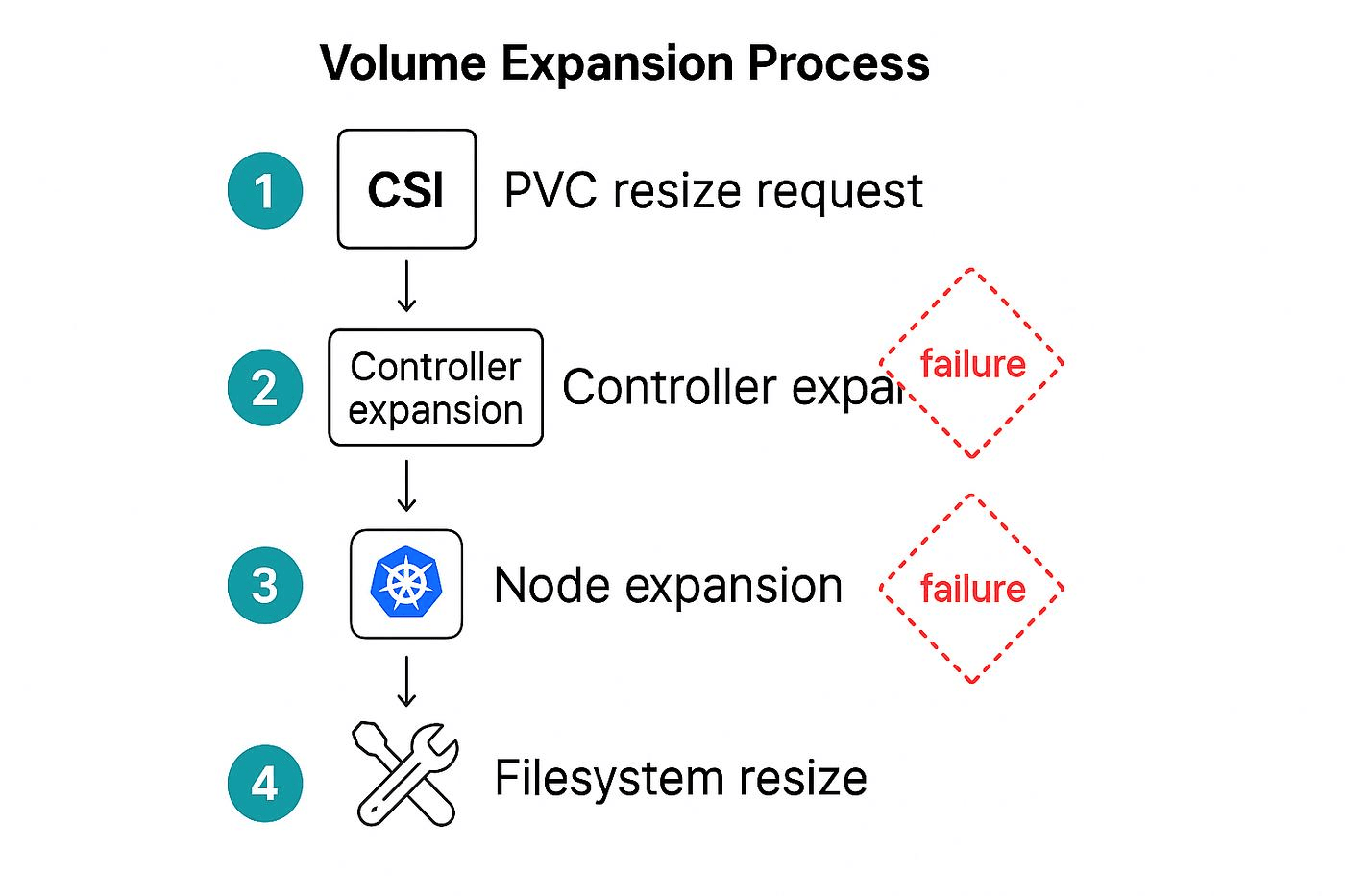
When you increase a PVC's storage request, Kubernetes initiates a two-step process:
- Volume Expansion at the Storage Layer: Kubernetes sends a request to the CSI driver (or in-tree plugin) to expand the underlying block volume. This happens at the infrastructure level: the cloud provider's disk, the SAN LUN, or whatever physical storage backs the PV actually gets resized.
- File System Resize: Once the block device is larger, the file system sitting on top of it needs to be expanded to use the new space. Kubernetes handles this automatically when the volume is next mounted, typically triggered by a pod restart or, in the case of online resize, done in-place while the pod runs.
Prerequisites for PVC Resize in Kubernetes Clusters
Before you attempt a PVC resize, make sure the following are in place:
- Kubernetes Version ≥ 1.11: Volume expansion moved to beta in 1.11 and became stable (GA) in 1.24. Anything older than 1.11 doesn't support it at all.
- ExpandPersistentVolumes Feature Gate Enabled: This is on by default from 1.24 onwards; older clusters may need it enabled explicitly.
- A CSI Driver that Supports Volume Expansion: The driver must implement the ControllerExpandVolume and, for online resize, NodeExpandVolume RPC calls.
- A StorageClass with allowVolumeExpansion: true: Without this flag, Kubernetes will reject the PVC update outright with a validation error.
- The PVC Must Be in a Bound State: You can't resize an unbound PVC.
StorageClass Requirements for PVC Resize and Volume Expansion
The StorageClass is the gatekeeper for PVC resize. A single field controls whether expansion is even allowed:
If allowVolumeExpansion is absent or set to false, any attempt to increase a PVC's storage request will be rejected immediately, and you'll see a Forbidden error from the API server.
| StorageClass Field | Required for PVC Resize | Notes |
|---|---|---|
| allowVolumeExpansion: true | Yes | Must be set before PVC creation |
| provisioner (CSI driver) | Yes | Must support ControllerExpandVolume |
| volumeBindingMode | No | Affects provisioning, not expansion |
| reclaimPolicy | No | Affects what happens on PVC deletion |
Step-by-Step Process for PVC Resize in Kubernetes
1. Verify StorageClass Supports Volume Expansion
Before touching the PVC, confirm the StorageClass has volume expansion enabled:
You're looking for true. If you get no output or false, expansion is not supported on this class.
2. Update PVC Storage Requests
Edit the PVC and increase the resources.requests.storage value. You can do this with kubectl patch or kubectl edit:
Or via a declarative manifest update:
Apply with:
3. Monitor PVC Status and Resize Conditions
After submitting the change, watch the PVC status:
Look for the Conditions section. During expansion, you'll typically see:
- FileSystemResizePending: Block expansion complete, waiting for file system resize (needs pod restart for offline drivers)
- Resizing: The storage backend is still processing the expansion
The Events section will show messages from the CSI driver about progress.
4. Handle FileSystem Resize and Pod Restarts
For drivers that require offline resize, you'll need to delete and recreate the pod once the block device is expanded:
# Delete the pod to trigger a remount with fs resize
# If using a Deployment, rolling restart works fine
When the new pod starts and mounts the volume, Kubernetes automatically runs the file system resize before the container starts. You'll see a NodeExpandVolume event in kubectl describe pvc when this completes.
For online resize (supported CSI drivers with running pods), no restart is needed. The kernel will detect the expanded block device and Kubernetes will trigger NodeExpandVolume automatically.
5. Validate Successful PVC Resize
Once complete, verify both the PVC capacity and the actual disk size seen by the pod:
# Check PVC capacity
# Check from inside the pod
Both should reflect the new size. If the status.capacity matches your requested size but df -h still shows the old size, the file system resize hasn't completed. This typically means the pod needs a restart.
PVC Resize Behavior Across Different Storage Drivers and CSI Plugins
Not all CSI drivers behave the same way during PVC resize. Here's a practical comparison of the major options:
| Storage Driver | Online Resize | FS Resize Auto | Notes |
|---|---|---|---|
| AWS EBS CSI (ebs.csi.aws.com) | Yes (gp2/gp3) | Yes | Pod restart not required on newer driver versions |
| GCE PD CSI (pd.csi.storage.gke.io) | Yes | Yes | Supported on GKE 1.16+ |
| Azure Disk CSI (disk.csi.azure.com) | Yes | Yes | Premium and Standard SSDs supported |
| Rook/Ceph RBD | Yes | Yes | Requires Ceph Mimic or later |
| NFS (various) | Limited | No | NFS volumes don't support FS resize via CSI |
| Local volumes | No | No | No expansion support; resize requires data migration |
| Longhorn | Yes | Yes | Supports live resize with v1.2+ |
The Kubernetes CSI Developer Documentation maintains a feature matrix for all official CSI drivers, worth checking before assuming your driver supports a particular capability.
Common PVC Resize Issues and Why They Occur
Despite the relatively straightforward workflow, PVC resize failures are common. Here are the most frequently encountered problems:
| Issue | Why It Occurs |
|---|---|
| PVC Stuck in FileSystemResizePending | Block expansion succeeded but file system resize not completed (often requires pod restart or NodeExpandVolume failure) |
| StorageClass Does Not Support Resizing Error | allowVolumeExpansion is not set on the StorageClass |
| Requested Size Rejected by API Server | Kubernetes does not allow shrinking PVC size |
| Expansion Stuck at Storage Layer | Cloud provider volume expansion is slow (e.g., AWS EBS delay) and CSI driver retries |
| Pod CrashLoopBackOff After Restart | File system corruption causes fsck failure during resize |
| resize2fs Errors in Node Logs | File system resize failure due to dirty volume or unsupported FS type |
How to Troubleshoot Failed PVC Resize in Kubernetes Clusters
When a resize gets stuck, work through this checklist:
Check PVC conditions and events
Look for Conditions and Events - they usually point directly to the failure reason.
Check CSI controller pod logs
The external-resizer sidecar logs will show whether the ControllerExpandVolume call succeeded or failed.
Check node logs for FS resize errors on the node where the pod is scheduled:
Force a file system resize manually. If the block device is larger but the FS hasn't expanded, you can sometimes trigger it by deleting and recreating the pod. If the PVC's status.capacity already shows the new size but the FS hasn't grown, this is a NodeExpandVolume issue.
Patch the PVC status directly (last resort). In rare cases where the PVC is stuck in a bad state, you can patch status.capacity using kubectl patch with --subresource=status. Only do this if you're certain the underlying storage has been expanded.
PVC Resize Limitations and Constraints to Be Aware Of
Understanding the constraints upfront saves a lot of effort later:
- No Shrinking: Kubernetes does not support decreasing PVC size. Period. If you need to reduce storage, you must create a new PVC and migrate data.
- StorageClass is Immutable: You can't change a PVC's StorageClass after binding. If your current class doesn't support expansion, you're stuck migrating.
- Access Mode Restrictions: Some drivers only support resize for ReadWriteOnce volumes, not ReadWriteMany.
- Cloud Provider Limits: AWS EBS, for example, has a hard limit of one resize operation every 6 hours per volume. Rapid successive resizes will be throttled.
- No Bulk Resize API: There's no kubectl resize all pvcs command. Each PVC must be updated individually, which is painful in large StatefulSets.
- Downtime Risk with Offline Drivers: Offline resize requires pod deletion, which means downtime for any single-replica workload.
Best Practices for Safe and Efficient PVC Resize in Production
A few practices can mean the difference between a smooth resize and an incident:
| Best Practice | Description |
|---|---|
| Enable allowVolumeExpansion from the Start | Must be set in StorageClass before PVC creation; cannot be added later for existing PVCs |
| Use CSI Drivers that Support Online Resize | Prefer cloud-native CSI drivers over deprecated in-tree plugins |
| Test Resize in Staging First | Validate process on non-production workloads before applying in production |
| Monitor status.capacity vs spec.resources.requests.storage | A mismatch indicates incomplete resize |
| Set Up Storage Usage Alerts Proactively | Avoid hitting 100% capacity before resizing |
| Document the Resize Runbook | Helps handle failures under pressure |
| For StatefulSets, Use Manual PVC Management | Volume claim templates cannot be updated in-place |
Monitoring PVC Resize Events and Storage Usage in Kubernetes
Staying ahead of storage issues means watching the right signals. Key things to track:
- kubelet_volume_stats_used_bytes / kubelet_volume_stats_capacity_bytes : These Prometheus metrics expose current usage and capacity for all mounted volumes per pod. Calculate utilization as used/capacity * 100.
- PVC status.conditions : Poll for FileSystemResizePending conditions to detect stuck resizes.
- Kubernetes Events: Filter for VolumeResizeFailed and FileSystemResizeSuccessful event reasons.
- CSI Driver Metrics: Many modern CSI drivers expose their own Prometheus metrics for expansion operations, latency, and error rates.
A sample PromQL query to alert on high PVC utilization:
This will fire an alert for any volume that's more than 80% full, giving you a window to resize before it becomes critical.
PVC Resize Considerations for StatefulSets and Stateful Workloads
StatefulSets introduce an extra complication. If the volumeClaimTemplates field in a StatefulSet spec is immutable, Kubernetes will not allow you to update it after the StatefulSet is created. This means you can't resize PVCs by simply updating the StatefulSet manifest.
The correct approach for resizing StatefulSet PVCs is:
- Resize each PVC individually using kubectl patch or kubectl edit (as described above).
- Once all PVCs are resized and the file system resize is complete, update the StatefulSet's volumeClaimTemplates with the new size. You'll need to delete and recreate the StatefulSet for this to take effect, but importantly, deleting the StatefulSet does not delete the PVCs, so your data is safe.
# Delete StatefulSet without deleting pods or PVCs
# Apply updated StatefulSet with new volumeClaimTemplate size
Real-Time Kubernetes Storage Visibility for PVC Resize with groundcover
Catching storage problems before they become incidents requires more than checking kubectl describe pvc periodically. You need continuous visibility into volume utilization, PVC health, and resize events across your entire cluster, and that's exactly where groundcover fits in.
groundcover is a cloud-native observability platform built specifically for Kubernetes environments, using eBPF to instrument workloads with zero code changes. For storage operations, this means you get:
- Real-Time PVC Utilization Metrics: Track used_bytes and capacity_bytes per volume across all namespaces, with alerting thresholds you can configure per workload criticality.
- Resize Event Correlation: When a PVC resize is triggered, groundcover correlates it with pod restarts, latency changes, and error rates so you can see the full impact of the operation in one place.
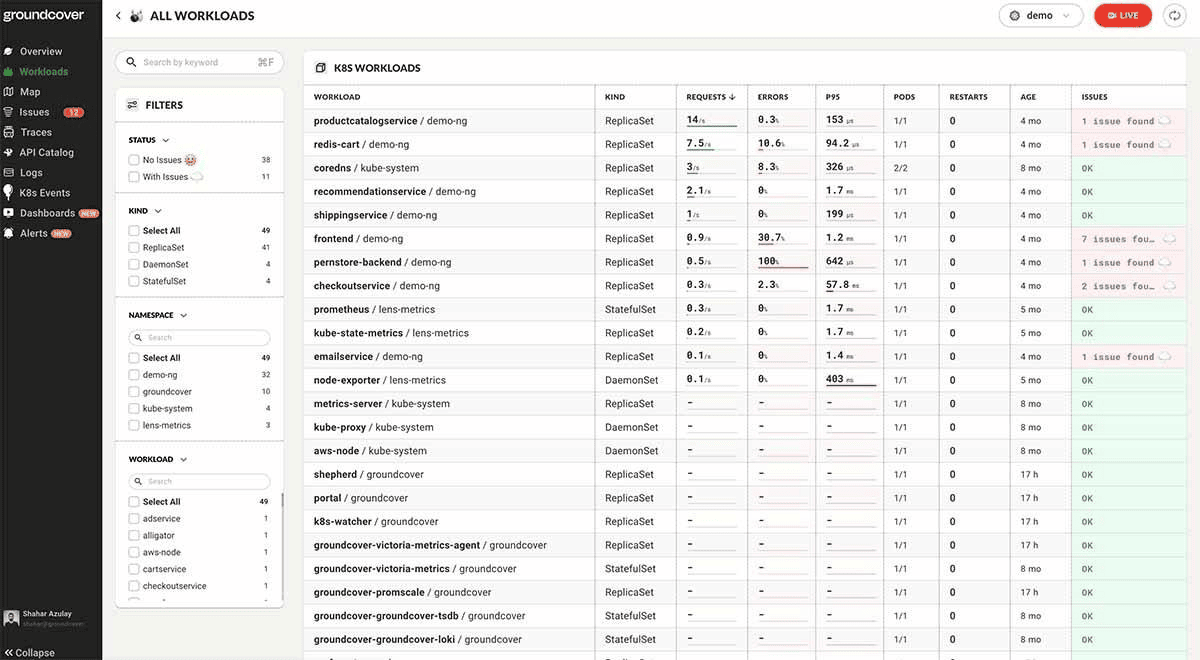
- Storage Health Dashboards: groundcover's Kubernetes monitoring capabilities include out-of-the-box dashboards for infrastructure health, volume utilization trends, and pod-level storage metrics, no PromQL expertise required.
- Configurable Resize Alerts: Using groundcover's alerting layer, you can set up a custom alert to fire when a PVC's status.capacity hasn't caught up with its spec.resources.requests.storage after a defined window, catching stuck resizes automatically rather than waiting to discover them manually.
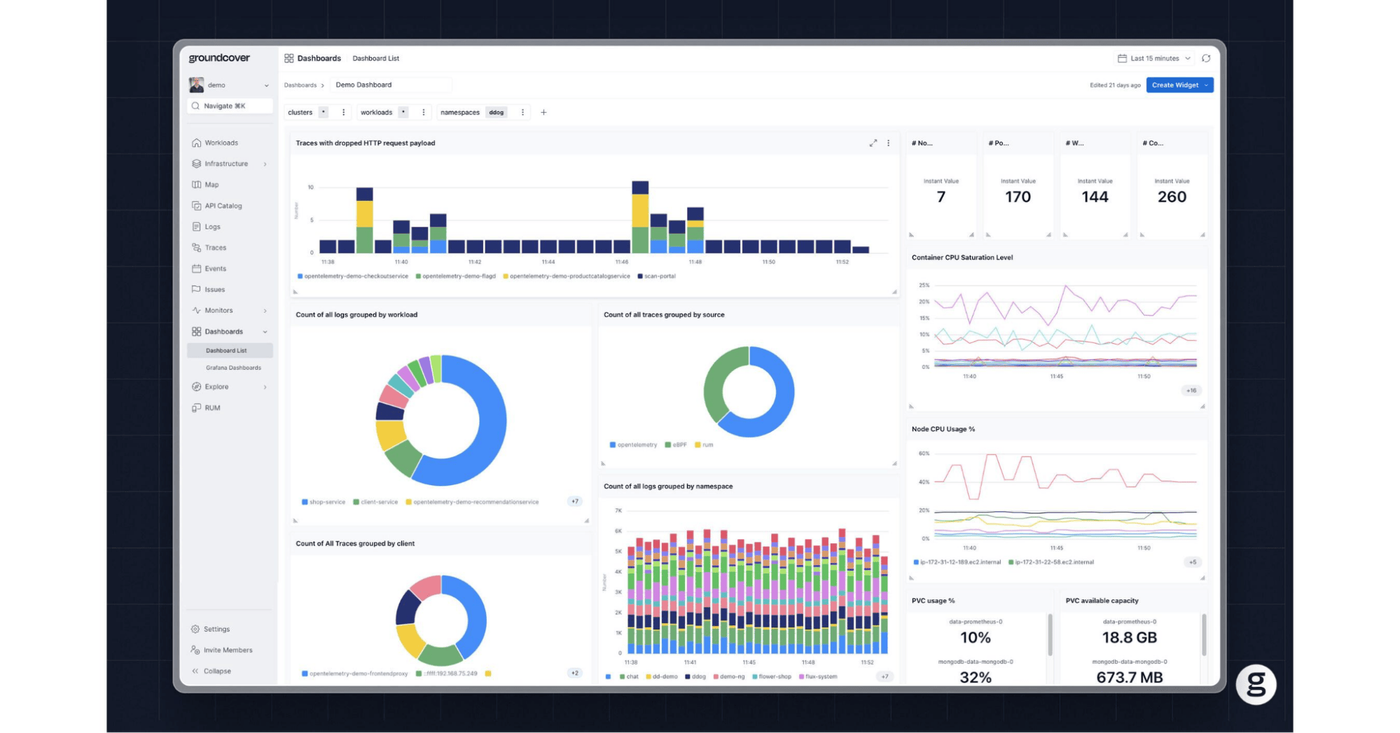
groundcover's infrastructure monitoring layer captures Kubernetes Events natively, so VolumeResizeFailed events surface directly in context alongside the relevant pod and node telemetry. No need to grep through logs across multiple systems. The platform uses a Bring Your Own Cloud (BYOC) model, and deploys into your own cloud environment across AWS, Google Cloud, or Azure.
For teams managing stateful workloads at scale databases - message queues, and object stores - having this level of storage observability isn't optional. It's the difference between proactively resizing a PVC at 78% utilization and reactively debugging an OOM crash at 3 am.
Conclusion
PVC resize in Kubernetes is genuinely useful, but it's not a magic button. It requires the right StorageClass configuration, a CSI driver that supports expansion, and an understanding of whether you're working with online or offline resize semantics. The process itself - patch the PVC, wait for block expansion, trigger file system resize - is straightforward when everything is in order. When it's not, the failure modes can be subtle and easy to miss without proper monitoring.
The best time to think about PVC resize is before you need it. Enable allowVolumeExpansion on your StorageClasses, choose CSI drivers that support online expansion, set up utilization alerts well below the 100% threshold, and have a runbook ready for the StatefulSet edge cases. With that groundwork in place, expanding a volume under pressure becomes a routine operation rather than an incident.
FAQs
No, PVC resize without restarting pods depends on the Kubernetes version, CSI driver capabilities, filesystem type, and the underlying storage provider’s support for online volume expansion.
- Kubernetes supports online PVC expansion only when the StorageClass has allowVolumeExpansion: true and the CSI driver implements ExpandInUsePersistentVolumes.
- Block storage backends like AWS EBS, GCE Persistent Disk, and Azure Disk generally support in-use expansion, while some NFS, Ceph, or legacy in-tree drivers may still require pod restarts or manual filesystem resizing.
- Even when the volume expands at the storage layer, the filesystem inside the container (such as XFS or ext4) may not recognize the new capacity until kubelet performs filesystem expansion, which can sometimes be delayed until pod remount.
- Stateful workloads should still treat PVC expansion as a controlled operational event because application-level behaviors, database locking, and storage latency spikes can introduce transient performance risks during resize operations.
Learn more about Kubernetes storage management.
If a storage class does not support PVC resize, Kubernetes will reject the expansion request, and the PersistentVolumeClaim will remain at its original size.
- The resize attempt typically fails with events such as volume expansion not supported by plugin or expansion not allowed for storage class, which can be inspected with kubectl describe pvc.
- Applications continue running with the existing volume size, but workloads may eventually fail due to disk exhaustion if capacity assumptions were already updated elsewhere in the deployment process.
- In environments without resize support, teams usually need to provision a new larger PVC, migrate the data manually or with snapshots, and then remount the new volume to the workload.
- This limitation is common in older in-tree volume plugins, certain NFS implementations, and storage systems where backend capacity management is static or externally controlled.
Learn more about Kubernetes persistent storage behavior.
groundcover helps teams detect PVC resize issues in real time by correlating Kubernetes events, node-level storage metrics, workload performance signals, and application behavior in a single observability workflow.
- Kubernetes events such as failed volume expansion requests, filesystem resize errors, and CSI driver warnings are automatically surfaced alongside pod and node telemetry, making it easier to identify whether the issue originates from the storage backend, kubelet, or workload layer.
- eBPF-based monitoring provides low-overhead visibility into disk I/O latency, filesystem saturation, and container-level resource pressure during resize operations, helping teams catch transient performance degradation before it impacts users.
- Correlating logs, metrics, and traces allows engineers to connect PVC expansion failures directly to downstream symptoms like pod restarts, database slowdowns, or elevated API latency instead of troubleshooting each signal independently.
- Real-time dashboards and alerts help platform teams detect stuck resize operations, abnormal storage consumption growth, or StatefulSet instability early, particularly in multi-cluster Kubernetes environments where manual inspection does not scale.
Discover our guide to Kubernetes monitoring, its challenges, and best practices.



