


Weekly updates on new features, improvements, and fixes across groundcover.

Agent Prompt Queue & AI Trace Views
April 2, 2026
Queue prompts for the Agent without interrupting its current task, explore AI traces from three different angles, and let your time series charts auto-scale to the data that matters.
Agent | Prompt Queue, Copy, Fork & Better Conversations
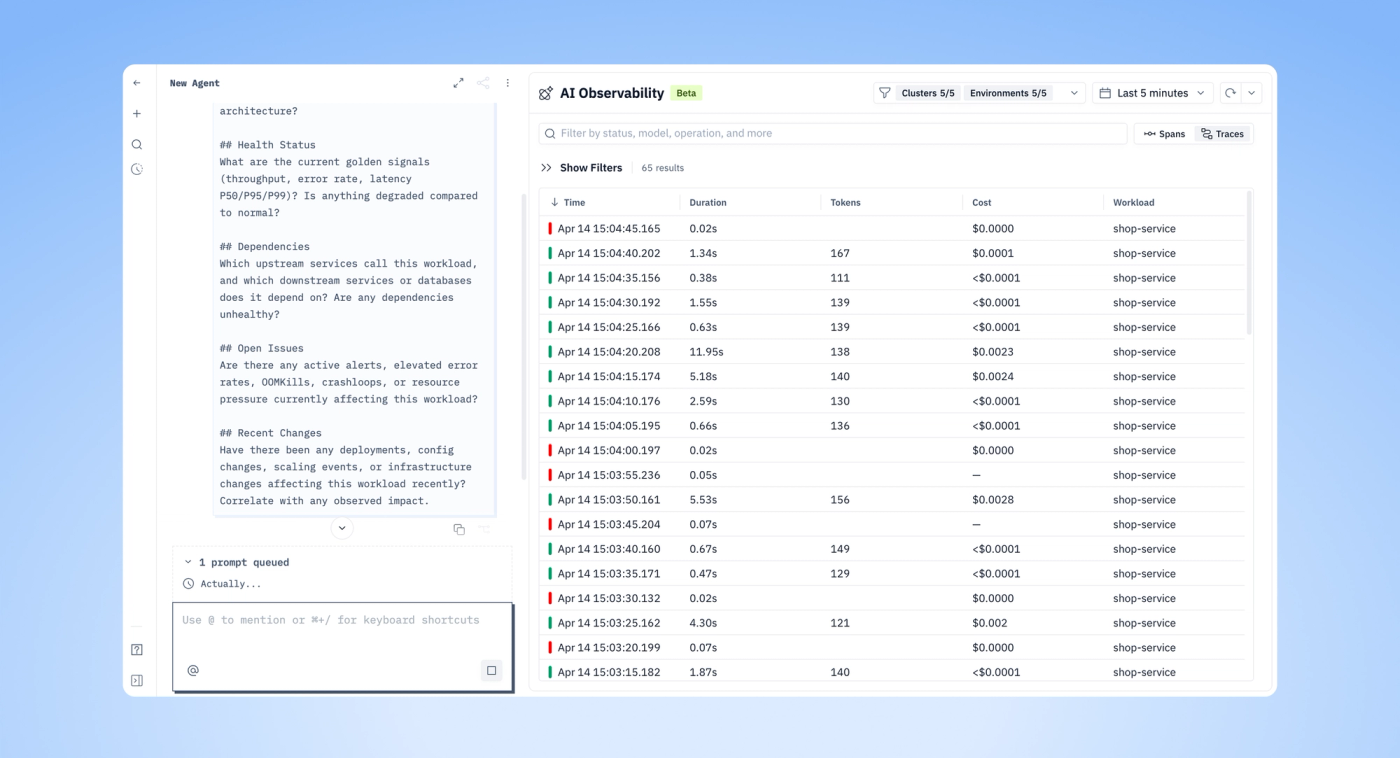
You can now queue prompts while the Agent is working on a previous request. Type your next question and it gets queued automatically - the queue is open by default so you always see what's pending. This makes multi-step investigation workflows smoother.
We also added copy and fork buttons to Agent responses. Copy grabs the content. Fork creates a new conversation branch from a specific turn - useful when you want to explore an alternative direction without losing the original thread. Responses now render in code blocks for better readability, long pasted messages wrap properly, the Agent no longer loads stale conversations on reopen, and response times default to your timezone.
AI Observability | Three Ways to View Traces
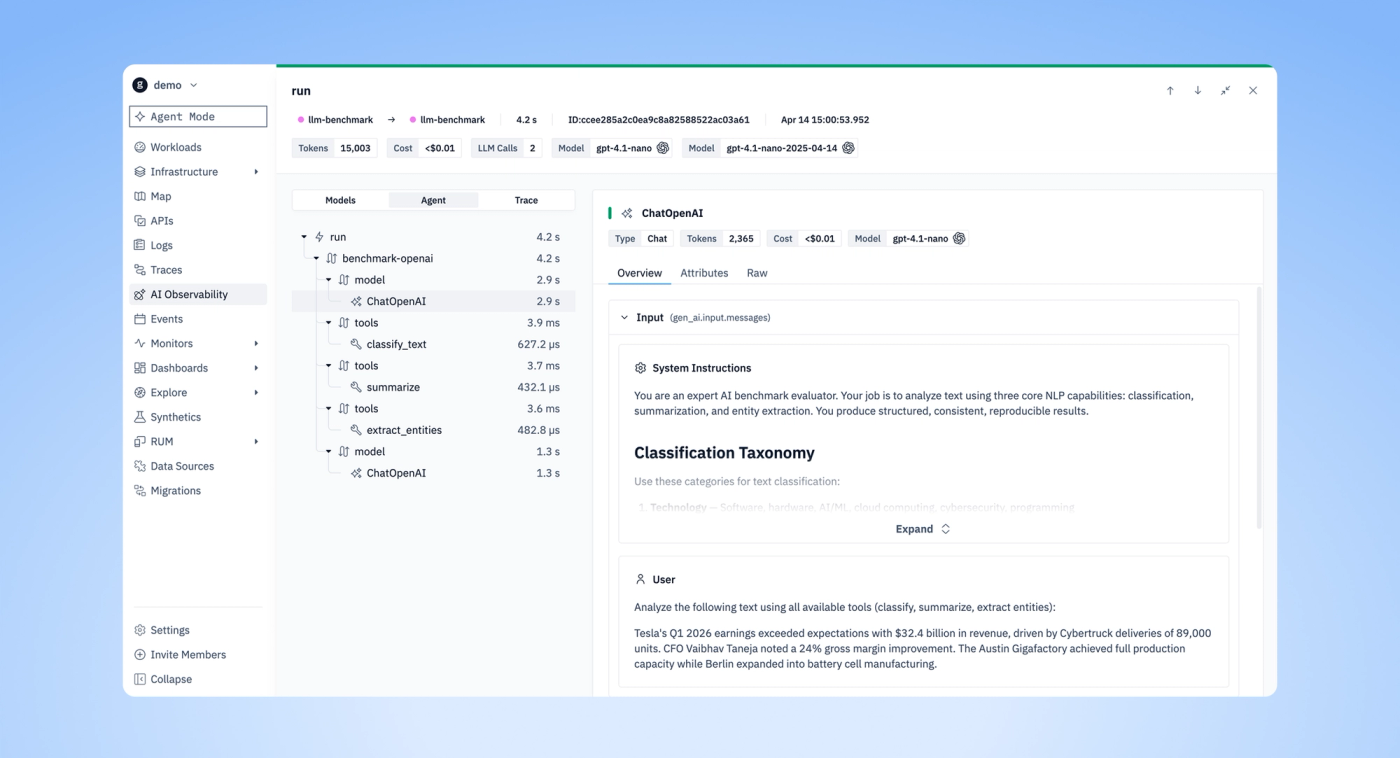
The AI Observability span tree now supports three view modes: Models, Agent, and Trace. Each gives you a different lens on the same data - focus on which models were called and their token usage, see how the agent orchestrated tool calls and decisions, or view the full end-to-end trace with every span. Switch between views directly in the trace drawer.
New Features & Improvements
- Agent | Implemented prompt queue, copy/fork buttons, code block responses, timezone-aware response times, and hierarchical mentions navigation
- AI Observability | Added span tree view modes: Models, Agent, Trace
- Time Series Charts | Auto-scale Y-axis to visible data range
- Migrations | Moved page to left nav from Settings
- Design System | Updated the "Expandable Block" component
Bug Fixes
- Agent | Fixed long message wrapping, fork including only selected turn, and stale conversation loading
- Search Bar | Entities search no longer errors on unquoted names
- Traces | Related logs can now be viewed for all traces
- AI Observability | Fixed arrow navigation and polished Span/Trace Drawer UI
- Synthetics | Clearing workflow selection now persists on update
- Login | Fixed blank page after login
- Monitors | "No Data" option correctly displayed instead of "Trigger an alert"
- Frontend | Fixed breadcrumb in edit flow, filter pop-out on resolution change, and unstyled scrollbars
- Integrations | "Add to context" hidden when AI is disabled
Other recent updates


Observability
for what comes next.
Start in minutes. No migrations. No data leaving your infrastructure. No surprises on the bill.


