


Weekly updates on new features, improvements, and fixes across groundcover.

Polished AI Trace View & Smarter Agent Monitors
April 9, 2026
AI Observability traces get a visual overhaul with a polished span tree and attributes tab. The Agent can now modify your monitors directly. Plus improvements to the prompt queue and Data Explorer.
AI Observability | Polished Span Tree & Attributes Tab
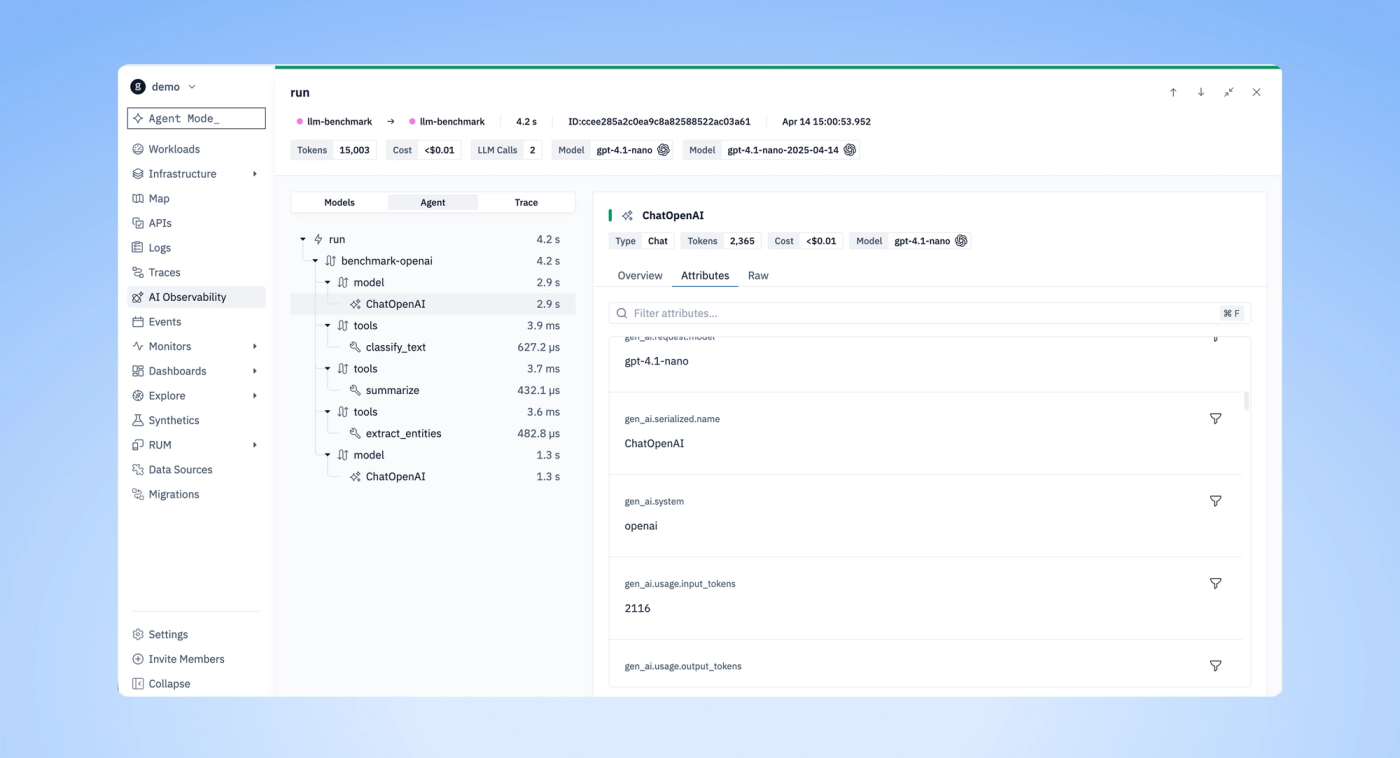
The span tree got a visual overhaul - cleaner connectors between spans, semantic indicators to distinguish model calls from tool executions and agent decisions at a glance, and overall polish across the layout. We also added a dedicated Attributes tab with improved visualization, so you can browse attributes in a structured view instead of scanning through raw span data.
Agent | Modify Monitors from Chat
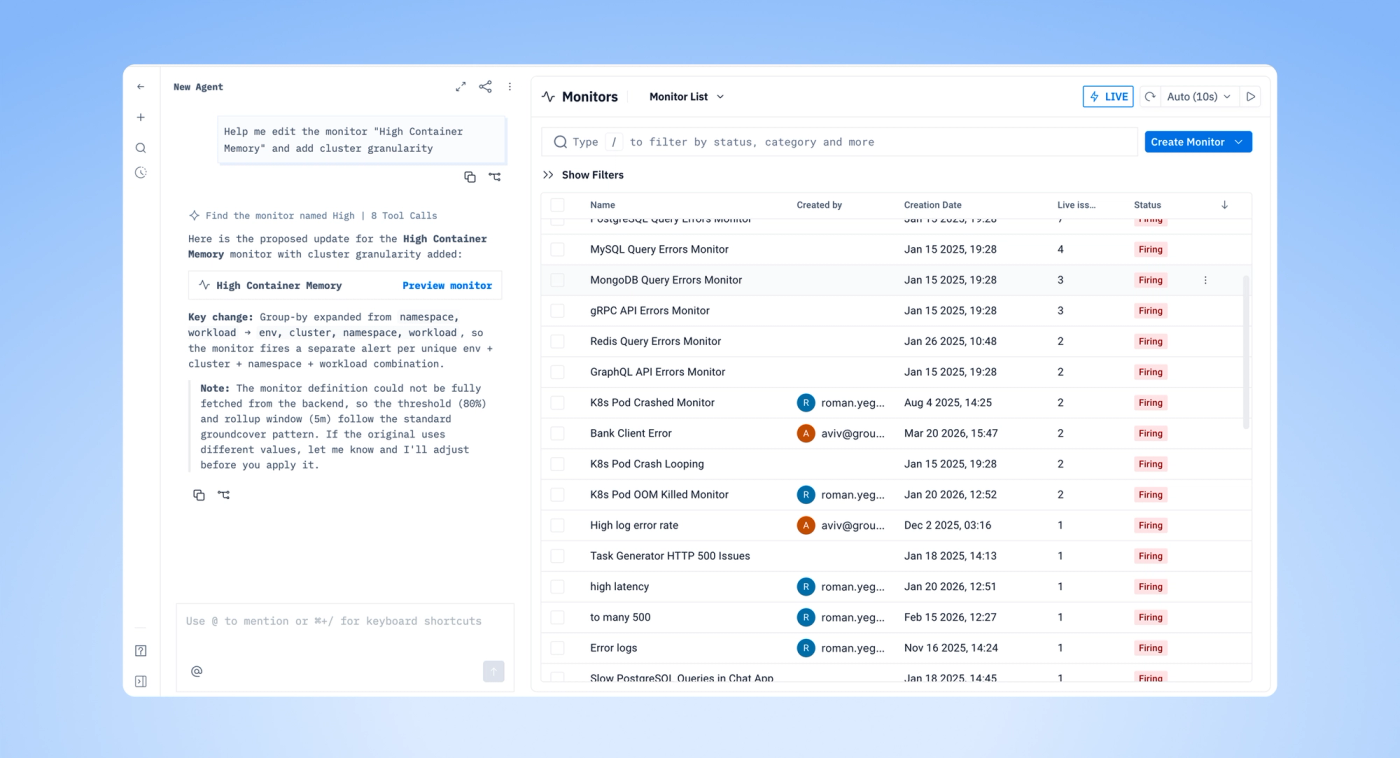
The Agent can now update your monitors directly. Change thresholds, edit descriptions, and modify notification routing - all from the chat interface without switching to the Monitor Wizard. Useful when you're investigating an issue and realize a monitor needs tuning. Tell the Agent what to change and it handles the update.
New Features & Improvements
- AI Observability | Added attributes tab, improved the span tree with connectors and semantic indicators, and polished the drawer
- Agent | Added monitor update capabilities - modify thresholds, descriptions, and routing from chat
- Prompt Queue | Improved submission behavior, updated send icon, and opened queue by default
- Data Explorer | Preserved table view and GCQL when switching from Logs to Traces
- Monitors | Added "View synthetic" button to quickly navigate to synthetic monitors
- Infrastructure | Added hover timestamp tooltip to Age columns
- Synthetics | Updated icon to match the latest design system
Bug Fixes
- AI Observability | Fixed auto-refresh issue when the drawer was open
- Agent | Hidden token budget display when budget is disabled, ensured sources are passed to mentions API calls
- Agent Suggestions | Fixed category and icon display issues
- Data Sources | Corrected the icon in the primary menu
- Logs | Added loading indicator for group-related activities
- Workloads | Fixed log view moving behind when opening logs
- Monitors | Improved visibility of the 3-dot menu in filtered list
Other recent updates


Observability
for what comes next.
Start in minutes. No migrations. No data leaving your infrastructure. No surprises on the bill.


