


Weekly updates on new features, improvements, and fixes across groundcover.

Session Replay is GA, New Data Sources & Claude Integrations
March 5, 2026
Discover Session Replay, new data sources for Issues and Entities, and new integrations to monitor AI coding tools across your organization.
Session Replay is now GA
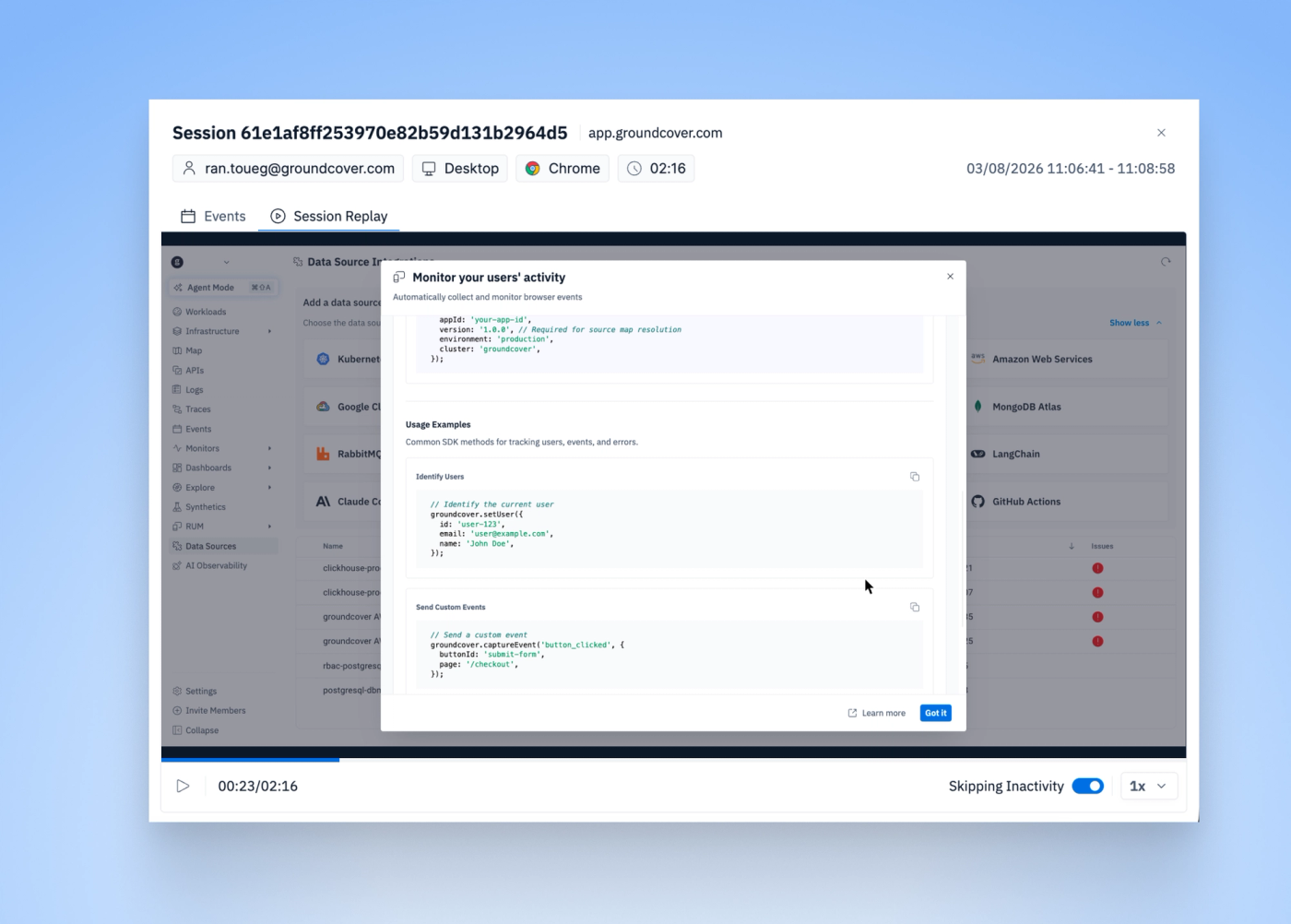
Sometimes logs and traces don’t tell the full story. Seeing what the user actually did often does.
Session Replay is now GA as part of groundcover’s RUM capabilities.
We’ve been using Session Replay internally as a product team to better understand how users interact with the platform and to debug issues faster. Now it’s available to you.
Session Replay works especially well with groundcover’s architecture:
- BYOC by design – session data stays between your walls. This is especially important for user sensitive data.
- Fully correlated debugging – replays are connected with RUM signals and backend traces, so you can move from a user action to the exact backend behavior.
- Included in your tier – no extra pricing, just part of the platform.
Learn how to set it up here.
New data sources in Data Explorer and Dashboards: Issues & Entities
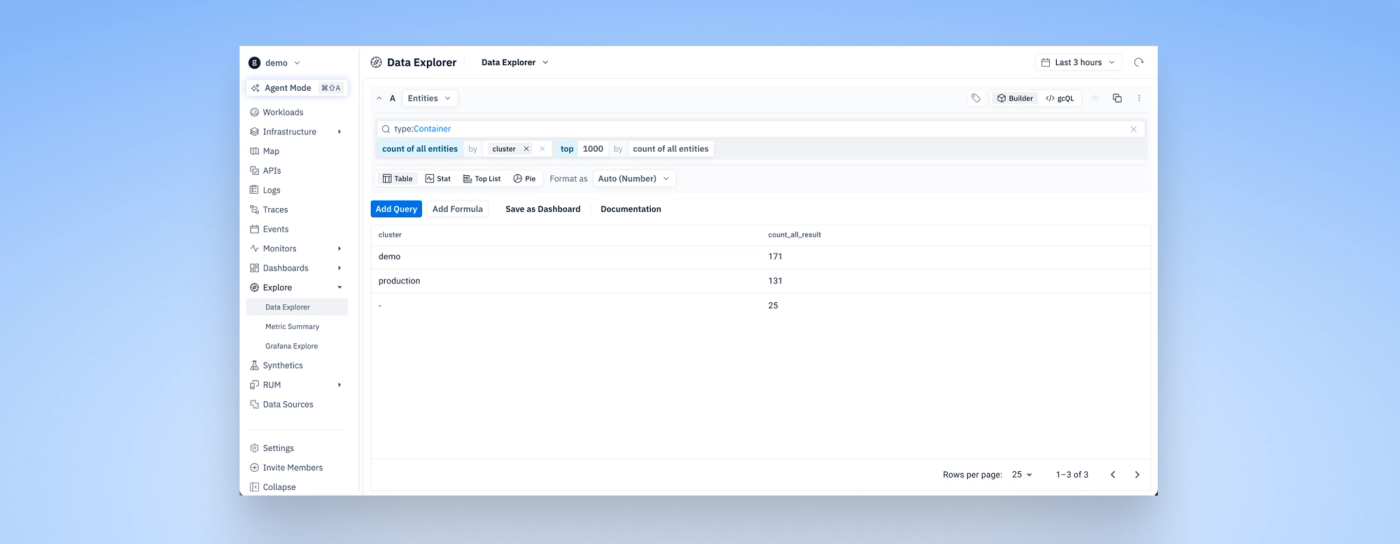
We added two new data sources that make it easier to explore and visualize platform metadata directly from Data Explorer and Dashboards.
Entities
The Entities data source exposes the entities table in groundcover. It includes information about your workloads, Kubernetes resources, hosts, and more.
This capability originally came from a need we had while building AI agents that query groundcover, and it is now available for everyone.
You can now query and visualize entity data directly from Data Explorer and dashboards.
Issues
The Issues data source allows you to query and visualize issues created in groundcover.
A simple example: when releasing a new feature, you can build a dashboard that combines RUM metrics, traces, logs, and the issues related to that release.
Claude Code and CoWork integration wizards
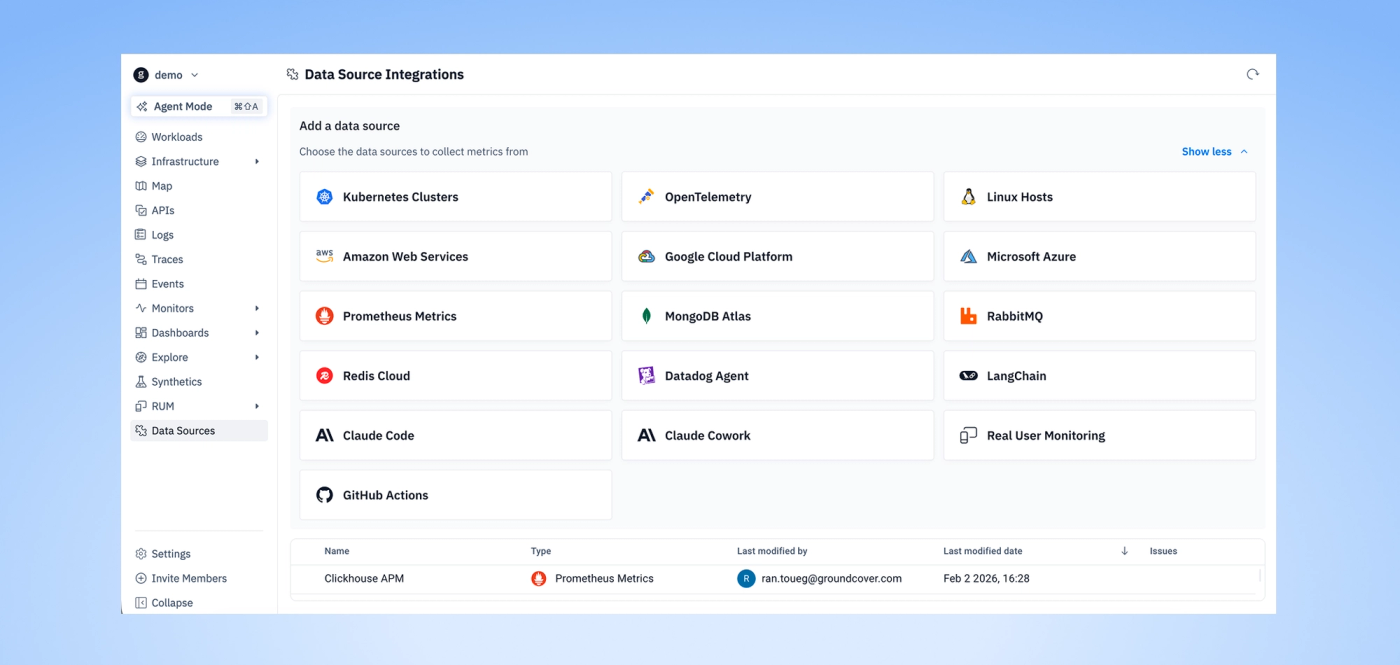
It is now easier to monitor Claude Code and CoWork usage across your organization.
The new integration wizards help you track: usage, costs, tool activity
This gives teams visibility into how AI coding tools are being used across the organization.
Improvements
- Monitors – Preview now supports custom labels. Improved migration layout.
- Connected Apps – Added Rootly URL field.
- Integrations – Added source maps setup guide. Increased default time picker.
- Data Sources – Improved Terraform configuration visualization.
Bug Fixes
- Data Explorer – Result column is now hidden when
valueFieldHintsis empty. - Monitors – Fixed catalog access and workflow selection issues.
- Explore – Improved map value rendering.
- Logs – Fixed “Logs Over Time” graph disappearing during free text search.
- Integrations – Metrics now reflect the selected time period.
Other recent updates


Observability
for what comes next.
Start in minutes. No migrations. No data leaving your infrastructure. No surprises on the bill.


