Weekly updates on new features, improvements, and fixes across groundcover.

Peace of mind for on-call engineers and building trust with your o11y agent
May 15, 2026
Agent mode has a clearer approval flow that helps you build trust that your groundcover agent won’t perform any dangerous actions. Silences have been added to monitoring for redundant alerting repression that let your on-call engineers rest easy during scheduled maintenance. Finally this week we worked on a lot of improvements to the product and bug fixes.
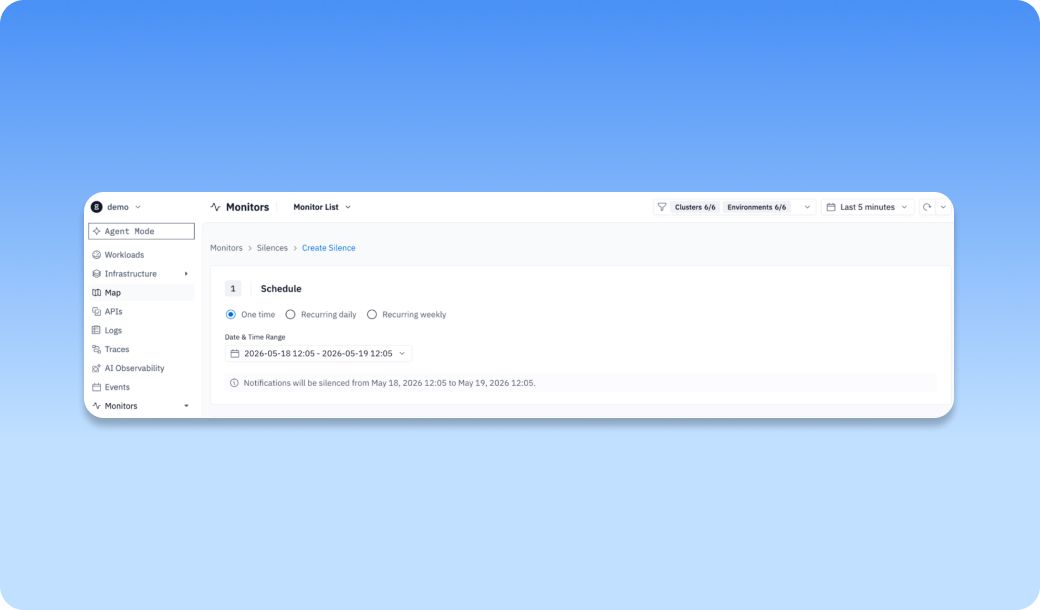
Recurring Silences for daily and weekly silences
Every Sunday at 2 AM, your database runs its weekly backup. Latency spikes, a few alerts fire, your on-call engineer wakes up for nothing because it’s just the backup, like always.
Recurring silences fix this annoying problem. You can now schedule daily or weekly silences in groundcover to suppress predictable, known noise, scheduled maintenance windows, batch jobs, and weekly deployments so alerts stay focused on incidents that actually need someone's attention.
Recurring silences prevent predictable noise from drowning out real issues. They help teams suppress alerts during things like scheduled maintenance or known recurring events, which reduces alert fatigue and keeps attention on incidents that actually need action. Now you can add recurring silences daily and weekly in groundcover.
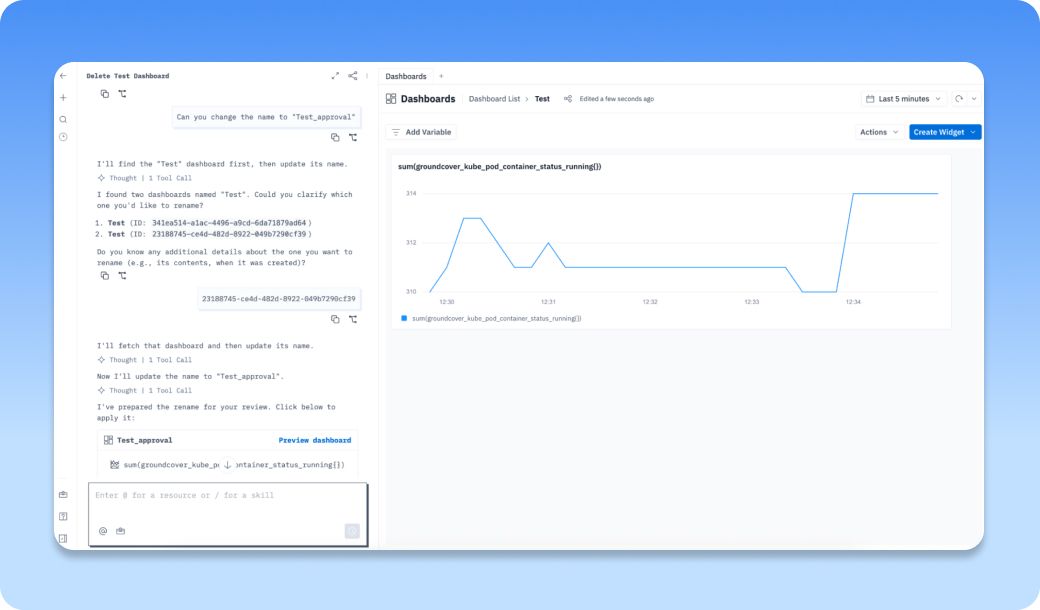
Approval gates in chat for reviewing sensitive tool actions before they run
Approval gates with the agent in groundcover allow for you to build more trust. For example, you can’t delete resources in groundcover with the agent. It prompts you to do that manually with the UI. If you want to change a resource name, as shown above, the agent verifies the resource you want to edit, and then prepares the change that you have to approve before it actually applies the change.
New Features and Improvements this week
- Logs & Traces UI | Refreshed the design of the Log/Trace drawer
Bug Fixes
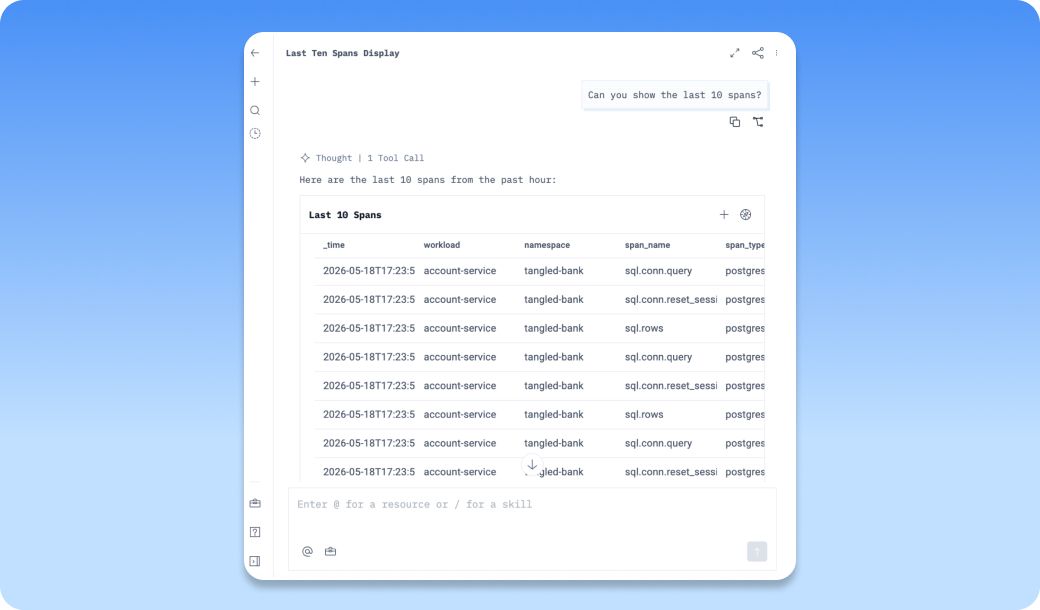
- Agent | Trace widgets generated by the agent now use span names instead of generic resources
The agent in groundcover lets you do everything from create dashboards, setting up alerts, performing root cause analysis, analyzing workloads, parsing unstructured logs, investigating errors, and so much more. Now, when you ask questions about traces the agent performs relevant qroundcover query language queries and returns widgets with the actual span names to help you dig into traces more easily.
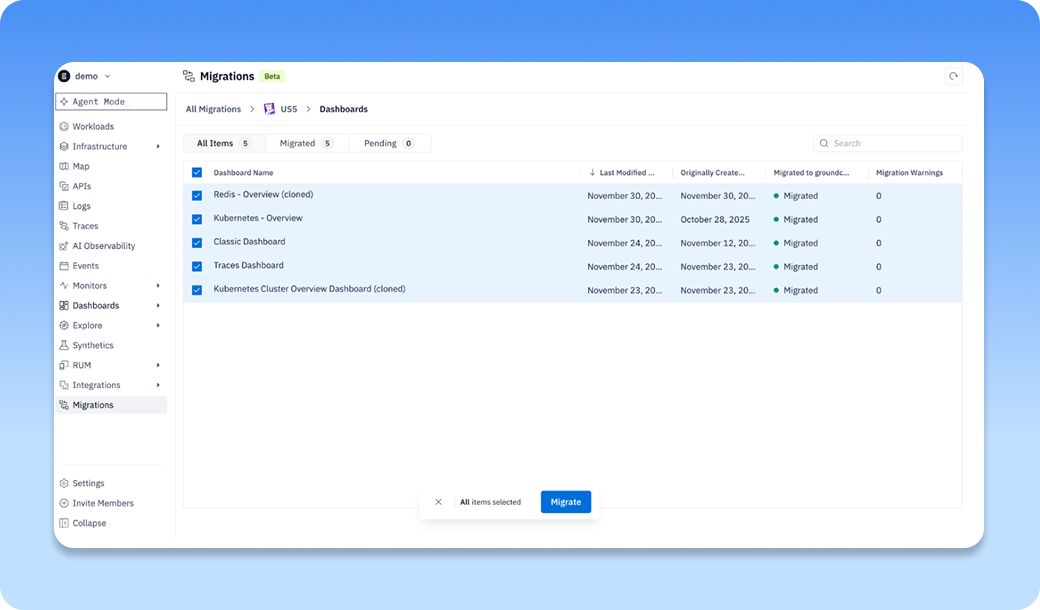
- Migrations | Select-all can now kick off bulk installs per asset type
The Datadog and Coralogix migration features remove one of the biggest blockers in observability, switching tools with months of manual work or heavy engineering effort. groundcover turns migration into a guided product experience, so teams can move faster, verify assets side by side, and modernize logs, metrics, and traces with less risk. Now you can easily select all assets in bulk to migrate them more easily. For example, here we migrated all Dashboards in our DataDog instance to groundcover by selecting Dashboard Name to bulk select.
- Settings | BYOC installs can add service accounts again
- Events | Relative time ranges stopped triggering endless reloads on the Events page
- Explore | Manually selected bucket rollups are preserved correctly
- Logs | Export works again
- Traces | Export works again
- Monitors | Code-mode queries stay in code mode when monitors are saved
- Monitors | Alert graphs no longer look empty until you zoom in
- Agent | Monitor edits keep connected apps and severity settings intact
- RUM | Session replay now captures icons that were being blocked by CSP
Other recent updates


Observability
for what comes next.
Start in minutes. No migrations. No data leaving your infrastructure. No surprises on the bill.