


Weekly updates on new features, improvements, and fixes across groundcover.

Extend your o11y agent across your entire stack with Remote MCP Connectors
June 4, 2026
This week focused on making day-to-day investigation smoother. The most impactful addition is Remote MCP Connectors, which let your groundcover Agent reach beyond observability and act across the tools where your engineering work actually happens. We also introduced AI Observability, giving you a single place to see how your AI workloads are behaving, what they're costing, and where they're slow. Beyond that, monitors got more capable, Slack setup got much easier to manage, and we cleaned up a lot of rough edges across RUM, dashboards, and logs.
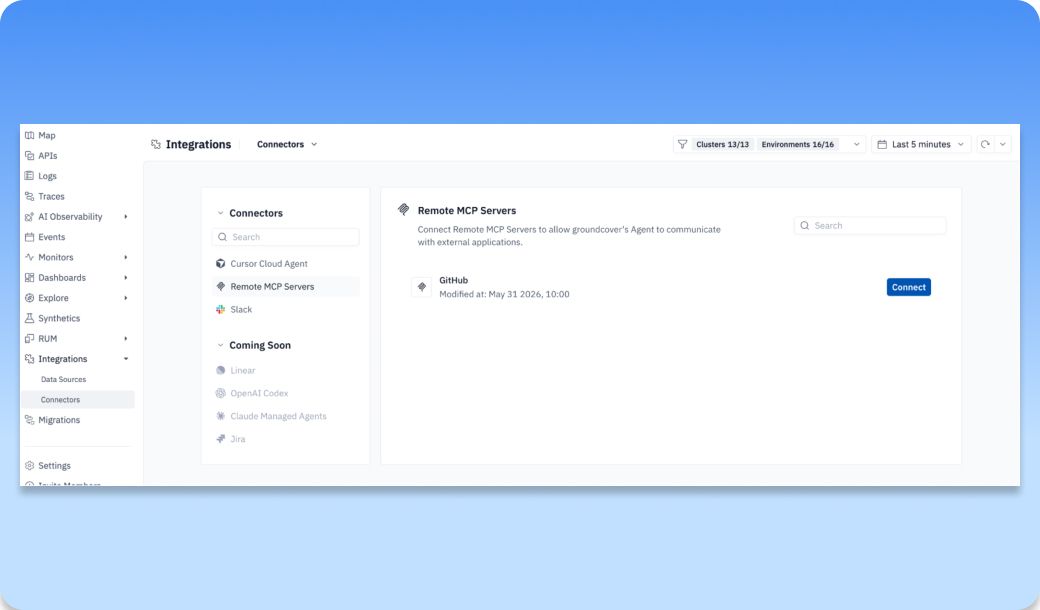
MCP Connectors | Connect Remove MCP Servers to groundcover's Agent Mode
Your groundcover Agent is great at investigating incidents, running queries, and surfacing root causes, but until now everything it could do stopped at the edge of groundcover. The problem you actually want solved doesn't stop there. The alert fires in groundcover, but the ticket lives in Linear, the fix lives in GitHub, and the conversation lives in Slack.
Remote MCP Connectors close that gap. Connect Linear's MCP today and your groundcover Agent can pull ticket context or run actions right from a conversation. As more vendors ship MCP servers, the surface area of what your groundcover Agent can reach grows on its own.
This is the difference between an observability agent that tells you about a problem and one that can help you act on it. Instead of switching between groundcover and five other tabs while you're heads-down on an incident, you can let the groundcover Agent coordinate the work across your stack from one place. And this is just the entry point. Connecting an MCP server is the foundation, with richer capabilities like assigning tickets directly to the Agent or having it communicate through comments coming later this year.
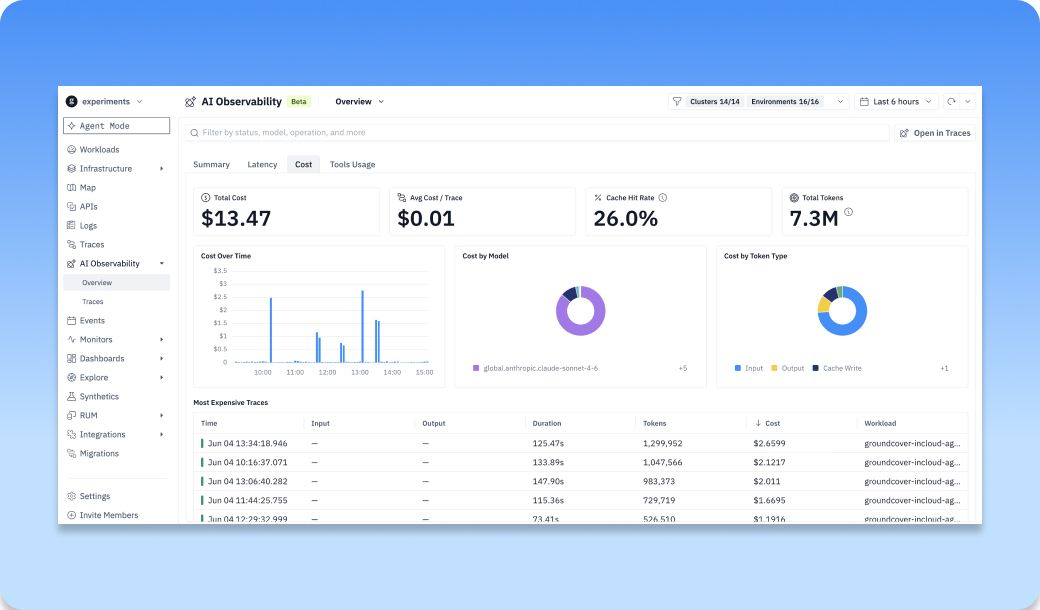
AI Observability | Summaries for your AI workloads and free text search
AI Observability page now gives you one place to understand how your AI workloads are behaving, what they're costing, and where they're slow, without stitching it together from separate views. The Summary tab is the at-a-glance health check, surfacing the headline metrics for your AI traffic over any time range: error rate, P95 latency, total cost, total tokens, and chat spans. With one look you can answer the three questions that matter most: "Is it healthy?", "Is it fast?", and "What is it costing me?"
From there, focused drill-downs let you investigate each dimension in depth. Latency breaks down where time is going so you can find the slow models and operations behind your P95. Cost shows spend over time, by model, and by token type, plus your most expensive traces, so you can pinpoint exactly what's driving the bill, and cache hit rate makes the cost of cached versus fresh tokens clear. Tools Usage shows how your agents are calling tools, which is key to debugging agentic workflows. A free text search lets you filter by status, model, operation, and more to narrow down to exactly the traffic you care about. Everything scopes by cluster, environment, and time range, and you can jump straight into the underlying traces to go from the aggregate view down to a single request.
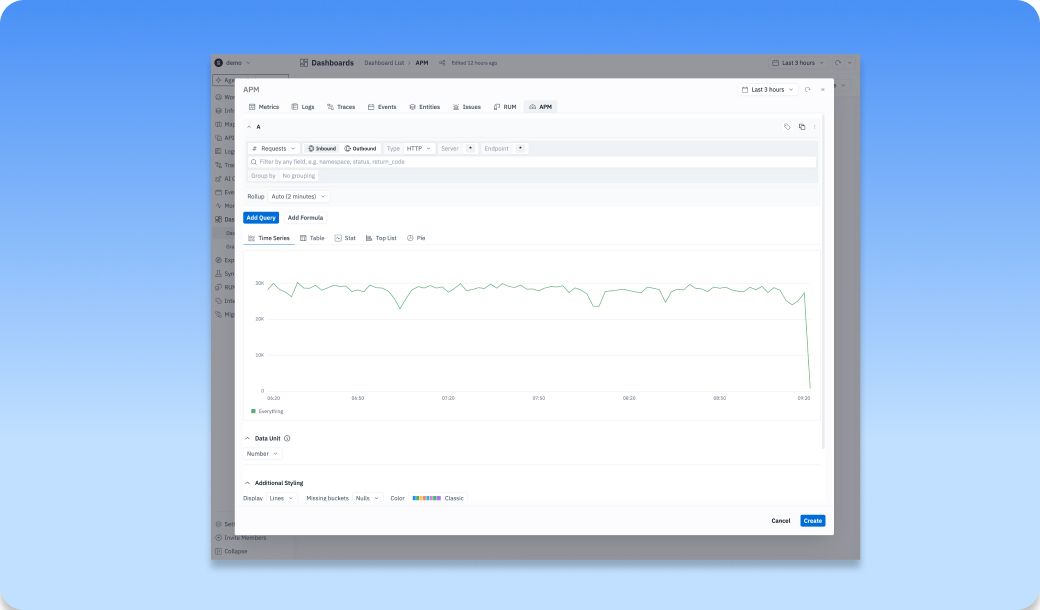
Dashboards| APM queries can now power monitors, with the fields needed to alert on service traffic
APM queries can now power dashboards, including the fields you need to alert on service traffic. That means you can build alerts directly off your service-level telemetry instead of working around it.
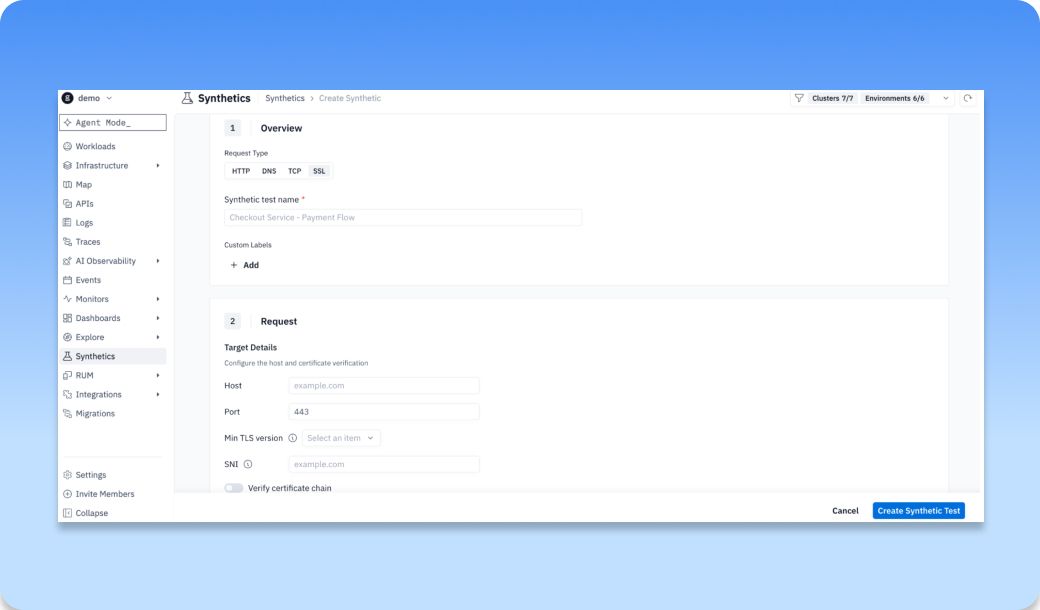
Synthetics | Supports HTTP, SSL, TCP, DNS in the UI
You can now proactively monitor the health, availability, and performance of your critical endpoints across four protocols without waiting for real user traffic to surface problems. Checks run from within your own groundcover backend (BYOC), so you're testing reachability from your actual infrastructure.
What each protocol unlocks:
- HTTP — Verify endpoints return the right status codes, response bodies, JSON fields, and headers within acceptable latency.
- SSL — Catch certificate problems before your users do: validate the cert and chain, enforce a minimum TLS version, and get ahead of expirations (e.g., alert when a cert expires in under 30 days).
- TCP — Confirm backing services like databases and message queues are actually accepting connections and responding in time.
- DNS — Make sure your domains resolve correctly and return the expected records.
Also creating a synthetic test auto-generates a bound Monitor so you don’t need to configure or maintain a separate alert rule and every check produces a first-class trace you can query with source:synthetics. Assertion severities (critical vs degraded) let you distinguish hard failures from warning states, so you alert on what matters and avoid noise.
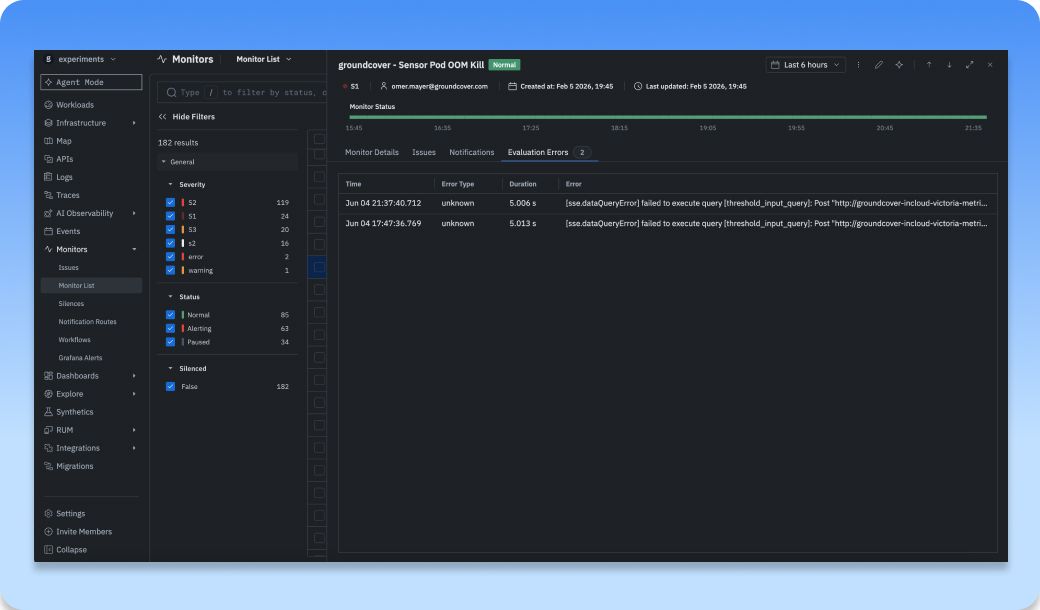
Monitor | Drawer improvement for Monitor Status Evaluation issues and notifications
The monitor drawer now surfaces the details you previously had to dig for. Evaluation errors like the last evaluation error and its timestamp are shown directly in the drawer using self-observability, instead of being tucked away behind the column manager where you had to manually enable hidden columns to see them. Notification history is now visible in the drawer as well, so you can see when and how a monitor fired without leaving the view. And you can jump straight to the raw data that triggered an issue, making it far easier to understand why a monitor evaluated the way it did and what went wrong.
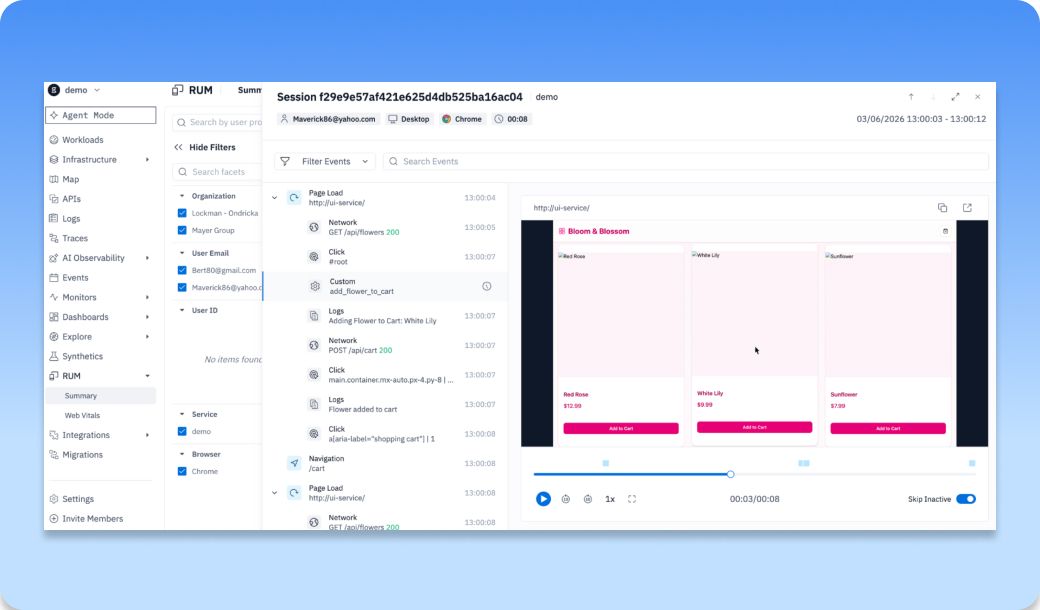
RUM | Session summary tables now support richer sorting and more session detail for faster triage
A new redesign in RUM has just arrived. Session summary tables now surface more of the signals you care about up front, like who the user is, their device and browser, when the session happened, and how long it lasted, with richer sorting so you can scan and prioritize the sessions worth investigating instead of opening them one by one. From there, a single click drops you into a full replay that interleaves UI playback with the underlying telemetry, including page loads, network requests with status codes, clicks down to the element, and custom events and logs, so the path from "this session looks off" to "here's the exact moment it broke" is faster than ever
Bug Fixes and Improvements
- Monitors | Timezone selection works again, monitor selection no longer jumps the list, and editor state now preserves execution error handling
- Monitors | Webhook routes can send resolved-only notifications correctly, and silence links handle encoded labels more reliably
- Dashboards | Data panes no longer freeze or close on click, text widgets type smoothly again, and streamed results stay visible after errors
- Logs | CloneSet workload logs tag correctly again, and Datadog trace ID correlation is restored
- RUM | SDK logs now capture appId and environment, and charts follow the selected timezone
- Traces | Missing PII, encryption, and cross-AZ indicators are back in the new traces window
- Agent | Token usage no longer double-counts cached tokens, and missing navigation tools are available again
Other recent updates


Observability
for what comes next.
Start in minutes. No migrations. No data leaving your infrastructure. No surprises on the bill.


