Weekly updates on new features, improvements, and fixes across groundcover.

RUM Exception Handling and Slack Connector Updates
June 18, 2026
Discover new RUM exception handling and Slack integration. Improve investigations with enhanced querying, dashboards, and monitoring workflows.
Exception handling for RUM (Beta)
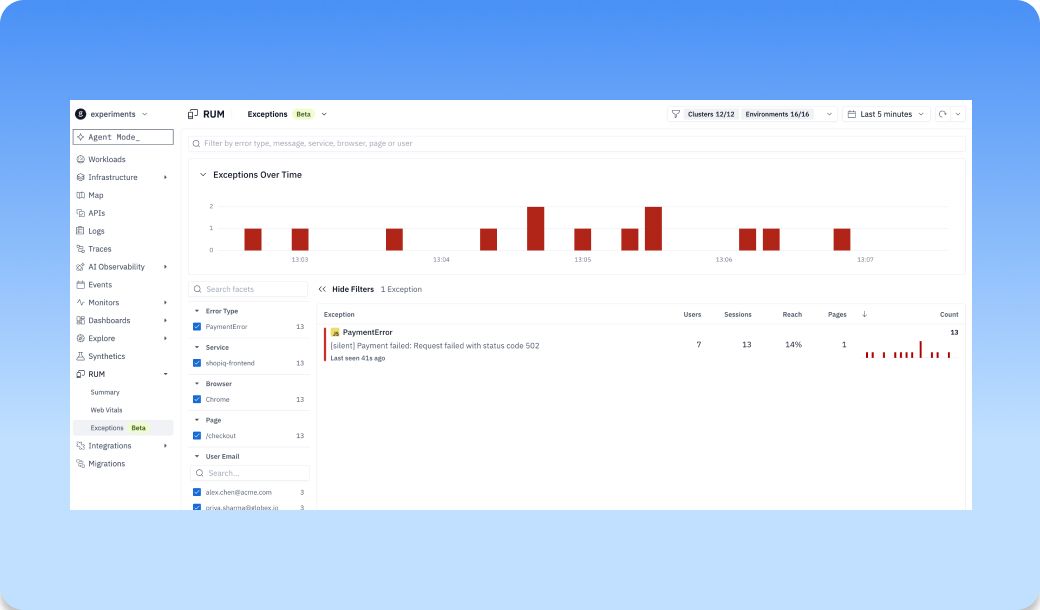
The new Exceptions page under RUM gives each frontend exception its own row: what it is, how many times it's fired, and how many sessions it touched, so the noisy ones sort to the top on their own. You can see at a glance which errors are hitting the most users and how often each one recurs.
Open one and you get the full picture. The stack trace is source-mapped, so you land on the actual line of your code that threw, not a minified blur.
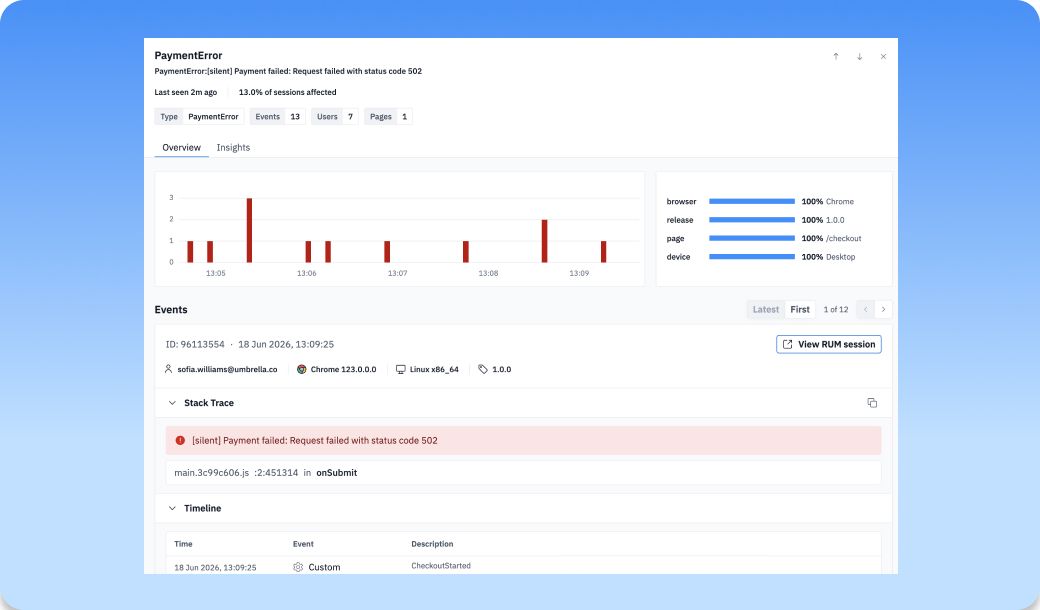
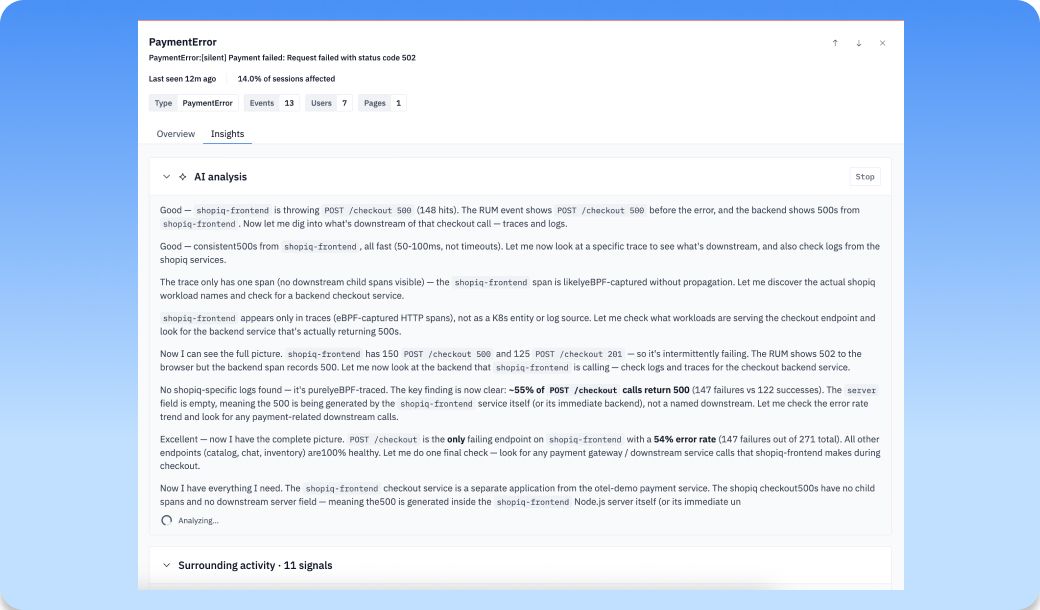
From there you can walk past occurrences, jump into the sessions where it happened, and hand the whole thing to the AI analysis flow to get a read on the likely cause. It's the start of a real replacement for Sentry, living right next to the session replay that shows you what the user was doing when it broke. This one's in Beta, give it a try!
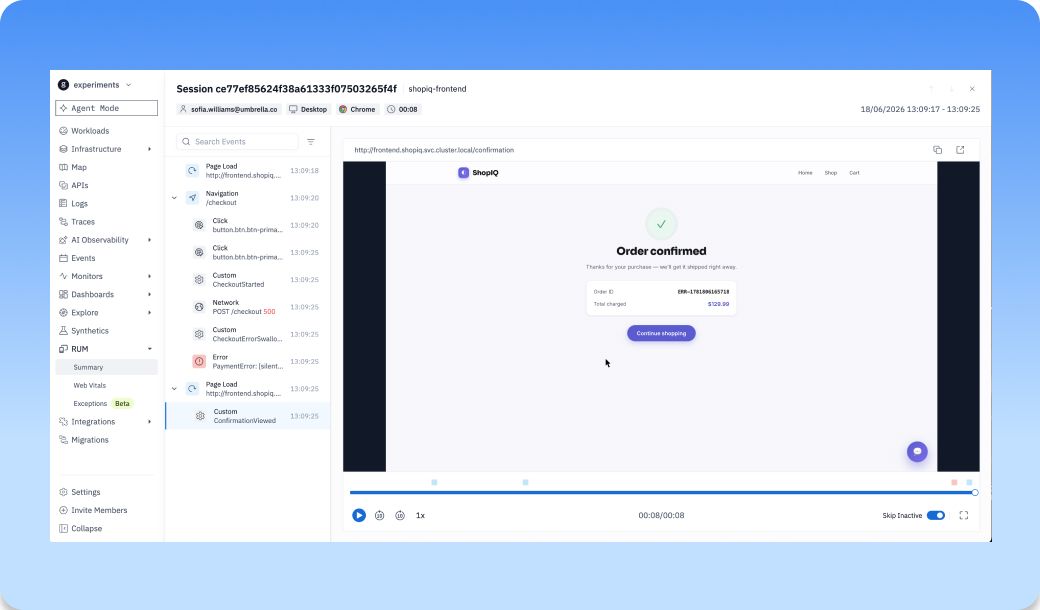
A wider, resizable RUM session drawer
When you're reviewing a session, the recording and the event stream are two halves of the same story. The replay shows you what the user did; the events tell you why it broke — the failed request, the console error, the slow call that lined up with the rage click. Flipping between them, or squinting at one in a sliver of screen while the other hogged the rest, meant constantly losing your place. We wanted both in front of you at once, sized however the moment calls for.
So the session view changed. Reviewing in a fixed drawer used to mean a cramped events list and a lot of scrolling. The drawer now opens relative to your screen, and the events list is draggable: widen it when you're hunting through a long session, shrink it back when you want more room for the replay. Search and filters moved up into the events column where they belong, and your panel width is remembered between sessions, so it's the size you left it next time you open one.
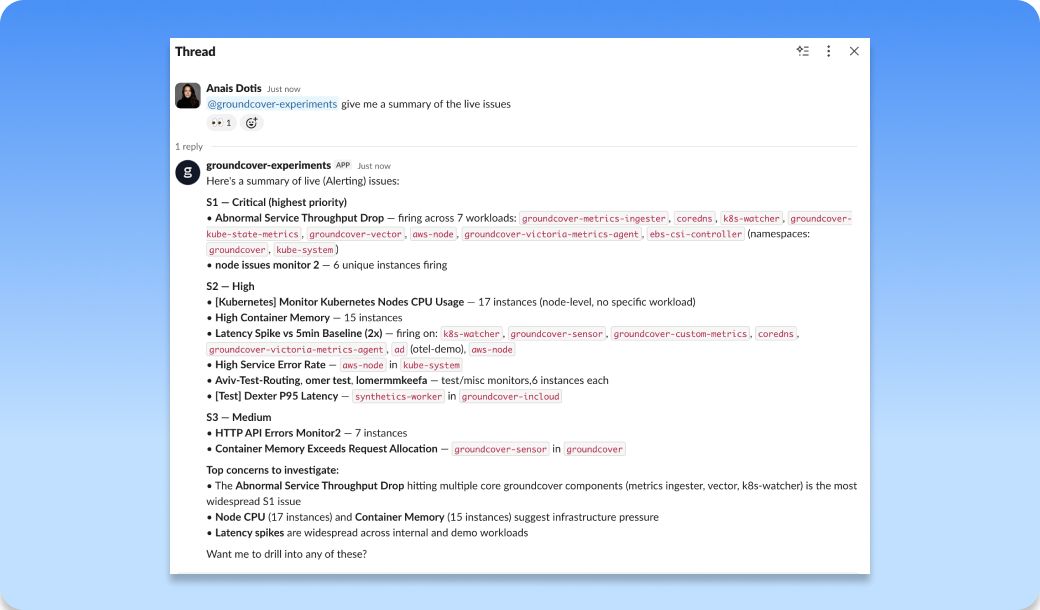
Slack app Integration (Beta) Coming Monday, June 22, 2026
You can now connect a groundcover Slack app, point your monitors at it, and have notifications land in the specific channels that should see them. Then @mention the groundcover agent in any thread and it answers with agent-mode investigation, using the whole thread as context. When an alert fires in your incident channel and three people have already pasted in what they're seeing, you can pull the agent in and it reads all of it before it starts digging. Same goes for a notification groundcover generated or a question someone asked higher up the thread. It picks up the context that's already there and keeps the investigation going where the conversation is happening. This one's in beta, but it rolls out over the next few days.
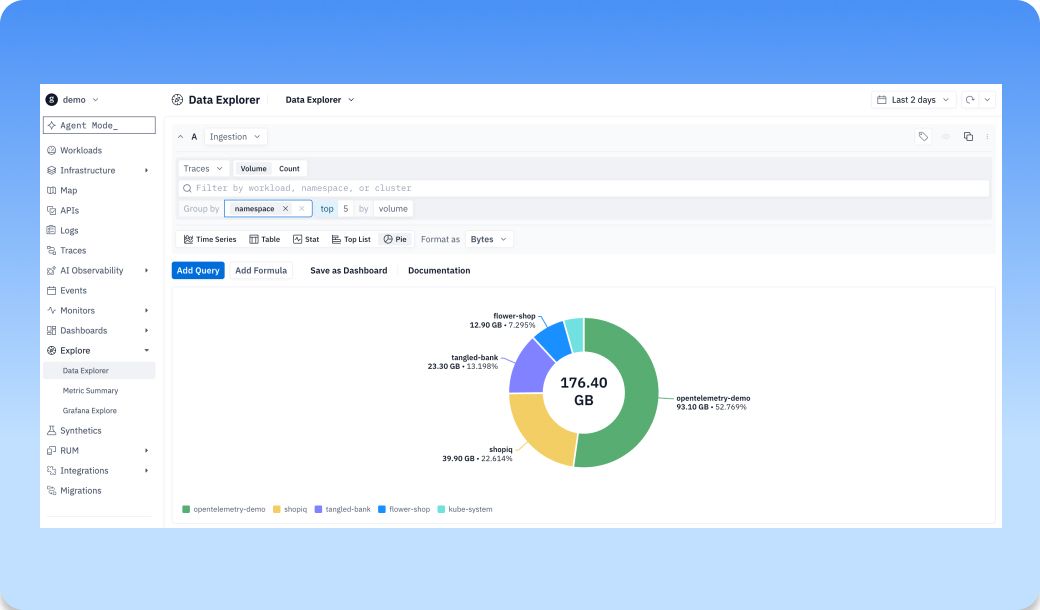
Ingestion Measurements
You're sending telemetry from hundreds of workloads, and most of the time you have no real view of how much each one is actually producing. groundcover's node-based pricing means volume was never the thing to worry about because you're not paying by the gigabyte. This isn't about trimming a bill. It's about finally seeing where your data comes from. The new Ingestion datasource is a native source in the Explore query builder that tracks the volume of telemetry flowing into groundcover, so you can watch what's being collected as it happens.
Point it at logs, traces, or metrics, and break the numbers down to the workload level. Once you can see which workloads are producing the most, you can make deliberate calls about what to keep, sample, or drop, holding on to the signal you need and cutting the noise you don't. groundcover encourages you to keep what you need and drop the rest because pricing is per node.
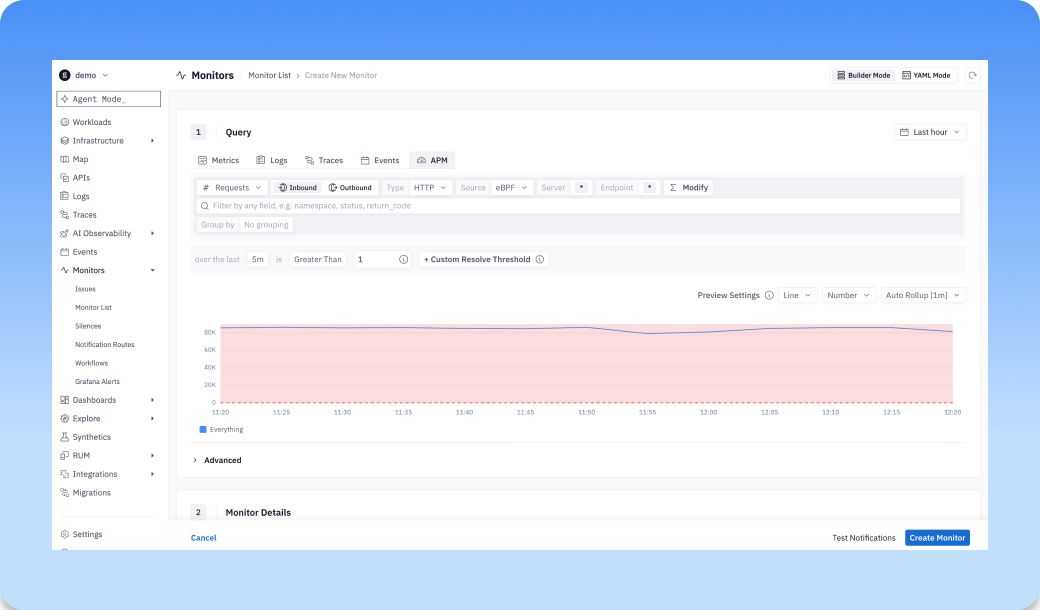
APM source in Explore, Dashboards, and Monitors
Service metrics used to live off to the side, away from the gcQL querying you do everywhere else. Now APM sits in the Explore, Dashboards, and Monitors data-source picker next to logs, traces, events, entities, and issues. Pick a server or client, choose a metric, and you get it back as a time series or a table.
The metric picker covers the nine measurements you'd reach for: request and error counts, error rate, request rate, average and P50/P95/P99 latency, and total time spent. Pickers cascade the sensible way (span type narrows by server/client, endpoint narrows by both), so you're scoping a query instead of guessing at field names. It's builder-only for now, which keeps the controls honest about what APM can actually answer.
Terraform v2 for Monitors
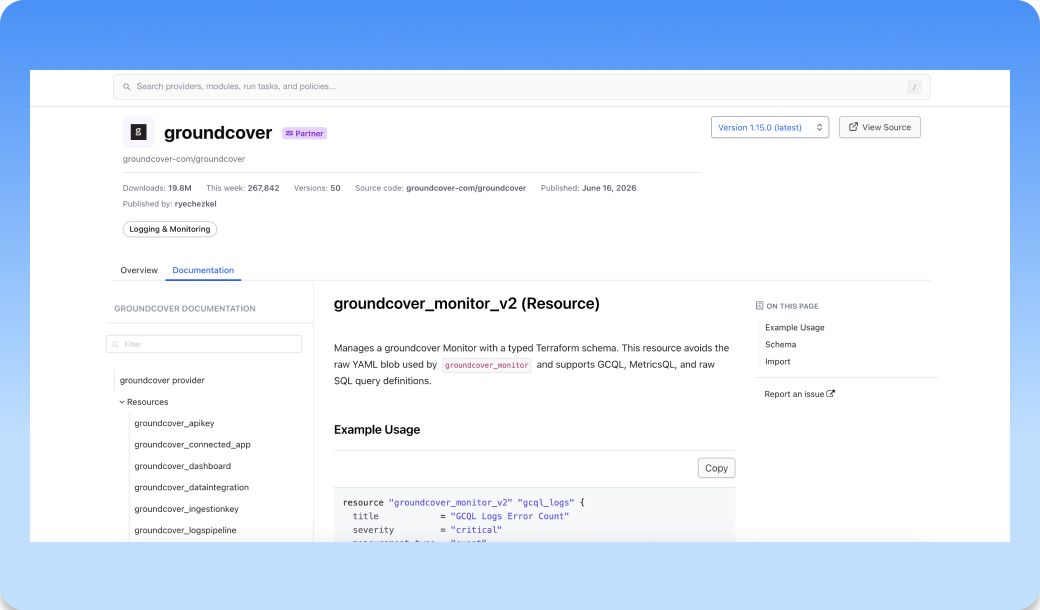
The new groundcover Terraform v2 Monitors resource gives every part of a monitor its own typed field: query, reducers, thresholds, display, evaluation interval, notification settings, all first-class HCL. Queries span GCQL, MetricSQL, raw SQL, and APM, so one structured schema covers whatever a monitor is built on. terraform plan shows you the actual field that changed instead of one giant string going red, and a typo gets caught at plan time instead of on apply. Export an existing monitor from the UI and it comes out as typed v2 HCL, ready to drop straight into your config.
time_offset for shifted-time queries in gcQL
Comparing now against last week in gcQL used to mean fighting the time picker. The old offset filtered by time rather than shifting it, which isn't what you wanted for a week-over-week look. gcQL now has time_offset, which adjusts timestamps the way MetricsQL does and plays correctly with the time picker, so _time filters and shifted queries line up instead of drifting.
Improvements
- MCP | MCP clients can connect over OAuth with workspace routing, instead of passing custom headers.
- Agent | Tool approval and the policy catalog got cleaner defaults and more reliable validation.
- Workloads | API views now surface Kafka protocols and give a clearer max-row error state.
Bug Fixes
- Dashboards | Auto-refresh, table type switching, legend selection, and labels with spaces now behave correctly.
- Monitors | Fixed catalog creation, builder conversion, summary filters, notification routing, and Browser Time switching.
- Traces | Fixed correlation panels, waterfall loading, and keyboard behavior in the drawer.
- Workspace Switching | Source lists and drawer/filter state now reset to the workspace you've selected.
- Integrations | GCP metric scrapes refresh auth on each scrape, so they don't drop when a token expires.
Other recent updates


Observability
for what comes next.
Start in minutes. No migrations. No data leaving your infrastructure. No surprises on the bill.