Role vs. ClusterRole Explained: Kubernetes RBAC in Practice



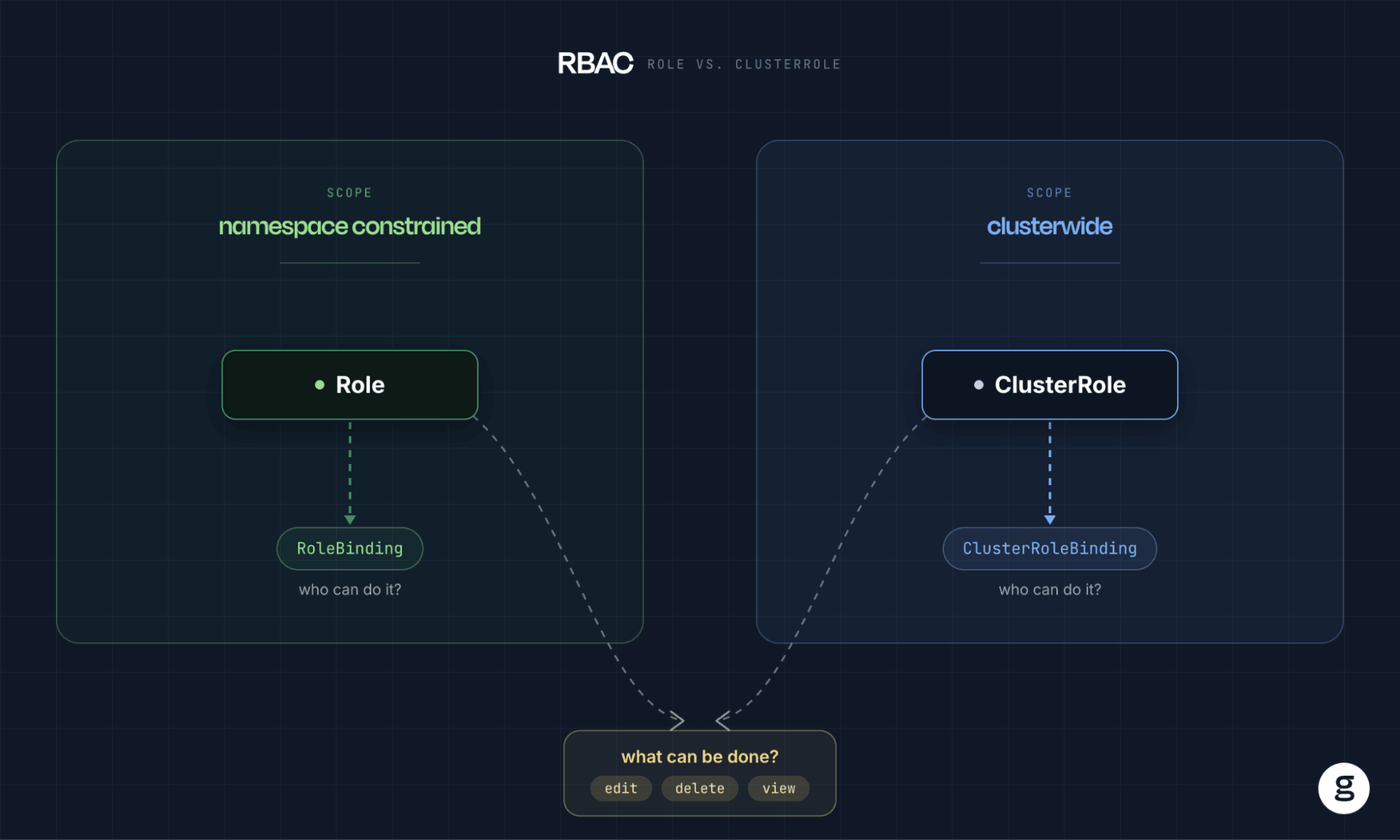
Kubernetes supports two ways of defining which actions a user or service account can perform: Roles and ClusterRoles. In a basic sense, the distinction between these two types of entities is simple enough: Roles apply to a specific namespace, whereas ClusterRoles apply to the entire cluster.
That said, there are some additional, more nuanced differences separating Roles from ClusterRoles. Read on for the details as we unpack how each of these resources works, and when you should use one or the other to set up permissions in Kubernetes.
What is a Role in Kubernetes?
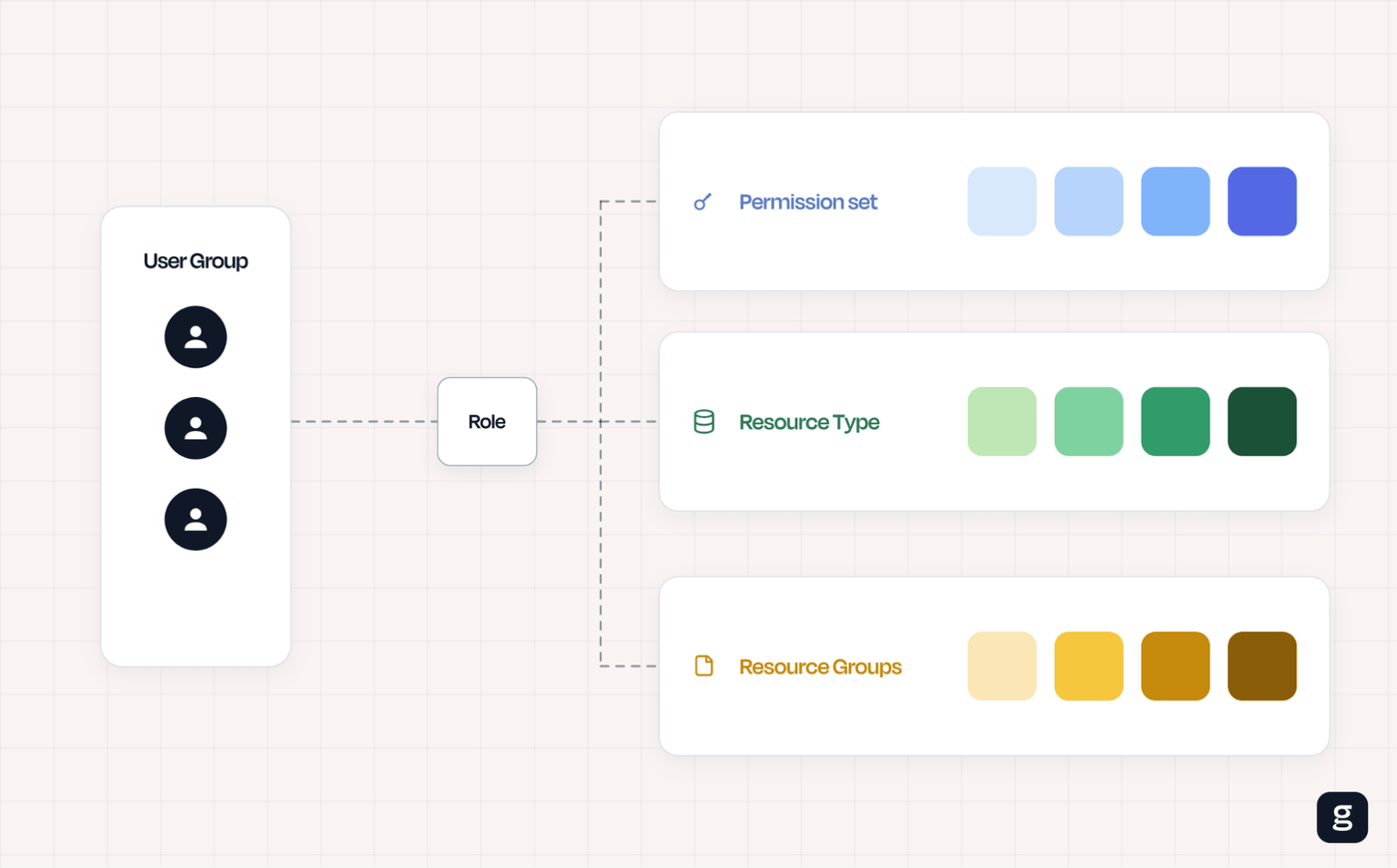
In Kubernetes, a Role is a configuration that defines which actions users or service accounts can perform within a namespace. It’s part of Kubernetes’s Role-Based Access Control (RBAC) framework. The actions that a Role allows come in the form of “verbs,” which are specific types of requests (such as get, list and create) that Kubernetes supports for given resource types.
To create a Role, you define two key components:
- The resource types (such as a Pod or Deployment) that it applies to.
- The actions that are allowed for the specified resource type.
As an example, here’s a simple Role that allows get, list and watch requests for Pods within the namespace default:
What is a ClusterRole in Kubernetes?
A ClusterRole in Kubernetes is a configuration that defines which actions users or service accounts can perform within a Kubernetes cluster as a whole under the Kubernetes RBAC framework.
Like Roles, ClusterRoles identify resource types and allowed actions. They’re very similar in form to Roles; the only major difference is their scope.
As an example, the following ClusterRole grants the same permissions for the same resource types as the Role example from above. But since this is a ClusterRole, the permissions apply across the entire cluster, not just one namespace:
Role vs. ClusterRole: Key differences
As we mentioned, the main and most significant difference between Roles and ClusterRoles is their scope: Roles apply to namespaces, whereas ClusterRoles apply to the entire cluster.
There are also some smaller differences:
- Types of resources supported: Roles can only apply to resources that can exist within a namespace (like Pods). ClusterRoles are broader in that they can also control permissions for cluster-scoped resources that aren’t tied to any single namespace (such as nodes, Persistent Volumes, and even namespaces themselves).
- URL access: ClusterRoles can access non-resource URLs (like /metrics). Roles can’t.
- Binding type: To make a Role and ClusterRole take effect, you need to “bind” them. The way you do this differs slightly in that Roles use RoleBindings whereas ClusterRoles typically use (as you may surmise) ClusterRoleBindings – although it’s also possible to use RoleBindings with ClusterRoles, as we’ll explain below.
| Difference | Role | ClusterRole |
|---|---|---|
| Type of resources supported | Only support resources that can exist within a namespace, such as Pods or Deployments. | Can support all core API group resources in Kubernetes, including those (like nodes) that are not bound to a specific namespace. |
| URL access | Can only access resource URLs. | Can access non-resource URLs. |
| Binding types | Use RoleBindings. | Can use RoleBindings or ClusterRolesBindings. |
RoleBinding vs. ClusterRoleBinding: How each connects roles to subjects
On the topic of bindings, let’s explore a little more how each type of binding works.
As we said, bindings are what cause Roles and ClusterRoles to take effect. Until you create a binding, the permissions you specify in a Role or ClusterRole won’t actually do anything. In general, you’d use a RoleBinding to apply a Role and a ClusterRoleBinding to apply a ClusterRole.
The table below summarizes the three valid ways to pair a binding with a Role or ClusterRole:
| Binding used | What it can reference | Where the permissions apply |
|---|---|---|
| RoleBinding | A Role in the same namespace | That single namespace |
| RoleBinding | A ClusterRole | Only the RoleBinding’s own namespace (the ClusterRole can be reused per namespace) |
| ClusterRoleBinding | A ClusterRole | The entire cluster, across every namespace |
Using a ClusterRole with a RoleBinding: The reusability pattern
However, it’s also possible to use a RoleBinding with a ClusterRole. If you do, the permissions defined in the ClusterRole will apply only within a specific namespace (since RoleBindings apply to individual namespaces).
Using a RoleBinding with a ClusterRole can be advantageous if you want to apply the same permissions across multiple namespaces because it saves you from having to create a separate Role for each one. Instead, you can reuse the same ClusterRole across multiple namespaces.
For example, the following RoleBinding reuses the pod-reader ClusterRole defined earlier, but grants its permissions to the user dave only within the development namespace:
When to use Role and ClusterRole in Kubernetes
The main consideration for when to use Roles vs. ClusterRoles is the scope of the permissions you want to define:
- If you only need to control permissions within a specific namespace, you’d use a Role.
- For cluster-wide permissions, use a ClusterRole.
Let’s dive deeper by looking at common use cases for each type of entity.
Common Kubernetes use cases for Role
Roles are useful in scenarios like the following:
- Developer access: You can use a Role to grant developers permission to view and manage application resources within a specific namespace without affecting the rest of the cluster.
- Application ServiceAccounts: Roles allow applications running in Pods to access only the Kubernetes resources they need, such as ConfigMaps or Secrets, within their namespace.
- Namespace administration: Roles delegate routine administrative tasks like managing Deployments, Services, and Pods to team leads without granting cluster-wide privileges.
- Read-only monitoring: Roles are useful for providing monitoring tools or auditors with read-only access to namespace resources so they can collect metrics or inspect workloads without making changes.
- Team isolation: You can use a role to enforce least-privilege access by giving each team permissions only within its own namespace, reducing the risk of accidental or unauthorized changes.
Common Kubernetes use cases for ClusterRole
ClusterRoles come in handy when you want to achieve goals such as these:
- Cluster-wide administration: ClusterRoles can grant platform administrators permission to manage resources across all namespaces from a single set of permissions.
- Node management: ClusterRoles allow trusted users or automation tools to view and manage cluster-scoped resources such as Nodes, PersistentVolumes, and StorageClasses.
- Monitoring and logging: ClusterRoles give observability platforms read-only access to workloads and cluster resources across every namespace for comprehensive monitoring.
- Cross-namespace automation: ClusterRoles help enable operators, controllers, and CI/CD tools to manage resources in multiple namespaces without creating separate Roles for each one.
- Consistent access policies: You can use a ClusterRole to define permissions that can be reused across namespaces through RoleBinding or ClusterRoleBinding resources.
Auditing and debugging Role vs. ClusterRole permissions in Kubernetes
The process for auditing and debugging Roles and ClusterRole settings is generally the same, with the exception that in some cases you need to modify commands slightly depending on whether you want to refer to a Role or ClusterRole.
Here’s a look at common ways of validating and troubleshooting permissions.
List Roles and RoleBindings
You can generate a list of existing Roles and RoleBindings using:
View permission settings
To view the contents of a Role or RoleBinding, use the kubectl describe command. For example:
Check user permissions
The kubectl auth can-i command is useful for checking which actions a given account can perform. For instance, the following command checks whether the current user can delete Pods within the namespace test.
You can also use the who-can command to check which users can perform certain actions. For example:
Role vs. ClusterRole and the principle of least privilege
From a security perspective, it’s always a best practice to follow the principle of least privilege (PoLP) – meaning you should grant only the minimum level of permissions necessary for a given user or service account to achieve a target use case.
The PoLP concept implies that, in general, Roles are preferable to ClusterRoles because Roles grant a narrower scope of permissions. Unless a user needs to be able to perform an action across all namespaces, create a Role so that the user doesn’t receive unnecessary permissions.
Beyond this, ensure that your Roles and ClusterRoles apply only to resources that are necessary for the user to modify, and that the verbs defined in both Roles and ClusterRoles are limited to those required to support the use case.
Common mistakes when choosing between Role and ClusterRole
While it may seem simple enough to choose between a Role and ClusterRole, it can be easy to make the wrong choice due to oversights like the following:
- Applying permissions across the cluster instead of specific namespaces: Sometimes, you need to grant access for a user to perform actions in multiple namespaces, but not every namespace in the cluster. A ClusterRole and ClusterRoleBinding makes this easy to do, but it’s more secure to create a ClusterRole, then combine it with RoleBindings for each namespace where the permissions are necessary. This avoids the risk of granting permissions that apply to other, unnecessary namespaces.
- Misusing the cluster-admin role: Kubernetes has a built-in Role, called cluster-admin, that has unlimited permissions across the entire cluster. It can be tempting to use this Role as a way of simplifying access, but doing so is a stark violation of the principle of least privilege.
- Overusing the default namespace: Keeping all workloads in Kubernetes’s default namespace can simplify RBAC management in that you can apply permissions based on Roles for just that one namespace. However, it’s more secure to create multiple namespaces so that you can isolate workloads and manage their permissions in a more granular way.
Best practices for Role and ClusterRole management in Kubernetes
To use Roles and ClusterRoles as securely and effectively as possible, consider the following best practices:
- Apply least privilege: Grant only the minimum permissions required for users, ServiceAccounts and applications to perform their tasks.
- Prefer Roles when possible: Use namespace-scoped Roles instead of ClusterRoles whenever cluster-wide access is unnecessary to reduce the impact of compromised credentials or accidental changes.
- Audit and review permissions: Regularly review Roles, ClusterRoles, and their bindings to remove outdated permissions and identify excessive access.
- Manage RBAC as code: Store RBAC manifests in version control and deploy them through GitOps or CI/CD pipelines to ensure consistency, traceability and controlled changes.
| Practice | How it helps |
|---|---|
| Apply least privilege | The principle of least privilege mitigates the risk of granting unnecessary permissions, which attackers could abuse. |
| Prefer Roles | Roles are more limited in scope, so they reduce the potential for abuse. |
| Audit and review permissions | Auditing and reviewing permission settings help detect oversights. It’s also useful for determining whether configuration drift has occurred, and ensuring that the permissions established for given resources remain appropriate as usage patterns change. |
| Manage RBAC configurations as code | A configuration-as-code approach helps to automate permissions management. This reduces the risk of mistakes caused by manual management. It also makes it easy to revert to an earlier version of a setting if desired, and to track changes to RBAC policies over time. |
Real-time RBAC visibility across Roles and ClusterRoles with groundcover
No matter how you choose to use Roles and ClusterRoles in Kubernetes, groundcover delivers the visibility you need to manage and troubleshoot permissions settings effectively.
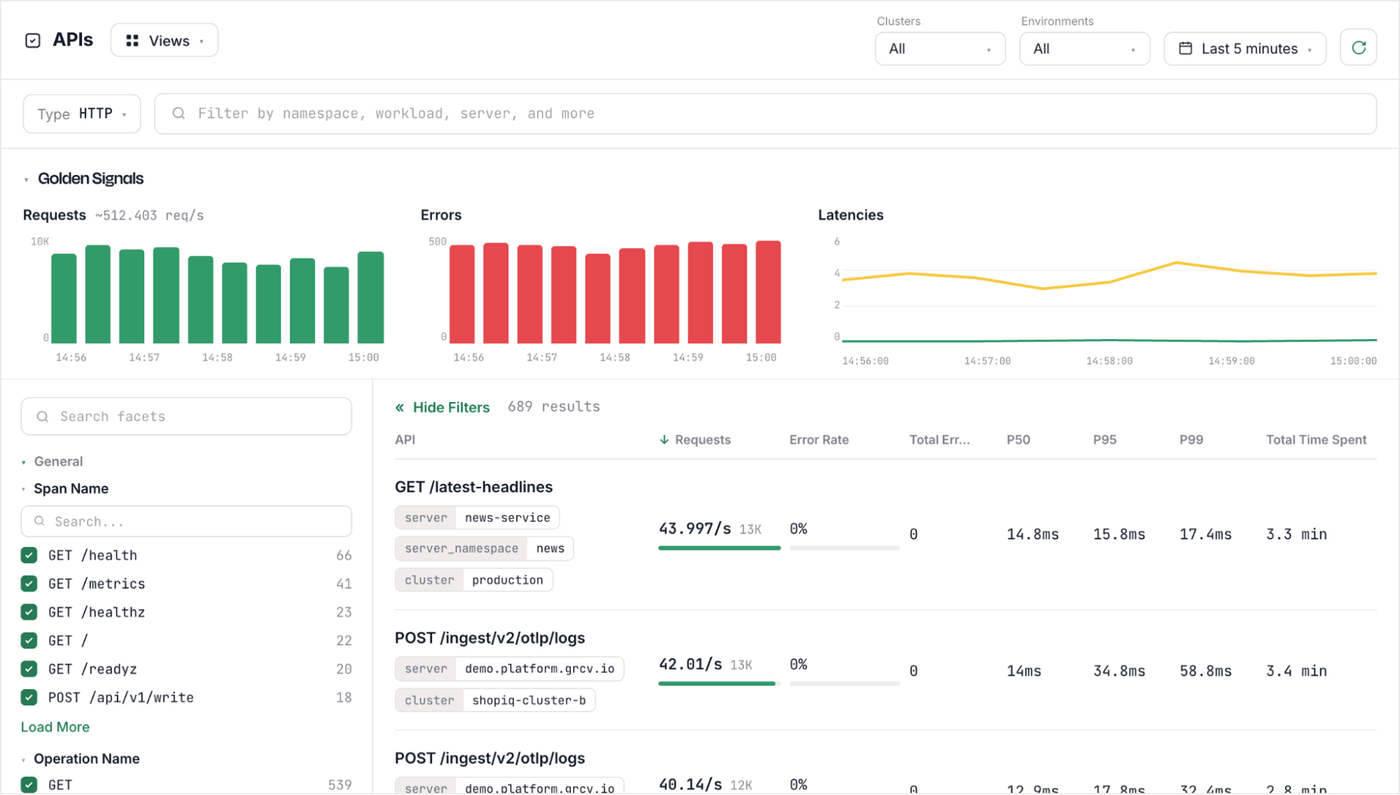
With groundcover, you can easily track the status of Roles, ClusterRoles, RoleBindings, and ClusterRoleBindings. You can also correlate this information with the resources that your permissions govern, and you can monitor for anomalous events (like the unexpected manipulation of resources) that could be a sign of a security issue triggered by insecure RBAC settings.
groundcover is able to provide this visibility because it tracks Kubernetes API usage in real time – meaning it reports every request to create, change or delete a resource, helping to detect anomalous requests that could reflect malicious activity.
Roles and ClusterRoles for the RBAC win
Roles and ClusterRoles are like non-identical twins: They’re pretty similar in many ways, but they’re also distinctly different – especially when it comes to the scope of resources that they govern. Knowing which type of RBAC configuration to use when is a critical aspect of Kubernetes permissions management.
FAQs
Yes. You can restrict a ClusterRole to a single namespace by binding it to a RoleBinding instead of a ClusterRoleBinding. In this case, the ClusterRole would essentially behave the same as a Role because the settings would apply only to a specific namespace. However, you’d be able to reuse the ClusterRole for additional namespaces (by creating additional RoleBindings).
If you delete a Role or ClusterRole, RoleBindings and ClusterRoleBindings associated with them remain in place; they are not deleted automatically. The permissions granted through the bindings will no longer be available, however.
You can use the kubectl delete command to remove RoleBindings and ClusterRoleBindings that are no longer active.
groundcover is able to detect RBAC misconfigurations thanks to its ability to track API requests in real time. Using eBPF to collect data in a hyper-efficient way, groundcover can monitor and inspect API usage as it happens, then flag unusual requests that could be a sign of Role or RoleBinding issues (or other RBAC misconfigurations).
Using the same approach, groundcover can also help detect escalation events that may occur after an attacker breaches an initial resource, then attempts to exploit RBAC misconfigurations to gain access to additional resources.