Pod Affinity in Kubernetes: Benefits, Pitfalls & Best Practices



Usually, it doesn’t matter which Pods operate on the same nodes or cloud availability zones as other Pods. But in certain cases – such as when you need two workloads to be able to share data very quickly – it’s important to place them in close proximity.
Pod affinity in Kubernetes exists to address this need. Using Pod affinity, you can control where Pods end up being scheduled in relation to each other – a capability that’s important in scenarios where you need Pods to run on the same node or within the same segment of the network.
Keep reading for details as we dive deep into what Pod affinity means, how it works, and best practices for managing Pod affinity in production.
What is Pod affinity in Kubernetes?
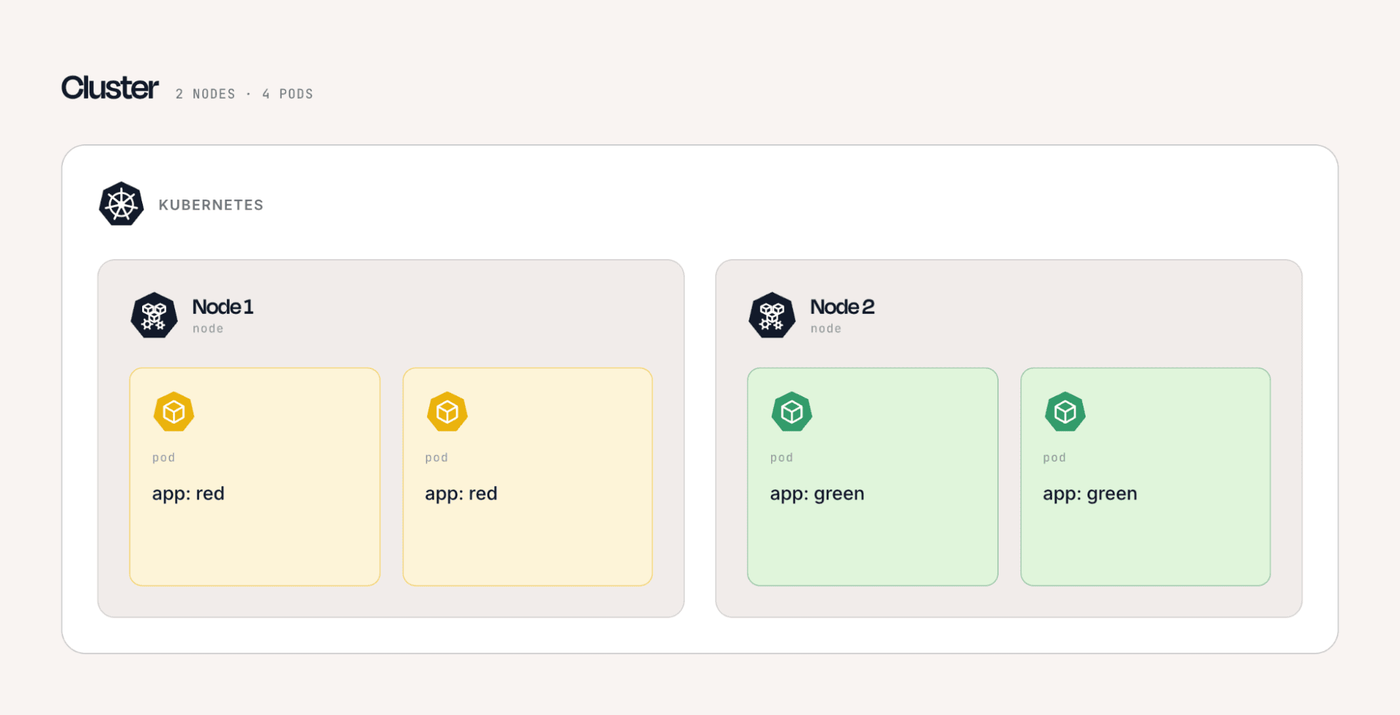
Pod affinity is an optional Kubernetes configuration setting that tells the scheduler to deploy two or more Pods on the same node or set of zones.
In this way, Pod affinity gives admins a way to ensure that Pods that need to interact with each other reside on the same host or the same network segment. This is valuable in scenarios where, for example, you want to minimize the time it takes for data to move between Pods (since the closer the Pods are, the faster it will move).
Pod affinity vs. Pod anti-affinity
Pod affinity shouldn’t be confused with Pod anti-affinity – which, as you may surmise, is the opposite of Pod affinity.
Whereas Pod affinity tells Kubernetes that two or more Pods should operate close together, Pod anti-affinity tells it to keep them apart. Anti-affinity rules are useful in cases where you want to distribute workloads across a cluster; for example, you could use them if you need to deploy two Pods on separate nodes to ensure that if one of the nodes fails (and takes its Pods with it), the other Pod will continue operating.
How Pod affinity works under the Kubernetes scheduler
Here’s a deeper dive into how Pod affinity works under the hood.
Label selectors and matching logic
Pod affinity relies on label selectors to identify the Pods that a workload should be colocated with or separated from. The scheduler evaluates the labels of existing Pods against the selector defined in the affinity or anti-affinity rule, then determines whether candidate nodes meet the required relationship.
For example, a rule might select Pods with app: redis and require a new application Pod to run in the same topology domain as those Pods. Accurate, consistently applied labels are therefore essential because incorrect or missing labels can cause the scheduler to place Pods differently than expected or make required affinity rules impossible to satisfy.
Topology keys and failure domains
Topology keys define the scope in which Kubernetes evaluates Pod affinity or anti-affinity relationships, such as an individual node, availability zone, or region.
A rule that uses kubernetes.io/hostname can require Pods to be placed on the same node, while a zone-level topology label can spread or colocate workloads across nodes within the same availability zone.
Choosing the appropriate topology key is important for balancing performance and resilience because a narrow scope can tightly couple workloads to individual nodes, while a broader scope can provide more flexibility and better distribution across failure domains.
Required vs. preferred affinity rules
Pod affinity is configured through affinity rules in a Pod specification and can be either required or preferred via the following options:
- requiredDuringSchedulingIgnoredDuringExecution creates a hard requirement that the scheduler must satisfy before placing the Pod.
- preferredDuringSchedulingIgnoredDuringExecution expresses a preference that the scheduler tries to satisfy when possible.
The scheduler evaluates these rules alongside resource availability, taints, tolerations, node selectors, node labels, node affinity/node anti-affinity rules, and other scheduling constraints, so satisfying Pod affinity alone does not guarantee Pod placement on a particular node (node selectors and node affinity/anti-affinity are a way of controlling which Pods can run on a given node, as opposed to keeping Pods close to each other without requiring a specific node to host them).
Common Pod affinity use cases in Kubernetes clusters
As we mentioned, Pod affinity comes in handy in any situation where you need Pods to reside close together, such as these use cases:
- Colocating application components: Admins can use Pod affinity to place closely related workloads, such as an application and its cache or processing service, on the same node or within the same availability zone to reduce network latency.
- Keeping workloads within the same failure domain: Pod affinity makes it possible to place Pods in the same availability zone or region when applications benefit from locality, such as services that frequently exchange large amounts of data.
- Aligning workloads with specialized services: You can use Pod affinity to schedule Pods near specific workloads or platform components, such as placing application Pods in the same topology domain as a dedicated data-processing or storage service to improve communication efficiency.
Benefits of using Pod affinity for application performance and resilience
The main benefit of Pod affinity is that it helps to boost application performance and (by some measures) resilience.
This is because, when Pods reside on the same node, any data that needs to move between them doesn’t have to travel on a physical network; it can simply move within the server. This is almost always much faster and more reliable than sending data out over the network.
Even in cases where Pods are scheduled on different nodes, but those nodes are in the same cloud availability zone or network segment, data transfer is still usually faster and more reliable because it has less distance to travel.
Operational risks and limitations of Pod affinity
While Pod affinity is a powerful feature, it also presents certain risks.
Scheduling failures and pending Pods
Strict Pod affinity can cause scheduling failures in the event that the scheduler cannot find a node that satisfies the required relationship with matching Pods. This is particularly problematic when using requiredDuringSchedulingIgnoredDuringExecution, because the affinity rule becomes a hard constraint and the Pod may remain in the Pending state until suitable Pod placement becomes available.
Missing labels, unavailable topology domains, or insufficient resources can further narrow the scheduler's options and make these failures harder to diagnose.
Reduced cluster flexibility under resource pressure
Pod affinity can reduce the scheduler's flexibility by restricting the number of nodes where a workload can run. During periods of high resource utilization, a node that satisfies the affinity rule may lack sufficient CPU or memory while other nodes have available capacity but cannot be used because they do not meet the affinity requirements.
This can lead to inefficient resource utilization, increased scheduling delays, and unnecessary scaling when workloads could otherwise run successfully on less-constrained nodes.
Hidden coupling between services
Pod affinity can create an implicit dependency between services by tying their placement to the location of other Pods. If one workload is moved, scaled down, or distributed differently, another workload with a strict affinity rule may experience reduced scheduling options or unexpected placement behavior.
Over time, these dependencies can make deployments, scaling, and infrastructure changes more difficult because teams may need to understand the placement requirements of multiple interconnected workloads before modifying any individual service.
Pod affinity and anti-affinity in multi-zone and multi-node clusters
The more nodes and/or cloud availability zones you have within your cluster, the more useful Pod affinity (and anti-affinity) tends to be.
This is because multiple nodes and zones give you more options when it comes to workload placement. It also increases the chances that, without affinity rules in place, Pods that should be close to each other will end up being scheduled far apart, leading to performance issues.
So, if your cluster consists of just a handful of nodes and/or a single availability zone, you may not need to worry about Pod affinity. But in large-scale clusters, affinity and anti-affinity are a must for workloads that either should or shouldn’t reside in close proximity.
Pod affinity interactions with autoscaling and rescheduling
If you have an autoscaler in place, it’s important to understand how Pod affinity can impact autoscaling behavior.
Pod affinity can influence autoscaling because it adds placement constraints that the cluster autoscaler must consider when deciding whether additional nodes can help schedule pending Pods. If a Pod has a strict affinity rule, adding capacity may not resolve the scheduling problem unless the new node belongs to a topology domain containing the required matching Pods.
This can result in pending Pods even when the cluster appears to have room to scale, or it can cause the autoscaler to provision nodes in specific locations to satisfy the affinity requirements. Preferred affinity rules generally provide more flexibility because they guide placement without making the requirement mandatory.
During rescheduling, Pod affinity can also affect where workloads are placed after a node failure, eviction, or voluntary disruption. When a Pod needs to be recreated, the scheduler reevaluates its affinity rules against the current state of the cluster rather than simply returning it to its previous node. If the Pods it depends on have moved or are no longer available, a strict affinity rule may prevent successful rescheduling until a suitable placement exists. This means affinity can improve locality when workloads are healthy but may reduce resilience during failures if placement requirements are too restrictive.
Best practices for designing Pod affinity rules in production
To get the most from Pod affinity, consider the following best practices:
- Prefer soft affinity when possible: Use preferredDuringSchedulingIgnoredDuringExecution when strict colocation is not essential so the scheduler can use other nodes when resources are constrained or failures occur, preventing the preferred node affinity conditions from being met.
- Choose topology scopes carefully: Use topology keys that match the application's actual requirements, such as nodes for low-latency communication or availability zones for broader workload placement, rather than unnecessarily restricting workloads to a narrow domain.
- Keep label selectors precise and stable: Use consistent labels that clearly identify the workloads involved in the affinity relationship, avoiding selectors that are so broad they unintentionally couple unrelated services.
- Test affinity with scaling and failure scenarios: Validate how rules behave during node failures, Pod rescheduling, cluster autoscaling, and resource pressure to ensure affinity improves workload placement without creating pending Pods or reducing cluster resilience.
Troubleshooting Pod affinity scheduling issues
If you suspect that your Pod affinity rules aren’t being applied or are causing scheduling problems (like Pods stuck in pending), begin the troubleshooting process by determining why the scheduler cannot find a suitable node. Use kubectl describe Pod <Pod-name> to inspect the Pod's Events section for scheduling messages, then review the Pod's affinity configuration and compare its label selectors with the labels on existing Pods
You should also check the topology key and required scheduling terms to confirm that matching Pods actually exist within the expected node, zone or region, and verify that candidate nodes have sufficient CPU and memory and that other constraints such as taints, tolerations, node affinity and resource requests are not eliminating otherwise valid placement options.
If the affinity configuration appears correct, investigate whether cluster changes are preventing the rule from being satisfied. Node failures, Pod rescheduling, autoscaling, and changes to Pod labels can alter the placement relationships that affinity depends on.
Consider whether a requiredDuringSchedulingIgnoredDuringExecution rule is unnecessarily restrictive and whether a preferred rule would provide enough placement guidance while giving the scheduler more flexibility. Testing affinity behavior during scaling and node failure scenarios can also reveal hidden dependencies that may cause Pods to remain Pending when the cluster is under resource pressure or recovering from a failure.
Observing Pod affinity’s impact on latency and resource usage with groundcover
How do you confirm that Pod affinity is actually delivering the performance benefits you intended?
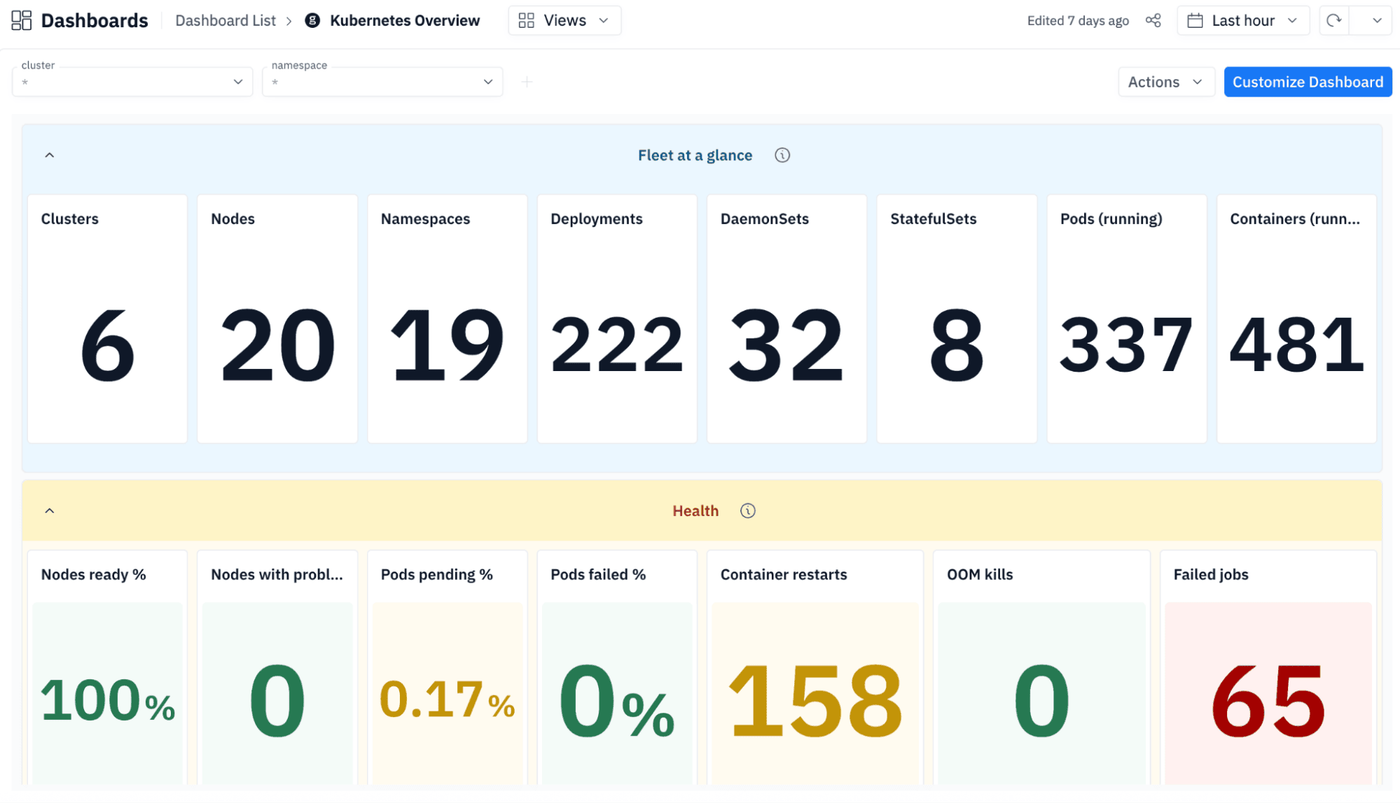
The answer is groundcover, which continuously monitors metrics like latency and resource usage to provide insight into how well Pods that are scheduled close to each other are operating.
Just as important, groundcover clues you into problems like Pods that aren’t scheduling as expected – which could be the result of misconfigured affinity rules or complex interactions between affinity rules and an autoscaler.
An affinity for Pod affinity
When used properly, Pod affinity rules are a great way to help boost workload performance. Just be sure that you avoid configuration mistakes that could lead to scheduling or scaling issues – and that you have an observability solution like groundcover in place to validate that your Pods are operating as they should.
FAQs
Pod affinity can limit the scheduler's placement options under node pressure. This may leave Pods pending when the nodes that satisfy their affinity rules lack sufficient resources.
Use Pod anti-affinity when you want to prevent related Pods from being placed together, such as if your goal is to spread replicas across nodes or availability zones to improve resilience.
groundcover correlates Kubernetes scheduling events, Pod health, resource metrics, and workload behavior to help teams identify when affinity rules contribute to pending Pods, inefficient resource use, or rescheduling issues.