
imagePullPolicy in Kubernetes: Best Practices & Pitfalls



When you tell Kubernetes to run a container, it can’t spawn the container out of thin air. It needs to “pull” an image for the container first.
The way that Kubernetes does this is determined by what’s known as an image pull policy. An image pull policy tells Kubernetes how to go about locating images for the containers it needs to run, as well as how to make the images available on the nodes that will host the containers.
Often, Kubernetes admins don’t think about image pull policies until something goes wrong with an image pull. But understanding how image pulling works, and how to optimize it by defining an ideal imagePullPolicy, are important steps toward getting the most out of Kubernetes.
To that end, here’s a look at everything you need to know about image pull policies, including how they work, which options are available, common imagePullPolicy misconfigurations, and best practices for defining image pull policies.
Overview of Kubernetes image management
To understand image pull policies, you must first understand how Kubernetes uses container images.
A container image is a file that contains the code needed to run a container. Images are essentially blueprints that tell a container runtime how to execute an application as a container.
This means that, in order to deploy an application, Kubernetes first needs to acquire an image for it. It can do this in two ways:
- Downloading an image from a container registry, such as Docker Hub.
- Using a local image that exists within the file system of the node where the container will run.
Once it finds an image, Kubernetes provides it to the container runtime installed on the node that will host the container. The runtime is responsible for creating containers based on the images provided.
.png)
Running a container from an image in Docker Hub
In most cases, Kubernetes defaults to the first option. If you don’t specify any other options when defining a Deployment or other resource that includes containers, Kubernetes assumes that the container images exist in Docker Hub, and it will automatically download them from there.
For instance, consider a Deployment like the following:
Here, we’re telling Kubernetes to use version 1.25 of a container image named nginx. Because we didn’t tell Kubernetes where to find that image, Kubernetes will automatically pull it from the NGINX repository on Docker Hub.
Running an image from a registry other than Docker Hub
If you want to run a container whose image exists in a container registry other than Docker Hub, you have to specify the container registry location and the path to the image within it. Here’s an example:
This pulls an image from a container registry located at myregistry.io. The path to the image is yourusername/your-image and the latest version of the image will be pulled.
Running a local image
You can run containers without pulling container images from a container registry at all. In that case, you set an imagePullPolicy with a Never option. This tells Kubernetes not to look for the images in a container registry.
Here’s an example:
If you do this, the container image must exist locally on the node that will host the container. Otherwise, Kubernetes will fail to run the application because it won’t be able to access an image, so there won’t be any image to provide to the container runtime.
Pulling an image that requires secrets
If you pull the image from a container registry or repository that is not public, you need to configure an image pulling secret. This tells Kubernetes how to authenticate with the container registry.
For instance, to log into a private registry, you could create a secret like the following:
You would then include the secret in the Deployment for your application. For instance:
Kubernetes will then automatically use the secret to connect to the private registry.
What is an imagePullPolicy?
Now that you know all about how Kubernetes can access container images, let’s talk about the purpose of image pull policies.
An image pull policy (or imagePullPolicy, as it’s written when it’s part of a Kubernetes resource definition) is a configuration option that tells Kubernetes how to go about locating a container image.
Image pull policies are defined in the container spec section of a Deployment or other resource definition. For instance, here’s a spec that includes an imagePullPolicy set to Always:
You don’t need to include an imagePullPolicy when defining a resource. If there is no policy present, Kubernetes will default to pulling container images from registries unless the requested version of an image is already present locally on a node (in which case it will use the local copy). However, imagePullPolicy lets you modify this behavior.
3 imagePullPolicy options, explained
imagePullPolicy is a relatively straightforward setting. It supports just three settings:
- Always: This tells Kubernetes to pull a new copy of the image under all circumstances. As we mentioned above, this is the behavior that Kubernetes defaults to in most cases if there is no image pull policy present.
- IfNotPresent: Under this option, Kubernetes will only pull the image from a registry if the requested version of an image is not already present locally. Thus, if Kubernetes previously downloaded the same version of the same image, it won’t do it again with this option enabled.
- Never: This option instructs Kubernetes never to pull the image from a container image registry. It forces Kubernetes to use a local copy of the image. If no such copy exists on the node where Kubernetes attempts to schedule a container, the container won’t run.
Serial vs. parallel image pulling
If a resource includes multiple containers, Kubernetes will by default pull their images serially, meaning it downloads them one-by-one.
In some cases, it may be desirable to pull images in parallel instead. When you pull images in parallel, you may reduce the total time required to download container images, especially if there is some lag in the time it takes to initiate an image pull. This approach won’t help much if the bottleneck is network bandwidth limitations, since in that case, you’ll max out your bandwidth pulling multiple container images just as you would max it out pulling images serially.
To enforce parallel image pulling, you have to set the serializeImagePulls option to false in the Kubelet configuration for the node that will host the containers. To do this, first log into the node and open the Kubelet configuration file in a text editor. The file’s location varies between Kubernetes distributions, but it’s often /var/lib/kubelet/config.yaml. If the file doesn’t exist at all, you’ll need to create it.
Then, add the following line to the file (or modify the line’s value if it already exists);
Save the file, then restart the Kubelet service. The way you restart the service also varies between distributions, but a command like the following typically works:
Note that because Kubelet is specific to each node, modifying the serializeImagePulls option only changes the setting for a particular node. Other nodes in your cluster will continue to default to using serial pulls unless you configure them to do otherwise.
Note as well that although each Kubernetes node will pull images serially by default, multiple nodes can pull images at the same time – so if one node hosts one container and another node hosts a different container, each node would download container images concurrently, even if the serializeImagePulls option is set to true (or is not set at all) on each node.
Common image pull misconfigurations and their consequences
Although image pull policy settings may seem simple enough, various mistakes can arise. Here’s a look at some common issues.
1. ImagePullBackOff
ImagePullBackOff is an error condition that occurs when Kubernetes can’t locate an image and gives up trying. Initially, a failed pull will generate an ErrImagePull message, and Kubernetes will reattempt to download the image. If it repeatedly fails to pull images, it will give up and register an ImagePullBackOff event.
This usually happens due to one of the following problems:
- The image name is misspelled.
- The resource definition includes the wrong container registry URL or path.
- The images exist in a private registry, but there are no secrets configured to authenticate with the private registry.
- The resource definition specifies an image version (as specified in the image tag) that doesn’t exist.
Image pull policies don’t always cause these errors. However, image pull policies could be the root issue if they prevent Kubernetes from attempting to download a new image when doing so is the only way to obtain the correct image file.
2. Network connectivity issues
If an image pull policy forces Kubernetes to pull the image from a registry but the registry is not reachable via the network, the pull will fail. If network connectivity to a registry is unreliable, it’s better to use the Never option as a way of telling Kubernetes to use a local copy of an image.
3. Permission issues
File permissions settings may sometimes result in a failed pull when attempting to use a local image. Even if the image exists, Kubernetes may not be able to read it. This can happen because the file permissions don’t include read access, or because a kernel hardening framework (like SELinux) restricts access to the file.
This problem is relatively rare, but it can be frustrating when it occurs because you may be able to “see” the image as a normal user logged into the node, but Kubernetes still can’t access it. To troubleshoot, check the image’s file permissions using the ls -l command and inspect your security context or other kernel hardening settings.
Best practices for setting imagePullPolicy
The following practices can help to optimize image pulling:
- Avoid setting a policy unless necessary: In many cases, you don’t need an image pull policy at all because the default behavior (which is to pull the image in most cases) will suffice.
- Use the latest: image tag strategically: If you specify the latest: version of a container image but set an image pull policy to Never, you may not actually end up with the most recent version of the image because Kubernetes won’t check for a new version in the registry and pull images accordingly. Thus, it’s important to understand how the latest: image tag and image pull policies interact, and make sure that you use each option only when it makes sense for your use case.
Use parallel pulls strategically: The idea of pulling container images in parallel may seem attractive. But it’s tedious to configure, and it often doesn’t result in major performance gains because, as we said, the limiting factor in pull speed is typically total network bandwidth, regardless of whether images are pulled in parallel or one-by-one.
Observing and troubleshooting imagePullPolicy problems
Kubernetes won’t explicitly alert you to image pull issues. It will just fail to start a Deployment or other resource. It’s up to you to perform the Kubernetes troubleshooting steps necessary to get to the root of the issue.
To determine whether a failure could be caused by an imagePullPolicy problem, run the following command:
Search the output for references to ErrImagePull or ImagePullBackoff. If you see either of these messages, it’s a sign that Kubernetes can’t pull a container image.
You can then use the following command to get more details about events associated with the pod or pods experiencing pull problems:
The events data may mention specific issues, like failure to locate a registry or an authorization problem. Based on this information, you can usually determine the root cause of a pull issue and take steps to remediate it.
.jpg)
ImagePullPolicy in multi-cloud and hybrid environments
When you’re working with especially complex Kubernetes environments that span multiple clouds or involve a hybrid cloud architecture, you may run into some special challenges:
- Network latency: Network latency can be higher when images need to be pulled in from a registry that is external to your cluster or is otherwise not hosted on the same local network as the cluster. For this reason, it’s more common to see pulls occasionally fail due to network timeouts within multi-cloud setups where the cluster runs in one cloud but the registry is hosted in another one.
- Edge or hybrid deployments: Edge or hybrid cloud deployments can also complicate image pulling due to low network performance when a cluster deployed at the edge or on-premises connects to a registry hosted in a cloud data center.
- Air-gapped deployments: An air-gapped cluster, meaning one that is isolated from the network, can’t pull the images from external registries at all. If you want air-gapping, you’ll need to make images available via a local registry that is hosted in the same air-gapped environment as Kubernetes.
How groundcover helps monitor image pull behavior
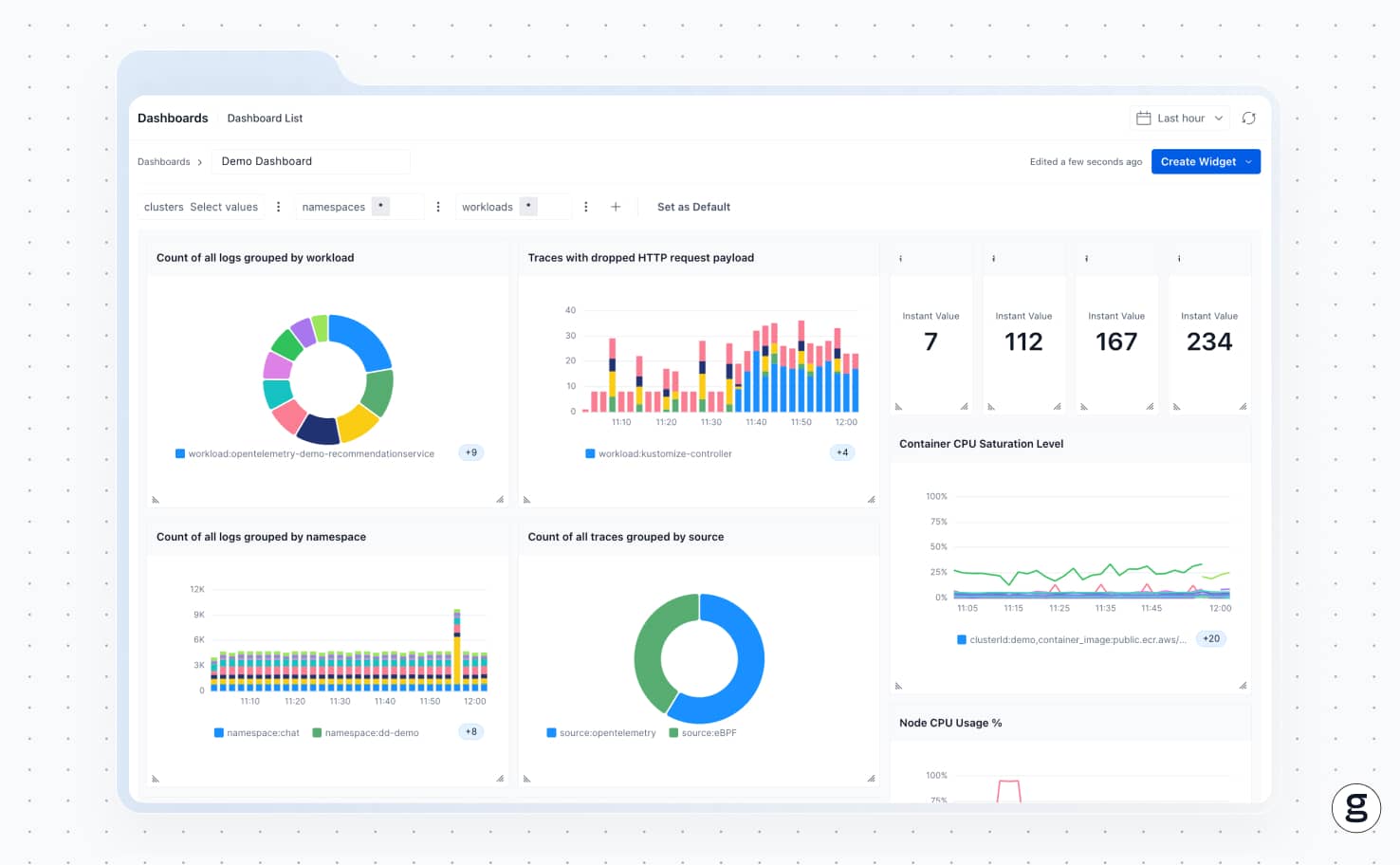
As a comprehensive Kubernetes observability solution, groundcover clues you in quickly to the root causes of problems pulling images in Kubernetes.
Because groundcover monitors all node events using eBPF, it can detect networking issues, storage system problems, node failures and the various other problems that may result in images not downloading properly from a registry or being inaccessible from local storage. It’s just one of the many ways that groundcover helps Kubernetes admins take a proactive approach to Kubernetes monitoring and performance optimization.
Pulling for the win
Often, the way Kubernetes pulls images is not something you need to think about at all. But when you want fine-grained control over pull behavior, you can do so by configuring an imagePullPolicy that tells Kubernetes exactly how to go about finding an image and passing it onto a container runtime.













.svg)