

DaemonSet Not Running on All Nodes: Causes & Fixes



DaemonSets offer a convenient way to run a Pod on all nodes across your cluster – or at least, that’s what they’re supposed to do. In practice, DaemonSets sometimes run into problems where they don’t actually run on all nodes. Due to issues like configuration mistakes or lack of resources, the Pods associated with a DaemonSet may run on certain cluster nodes but not others.
Read on for a detailed look at why this happens, how to diagnose the issue, how to resolve it, and best practices for preventing DaemonSet issues in the first place.
What is a DaemonSet in Kubernetes?
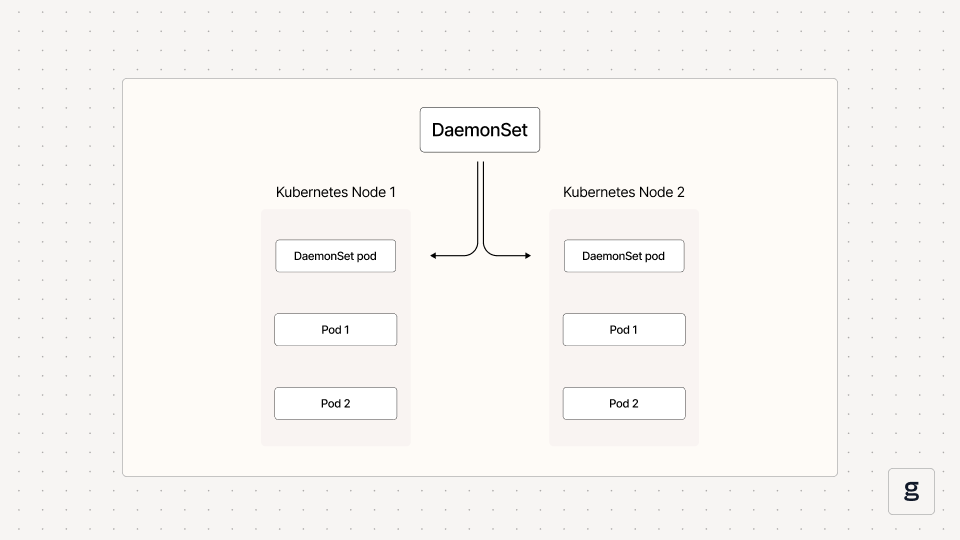
In Kubernetes, a DaemonSet is an object that automatically runs a copy of a given Pod on specific nodes within a cluster. You can configure a DaemonSet to deploy Pod copies on all nodes, or just on certain ones.
The main purpose of DaemonSets is to make it easy to support use cases that require software to run on every server in a Kubernetes cluster. For example, if you need to deploy logging or monitoring agents on each node, a DaemonSet is a simple way to do so.
There are other ways to force Pods to run on specific nodes; for example, you could use Pod selectors to deploy Pods on nodes that have certain labels. But this is more work than using a DaemonSet, especially if you want to run Pods on every or most nodes in your cluster.
For a deeper dive into this topic, check out our comprehensive guide to DaemonSets.
Symptoms of a DaemonSet not running on all nodes
While a DaemonSet is supposed to run copies of a Pod on all cluster nodes that you select, this doesn’t always happen. Due to various root causes that we’ll discuss in a moment, a DaemonSet may exist, but copies of its Pod are present only on some of the expected nodes.
To check which Pods are running on which nodes, you can use the following command:
The output will include a list of Pods (under the NAME column) and a list of nodes (under the NODE column). If you created a DaemonSet that should have deployed a Pod on a node, but there is no record of an existing Pod on the node, then you can conclude that something is not working as intended.
Common causes of DaemonSets not running on all nodes
The underlying causes of a DaemonSet that is not running on all nodes can vary. Here are the main ones.
DaemonSet misconfiguration
A DaemonSet could be misconfigured in a way that causes Pod copies not to run on all of the nodes you intended. For instance, some nodes may have taints (a type of label that controls which Pods can run on a node) that prevent the nodes from hosting Pods.
Or, you may have configured a node selector (a way of assigning Pods to specific nodes) or a node affinity (another, somewhat more flexible way of deploying Pods on certain nodes) within the DaemonSet. But due to a typo, the node selector or node affinity doesn’t match all of the nodes that you intended it to.
Resource constraints
Kubernetes will only deploy a Pod on a node if the node has enough available CPU and memory resources to support the Pod. If a node’s resources are maxed out - or if limits and requests require the Pod to have more resources than the node can support - Kubernetes won’t schedule it, leading to situations where Daemon Pods are not running on all nodes.
Security settings
Security rules may exist that prevent DaemonSet Pods from running on certain nodes. These include Pod Security Policies (a resource that was deprecated starting with Kubernetes version 1.21, which required Pods to meet certain requirements in order to be scheduled) and admission controllers (the modern way of restricting deployment requests, among other types of activities).
DaemonSets can’t override security settings, so if a policy exists that tells Kubernetes not to deploy a Pod on a given node, the Pod won’t run there, even if your DaemonSet says it should.
Node churn
If a node has recently joined a cluster, or if there are high rates of node “churn” because nodes are frequently spinning down and being replaced by new ones, your DaemonSet may not run on all desired nodes simply because it takes time for the DaemonSet to catch up with changes in node state.
This probably usually resolves itself over time, although if node churn rates are very high and nodes are up for only a few minutes before they spin down, it’s possible that Daemon Pods will never have time to deploy on those nodes.
Why DaemonSet deployment failures matter
You might assume that it’s not a big deal if your DaemonSet Pods are not running on every node. As long as they’re present on most nodes, you’re pretty much covered, right?
Well, not really. Given that a main use case for DaemonSets is to deploy software agents that are responsible for monitoring, observability, or security, not having Pods on all expected nodes can create serious problems. It means that some of your nodes, as well as, in many cases, the workloads they are hosting, are not being monitored or managed properly from a security standpoint.
Hence the importance of quickly detecting and troubleshooting issues related to Daemon Pods not being present where they are supposed to be. Even if the problem persists for only a few minutes, it could lead to major gaps in your observability and security operations.
How to troubleshoot a DaemonSet that’s not running on all expected nodes
When DaemonSet Pods are not running everywhere they should be, work through the following steps to troubleshoot the issue.
1. Check node status and taints
First, get details about the status of any cluster nodes that are supposed to be hosting a copy of your Pod, but that are not doing so.
You can check the details of a node by running:
In the output, look for errors that may indicate your node is having a problem. Check, too, whether any taints exist. If a taint is present, make sure your DaemonSet configuration includes a toleration (a setting that overrides a taint) that matches the taint.
2. Check node resource usage
In addition to checking on the node configuration, you can run the following command to check on node resource usage rates:
If the node’s CPU and memory resources are close to being maxed out, that is likely the reason why the DaemonSet Pod is not being scheduled.
3. Check Pod resource requests
Even if the node has sufficient resources, a resource request setting could prevent it from being scheduled.
To check whether this may be the issue, run the following command:
The output will include the Pod template for your DaemonSet, which will display information about resource requests (if you configured any).
If resource requests are higher than the resources available on the node, you’ll need to reduce the requests to fix the DaemonSet scheduling problem. (Alternatively, you could replace your nodes with new ones that have more resources, but that is likely to be more complicated, costly and time-consuming.)
4. Check DaemonSet Pods
If your node configurations are appropriate, you can get further troubleshooting information by checking on individual Pods associated with the DaemonSet.
To find out which Pods are associated with the DaemonSet, run this command:
Replace label-selector with the value of the label you applied when creating the DaemonSet. (You can look this up in the DaemonSet YAML file, which you can retrieve using the command kubectl get daemonset daemonset-name -n namespace -o yaml.)
You can then inspect individual Pods by running:
The output will clue you into issues like Pods that are stuck in the pending state, meaning they can’t be successfully scheduled.
Inspecting Pods is also useful because it will tell you whether all Pod copies associated with a DaemonSet have failed to deploy (in which case there’s likely either an issue with your DaemonSet configuration or a problem pulling the Pod image), or only certain ones (in which case it’s more likely to be a problem with a specific node or node taint).
Best practices for preventing problems related to DaemonSets not running on all nodes
While it’s important to be able to troubleshoot the failure of DaemonSet Pods to run on all nodes, even better is avoiding this problem in the first place. The following best practices can help ensure that DaemonSet Pods run everywhere they’re supposed to.
Ensure resource availability for DaemonSets across nodes
First, it’s critical to make sure that all nodes in your cluster have sufficient resources to support workloads they need to host, including DaemonSet Pods that need to reside on the nodes to enable use cases like monitoring.
There’s no easy or fully automated way to do this. Instead, you need to use observability tools to assess the resource requirements of Pods you plan to run via DaemonSets, then ensure that each node has sufficient spare resources to host those Pods. This might mean that you have to add more nodes to your cluster to increase overall resource availability and prevent some nodes from becoming overloaded to the point that they can’t accept DaemonSet Pods.
Avoid node labeling issues
As we mentioned, misconfigurations related to node labels, taints, and tolerations are a common cause of DaemonSets failing to run on all nodes. As a best practice, avoid creating node labels and taints unless you need them, since unnecessary labels and taints increase the chances that a node will reject a Pod because it’s labeled or tainted incorrectly. Be sure as well to double-check your label, taint, and toleration configurations for typos that could prevent DaemonSets from working correctly.
Use priorityClassName to prioritize DaemonSet Pods
Kubernetes supports a type of object known as priorityClassName, which lets you set priority levels for resources. You can include a priorityClassName within a DaemonSet’s YAML configuration by adding a spec section like the following to the Pod template:
This tells Kubernetes to assign high priority to the Pod. High priority means that Kubernetes will prioritize scheduling the Pod and keeping it running, even if doing so requires evicting other Pods.
While not every Pod deserves high-priority status, if your DaemonSet runs critical software, like monitoring or security agents, it may make sense to prioritize it above other types of workloads.
Lint your DaemonSet configuration
To detect typos or indentation issues that may cause a DaemonSet from operating properly, consider running your YAML code through a linter. This is a fast and easy way to catch small mistakes that may lead to major DaemonSet problems.
How groundcover helps detect and resolve DaemonSet not running on all nodes
When you use groundcover, you’ll enjoy the confidence of knowing quickly when there’s a problem with a DaemonSet. Automated alerts clue you into Pod scheduling issues and node failures associated with DaemonSets not running on all specified nodes.
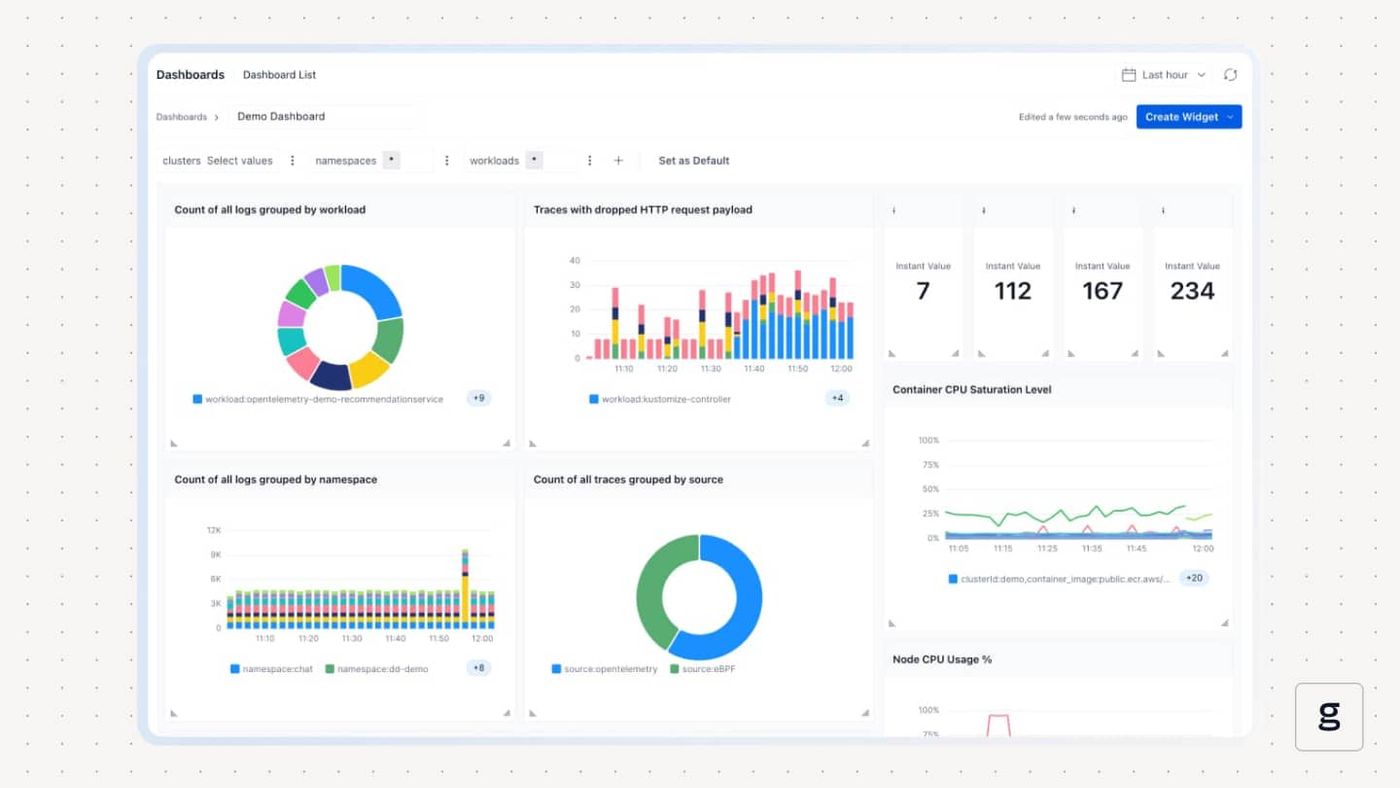
What’s more, by presenting data about DaemonSet performance alongside comprehensive observability insights from all layers of your Kubernetes cluster, groundcover provides the deep context you need to resolve DaemonSet issues. Whether it’s resource constraints, mislabeling of nodes, buggy Pods, or something else, groundcover helps you get to the root cause of the issue quickly - which in turn minimizes the risk of downtime or visibility gaps caused by DaemonSet failures.
Keep your DaemonSets where they’re supposed to be
DaemonSets are a powerful capability within Kubernetes. But they can become a highly problematic one when they don’t operate in the way admins intend.
That’s why it’s critical to take steps to avoid problems that could cause a DaemonSet not to run on all requested nodes - and to ensure that you have observability solutions in place to detect and resolve DaemonSet issues quickly if they do arise.
FAQ
Why is my DaemonSet not running on all nodes in Kubernetes?
The failure of a DaemonSet to run on all nodes could stem from multiple causes. A common one is configuration oversights, such as mislabeled nodes or a missing toleration. Another is resource exhaustion, which could cause some nodes not to accept a DaemonSet because they don’t have enough free resources. Security settings, too, may prevent a DaemonSet from running on some nodes.
How can I check which nodes are missing DaemonSet Pods?
To check which nodes are not running DaemonSet pods, first create a list of all nodes in your cluster with:
Then, generate a list of Pods running as part of a DaemonSet, along with the nodes that are hosting each one. You can create this list using:
`kubectl get pods -l app=<daemonset-name-label> -o custom-columns=NODE:.spec.nodeName --no-headers`
You can then compare the two lists to determine where DaemonSet Pods are missing. Any nodes that are on the first but not the second are not hosting DaemonSet Pods.
How does groundcover help monitor and troubleshoot DaemonSet deployment issues?
By continuously monitoring all resources across Kubernetes, groundcover alerts admins to problems that correlate with DaemonSet deployment failures, such as Pods that are stuck in the pending state and nodes whose resources are being maxed out. With this insight, engineers can both identify and resolve DaemonSet deployment issues.



