

Why Your Kubernetes Job Is Not Completing (And How to Fix It)



Part of the beauty of Kubernetes Jobs is that they allow you to perform one-off tasks, like running a data backup operation or compiling source code. You simply define what the Job should do, then sit back and let Kubernetes carry it out. The problem, though, is that Jobs don’t always complete properly. Various issues may cause them not to start at all, or to fail to run to completion successfully.
Hence the importance of knowing how to troubleshoot situations where Kubernetes Jobs are not completing, which we explain in detail in this article.
What does a Kubernetes Job not completing mean?
Kubernetes Jobs, which are managed by the built-in Jobs controller, are a type of workload designed to perform a task a finite number of times, then shut down completely (this distinguishes them from other types of Kubernetes workloads, like Deployments, which are intended to run continuously until an admin shuts them down). So, if a Job succeeds, it reaches its completion point and then stops running. This is what is supposed to happen.
But if a Job is not completing, it means that a problem occurred somewhere during the Job’s execution. In more specific and technical terms, a Job not completing means that the Job’s Pods failed to achieve the number of successful terminations that they were intended to reach in order for the Job to be considered complete. This is because, when you create a Job, you specify how many Pod terminations it should achieve by including a completions: definition in the Job’s spec. Until a Job’s Pods terminate successfully however many times you specify, Kubernetes considers the Job not to be complete.
Symptoms of a Kubernetes Job not completing
| Symptom | Explanation | Likely cause | How to fix |
|---|---|---|---|
| Pods stuck in pending state | The Job’s Pods can’t be scheduled | Not enough available nodes to schedule the Job’s Pods. | Add node or cluster resources, or use requests and limits to distribute resources more effectively between workloads. |
| Pods stuck in CrashLoopBackOff | The Job’s Pods repeatedly start, then crash. | Bugs in the Job’s containers. | Debug containers or redeploy the Job using updated containers. |
| Job stuck in active state | The Job runs indefinitely, never reaching a termination state. | Not enough resources to execute the Job, or bugs in the Job’s containers that cause its task not to complete. | Increase resource allocation to the Job or fix bugs in Job containers. |
| Job reached deadline | The Job ran out of execution time (which is limited by the deadline value). | The deadline value is too low. | Increase the deadline value, or simplify the Job’s tasks (by, for example, removing some steps from its workflow) so that it is able to complete in less time. |
| Job ran out of retry attempts | The Job failed to complete successfully and can no longer re-attempt to run because it reached its backofflimit. | Intermittent or temporary problems (like network connectivity issues) are causing initial Job attempts to fail, and the backofflimit is too low to allow for a sufficient number of retries. | Increase the backofflimit value. |
Kubernetes doesn’t generate an alert when a Job fails to complete. However, admins are likely to notice one of the following common “symptoms” of a Job failure.
Pods stuck in pending state
The Pods associated with a Job may end up stuck in the pending state. This happens when the Pods can’t be scheduled, which causes the Job not to start running (because the Job can’t execute until its Pods are active).
Pods in CrashLoopBackOff or error state
In other cases, a Job’s Pods are successfully scheduled, but they still fail to start up normally because they are caught in a CrashLoopBackOff or experiencing a similar type of error.
Job stuck in active state
If you run the kubectl describe job command, you’ll see output that includes information about the Job’s state. If a Job is stuck in the active state indefinitely, it’s usually a sign that the Job has failed to complete because it can’t finish the task it’s trying to run.
Job hit its deadline
When you create a Job, you can specify a “deadline,” which is the maximum amount of time that the Job is allowed to remain active before Kubernetes stops it. If the Job doesn’t finish executing before it hits the deadline, it will end up never completing successfully (even though the Job still stops).
Job ran out of retry attempts
You can also set a maximum number of times that Kubernetes can reattempt to execute a Job using the backofflimit option (if you don’t specify an explicit value, it defaults to 6 retry attempts). Jobs that fail to succeed before hitting their maximum retry attempts will end up never completing.
Common causes of a Kubernetes Job not completing
Just as there are multiple possible symptoms of a Kubernetes Job failing to complete, there are multiple potential underlying causes.
Pod and container failures
One common reason for a Job to fail is problems with its Pods, or with the containers in those Pods. If the Pods are misconfigured or the containers include buggy code, they may fail to launch properly or crash in the middle of a workflow, bringing the Job to a halt.
Job spec misconfiguration
Jobs may also be misconfigured. Often, misconfigurations include overly restrictive backofflimit, completions, and deadline settings. These could lead to Jobs never completing if they don’t allow a Job a long enough time to run, or don’t provide for enough retry attempts.
Resource constraints and scheduling issues
Lack of available resources could cause Jobs to fail simply because there isn’t enough free CPU or memory to schedule their Pods or complete their tasks. This may occur if there simply aren’t enough resources in the cluster as a whole, or if poorly configured (or missing) requests and limits create a situation where other workloads are “hogging” too many resources, causing a Job not to be able to access the resources it needs.
Node or cluster health problems
Beyond resource availability issues, other types of node or cluster health problems – like unstable operating systems, flaky network connectivity, or a buggy control plane – may cause Jobs not to complete. Under these conditions, Pods can’t be scheduled
Application logic errors
Finally, problems within the application that a Job runs could cause it not to complete. The most common type of issue in this regard is buggy application code that results in apps crashing or exiting with an error. Improperly formatted or missing application input may also lead to logic errors if the app can’t handle the issue.
Troubleshooting steps for a Kubernetes Job that is not completing
If you’ve detected a Job that hasn’t run to completion as expected, work through the following steps.
1. Describe the Job
The first troubleshooting step is to get details about the Job using the following command:
This allows you to inspect the Job status, the status of the Job’s Pods and other relevant Job metadata.
2. Describe Pods
If it’s not obvious from this information what the problem is, you can also describe the Job’s individual Pods using:
This may clue you into Pod-specific problems, like failure to schedule successfully.
3. Check container logs
If your containers generate logs, checking them may reveal application logic issues that are causing the Job to fail. The exact way to access container logs depends on where they are located. But typically, you’ll either find them directly within the containers, or use a log aggregator that copies the log data to an external location where you can view it.
4. Assess node and cluster health
A final item to check is the overall stability of the node or nodes that are hosting the Job’s Pods, as well as the cluster as a whole. In particular, make sure that CPU and memory aren’t being maxed out (if they are, resource constraints are probably why the Job is failing), and that the nodes are not experiencing connectivity problems in reaching the cluster.
Fixes for a Kubernetes Job that is not completing
The best way to fix a Job that is not completing depends on the root cause of the failure. Common solutions include:
- Reconfigure the Job: Rewrite the Job specification to fix configuration problems (like poor deadline or backofflimit values), then redeploy the Job. To redeploy, use kubectl delete job job-name to delete the existing Job, then deploy the updated one.
- Update containers: If application bugs are the problem, deploy new containers using updated, stable versions of the application.
- Add cluster resources: To address resource constraints, add more nodes to your cluster. Alternatively, you could shut down non-critical workloads to free up resources.
- Move Pods to a new node: If you suspect that node stability issues are causing a Job to fail, you can schedule the Job’s Pods to run on a different node by using node labels and nodeSelectors.
Best practices to ensure that Kubernetes Jobs complete
The following best practices can help avoid the risk that Jobs will fail to complete:
- Set appropriate deadlines and backofflimits: Choose values that are low enough that a buggy Job won’t run indefinitely (because this wastes resources), but that also provide enough time and retry attempts to accommodate temporary issues (like a slow network connection).
- Test containers ahead of time: Testing containers to ensure they start and run properly can help you rule out application bugs that would prevent a Job from completing.
- Set resource limits and requests: Setting resource limits and requests for all workloads helps ensure that resources are distributed properly.
- Monitor resource usage continuously: Continuous monitoring of resource consumption across all layers of your cluster - Jobs, Pods, containers, nodes, and the Kubernetes control plane - will help clue you into resource availability issues that may prevent Jobs from completing.
How groundcover helps diagnose and fix Kubernetes Jobs not completing
That last best practice - continuous monitoring - is where groundcover comes in.
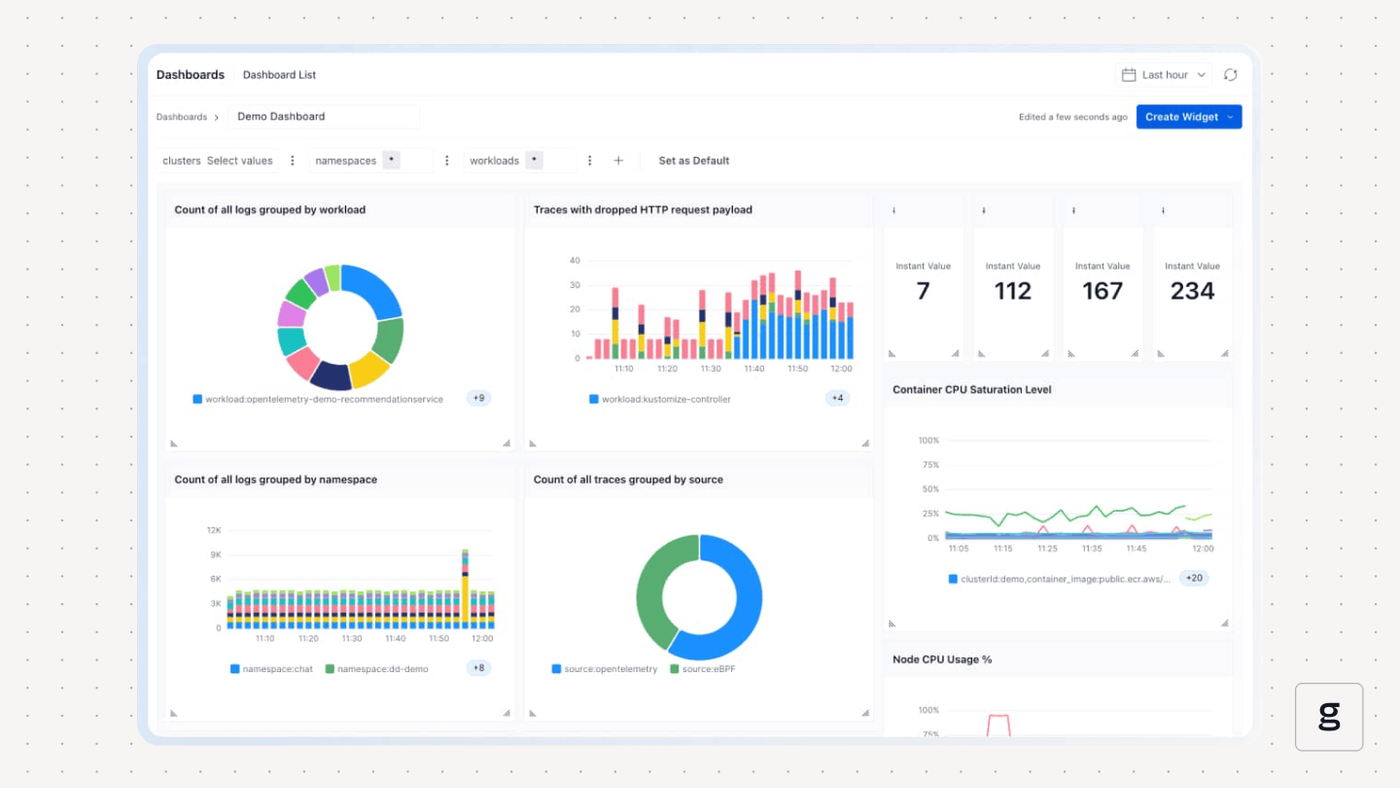
As a comprehensive Kubernetes monitoring and observability solution, groundcover continuously collects data from across your cluster. Using these insights, you can quickly determine whether issues like lack of available CPU and memory, a crashed node, or flaky network connectivity are the root cause of Jobs not completing in Kubernetes.
Kubernetes itself won’t tell you much about why a Job has failed to run. But groundcover delivers the context necessary to assess varying root causes and get to the bottom of Job completion errors.
Running Jobs to completion, every time
Jobs not completing can be a source of great frustration - not to mention risk, since failed Jobs may mean that critical tasks, like Kubernetes data backups, never succeed. Fortunately, with the right tools and tactics, it’s possible to troubleshoot failed Jobs effectively and to take a proactive approach to Job management that minimizes the chances of Jobs failing to complete.
FAQs
The most important logs and metrics to analyze when a Kubernetes Job is not completing are:
- Resource usage metrics associated with the Job’s Pods, containers, and host node(s). If resources are being maxed out, it’s likely that the Job is failing due to a lack of resources.
- Application logs. These will help you detect logic errors that are causing a Job to fail to run successfully.
If an application-level error is the root cause of a Job not completing, you should be able to detect the problem by inspecting application logs, if they exist. You can also try running the Job’s containers directly from the command line to check whether they exit successfully.
To check for Kubernetes-level failures, monitor the resource utilization of your nodes and control plane, since maxed-out resource consumption is one common symptom of Kubernetes-level problems. You can also monitor Kubernetes events for signs of errors.
By continuously monitoring resource consumption levels from across all cluster components, groundcover can quickly detect resource utilization anomalies, network connectivity problems, and workload errors that could be causing a Job not to complete. Paired with other sources of insight (like application logs), groundcover provides the essential context necessary to troubleshoot Job failures efficiently.



