

Kubernetes PVC Access Modes Explained: RWO, ROX, RWX, RWOP



All Persistent Volume Claims (PVCs) in Kubernetes provide a way for workloads to access storage. But exactly what a workload can do with a given PVC depends on the PVC access mode. PVC access modes place restrictions on how resources interact with storage, making it possible to do things like mount volumes in read-only mode or allow only one Pod to use a volume at a time.
Hence the importance of understanding what the different PVC access modes mean, how to configure them, how to troubleshoot PVC access mode problems, and best practices for configuring PVC access modes in ways that maximize security and reliability without hindering performance.
Read on for guidance on all of the above as we explain everything Kubernetes admins need to know about PVC access modes.
What are PVC access modes in Kubernetes?
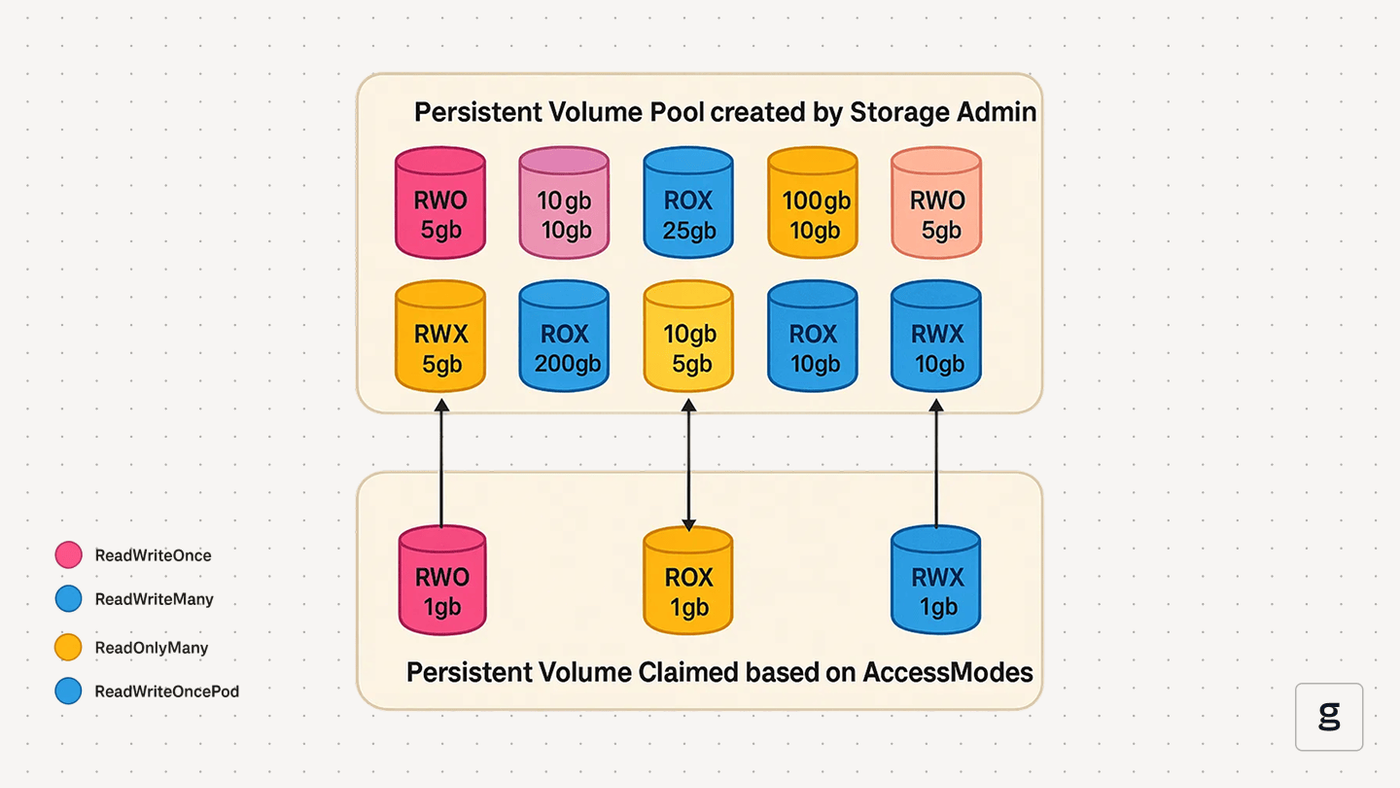
In Kubernetes, PVC access modes are settings that define how nodes and Pods interact with Persistent Volume Claims (PVCs).
To fully understand what that means, let’s step back a bit and talk about how PVCs work. A PVC is a request for storage resources. PVCs grant workloads access to persistent volumes, which are mapped onto underlying storage resources (like a file system). In this way, PVCs make persistent storage available for workloads to use. This is important because the file systems inside containers are ephemeral, and any data written to them will disappear when the containers shut down. If you need to store data persistently for a Kubernetes workload, a PVC is the most common way to do it. But just because you want a workload to access persistent storage resources doesn’t mean you want to give it unrestricted access. Using PVC access modes, you can define exactly which level of access the source should have.
In this way, PVC access modes help to enhance security by preventing nodes and Pods from interacting with storage resources in insecure ways. For instance, a PVC mode could be used to prevent a Pod from writing new data to a file that, if modified, would impact workload behavior.
PVC access modes also help to mitigate certain types of performance and reliability risks. For example, you could use them to prevent multiple Pods from writing to the same persistent volume at the same time, which could help avoid data syncing issues that might destabilize workloads.
Types of PVC access modes
Kubernetes currently supports four types of access modes for PVCs:
- ReadWriteOnce (RWO): A single node within the cluster can mount the volume, and any Pods residing on that node can use the volume. This is the default access mode that Kubernetes uses if you don’t specify any mode.
- ReadOnlyMany (ROX): Multiple nodes can mount the volume in read-only mode, and Pods residing on those nodes can use it.
- ReadWriteMany (RWX): Multiple nodes can mount the volume in read-write mode, and Pods residing on those nodes can use it.
- ReadWriteOncePod (RWOP): Only a single Pod is allowed to use the volume.
| Access mode type | Description | Common use cases |
|---|---|---|
| ReadWriteOnce (RWO) | A single node and any Pods residing on that specific node can use the volume in read-write mode. | Providing storage resources to a database application. |
| ReadOnlyMany (ROX) | Multiple nodes and Pods can use the volume in read-only mode. | Sharing configuration files with multiple Pods. |
| ReadWriteMany (RWX) | Multiple nodes and Pods can use the volume in read-write mode. | Aggregating logs from multiple Pods to a central location. |
| ReadWriteOncePod (RWOP) | Volume is reserved for exclusive use by a single Pod. | Preventing data syncing issues. |
How PVC access modes work with persistent volumes
Importantly, PVCs are not storage volumes themselves. They’re just requests by a workload to access storage.
The actual storage resources - persistent volumes (PVs) - can also have access modes assigned to them. In order for a PVC to work, the access mode of the PV must align with the access mode of the PVC.
For example, imagine a persistent volume defined using the following YAML:
This PV is configured to support only read-only access. Imagine you attempted to create a PVC like this one and based it on the PV configured above:
It wouldn’t work, because the PVC access mode is ReadWriteMany, but the PV’s access mode is ReadOnlyMany.
Note that PV and PVC access modes don‘t need to be identical, but the PV’s access mode needs to meet or exceed that of the PVC. A PV with read-write access could support both a read-write and a read-only PVC, for example.
Mapping PVC access modes to underlying storage types
In addition to considering the access mode of PVs when setting access modes for PVCs, it’s important to ensure that the underlying storage system you’re using aligns with what you want the PVC to do. Generally speaking, different types of storage are best suited for different types of PVC access modes:
- ReadWriteOnce: Works best with block storage (like a local block device or a cloud service such as Amazon EBS) because block storage can map easily onto a single node.
- ReadOnlyMany: Network file systems work well with this access mode because they can share data with multiple nodes at once.
- ReadWriteMany: Network file systems also work well with this type of access mode.
- ReadWriteOncePod: Typically, you’d use a block or file storage system that supports locking to prevent other processes or workloads (including those external to Kubernetes) from accessing the storage when it is assigned to a Pod.
Also critical is ensuring that the storage type you choose can support the access mode you request. For example, if you want to create a PVC with read-only access, the underlying storage resource needs to be able to be mounted in read-only mode.
Common issues with PVC access modes
Various issues may prevent PVC access modes from working as expected. Here’s a look at the most common.
PVC misconfiguration
Simple mistakes in configuring a PVC, such as typos in access mode parameters or an attempt to match a storage class that doesn’t exist, can cause access mode settings (and, in some cases, the entire PVC) to be invalid. Storage classes are a type of storage resource that admins can configure dynamically, but if you attempt to map a PV or PVC onto a storage class that doesn’t actually exist because you didn’t define it ahead of time, the mapping will fail.
Insufficient PV access modes
As noted above, a PV’s access modes must meet or exceed the level of access requested in a PVC. A read-only PV can’t support a read-write PVC.
Insufficient storage
PVCs will fail if they request more storage than any available PV can support.
Storage system permissions
Access restrictions on an underlying storage system that is used to create a PV may cause PVCs not to behave correctly, even if they successfully bind to a PV. For example, if a PVC is configured for read-write access but it uses a file system that is mounted in read-only mode, the workload using the PVC won’t be able to write data.
Networking problems
When using networked storage, limited bandwidth or high latency on the network could lead to PVC issues. They won’t specifically make PVC access mode configurations invalid, but they could cause issues like preventing the successful writing of data because a workload can’t connect reliably to network-mounted storage.
Troubleshooting PVC access mode problems in Kubernetes
If your PVC access mode is not working as expected, work through the following troubleshooting steps.
1. Check PVC status
First, use the kubectl get pvc pvc-name command to check the status of the PVC. In particular, verify whether it’s in the Pending or Bound state. If it’s Pending, it likely means that a condition in the PVC can’t be satisfied. For instance, there may be no PVs available that support the requested PVC access mode. If the PVC is Bound but is still not working correctly, the root cause likely has to do with the configuration of the underlying storage system, or potentially a networking issue.
2. Check PVC events
To get more context on the status of the PVC, run the command kubectl describe pvc pvc-name. The output may include details about problems experienced by the PVC, such as inability to find a matching PV.
3. Check PV access mode configuration
If you suspect a mismatch between the PVC access mode and the access modes of available PVs, run kubectl describe pv pv-name to verify the access modes of PVs.
4. Check storage class configuration
If you’ve configured storage resources using StorageClass to support dynamic provisioning, use kubectl get storageclass and kubectl describe storageclass storageclass-name to verify that your storage class configuration satisfies requests in your PVC.
5. Check underlying storage
If the problem doesn’t seem to be caused by a configuration inside Kubernetes, assess the configuration of underlying storage resources. For example, you can use the mount command on nodes to verify whether file systems are mounted read-only or read-write.
Performance and scalability considerations for PVC access modes
PVC failures are not the only potential issue to consider when planning PVC access modes. You should also think about how access modes impact workload performance and scalability.
Specifically, assess:
- Throughput: If multiple Pods are writing to the same PV at the same time, they could max out available throughput, leading to a reduction in performance. ReadOncePerPod access modes can reduce this risk.
- Data synchronization: Having multiple workloads write to the same storage concurrently may also cause data syncing issues. This risk tends to be higher if the storage is being used by multiple nodes at the same time, rather than just one node.
- Storage scalability: The scale of your storage system can impact which type of PVC access mode is best. If you have limited storage capacity, access modes that make storage available just to one node or Pod often make more sense, whereas with large-scale storage, you can more reliably share it with many nodes without worrying about running out of space.
Best practices for choosing and configuring the right PVC access mode
Given the many factors that impact PVC access modes, it’s not always obvious which one is ideal for a given application. But the following best practices can help you make the best choice.
Adopt the principle of least privilege
As a best practice, you should configure the least permissive access mode required to support an intended use case. If your application doesn’t require read-write access, use a read-only access mode. If only one Pod needs to access storage, choose an access mode that enforces this.
Unnecessary privileges do nothing except increase the risk of security and performance issues.
Keep PV and PVC access modes in sync
Since PVC access modes require compatible PV access modes, it’s important to track the access settings you choose for both PVs and PVCs. To simplify configuration, it sometimes makes sense to choose the same access modes for both types of resources. This isn’t strictly necessary because PV access modes simply need to meet or exceed those of a PVC, but it does help to keep things easier to manage because you’re not juggling different settings for each type of resource.
Choose flexible, scale-out storage
The more flexible and scalable your underlying storage provider or resources are, the fewer problems you’re likely to run into when setting PVC access modes. To this end, when selecting a storage system, choose one that can be mounted in whatever ways you need and that is easy to scale to support varying use cases and application requirements.
Track Pod placement
Since some PVC access mode settings make storage available to Pods running on the same node, it’s important to monitor which nodes are hosting which Pods. You may also consider using DaemonSets or node labels and selectors to deploy Pods on specific nodes, if you need to ensure that those Pods will have access to a PV based on a particular PVC access mode.
How groundcover improves visibility into PVC access modes
As a comprehensive Kubernetes observability solution, groundcover delivers the visibility you need to manage all aspects of storage, including PVC access modes. With groundcover, you can easily track the status of all of your nodes, Pods, storage systems, persistent volumes, persistent volume claims, and more to identify which workloads have access to which storage resources. Plus, custom visualizations simplify the process of identifying long-term trends and troubleshooting problems.
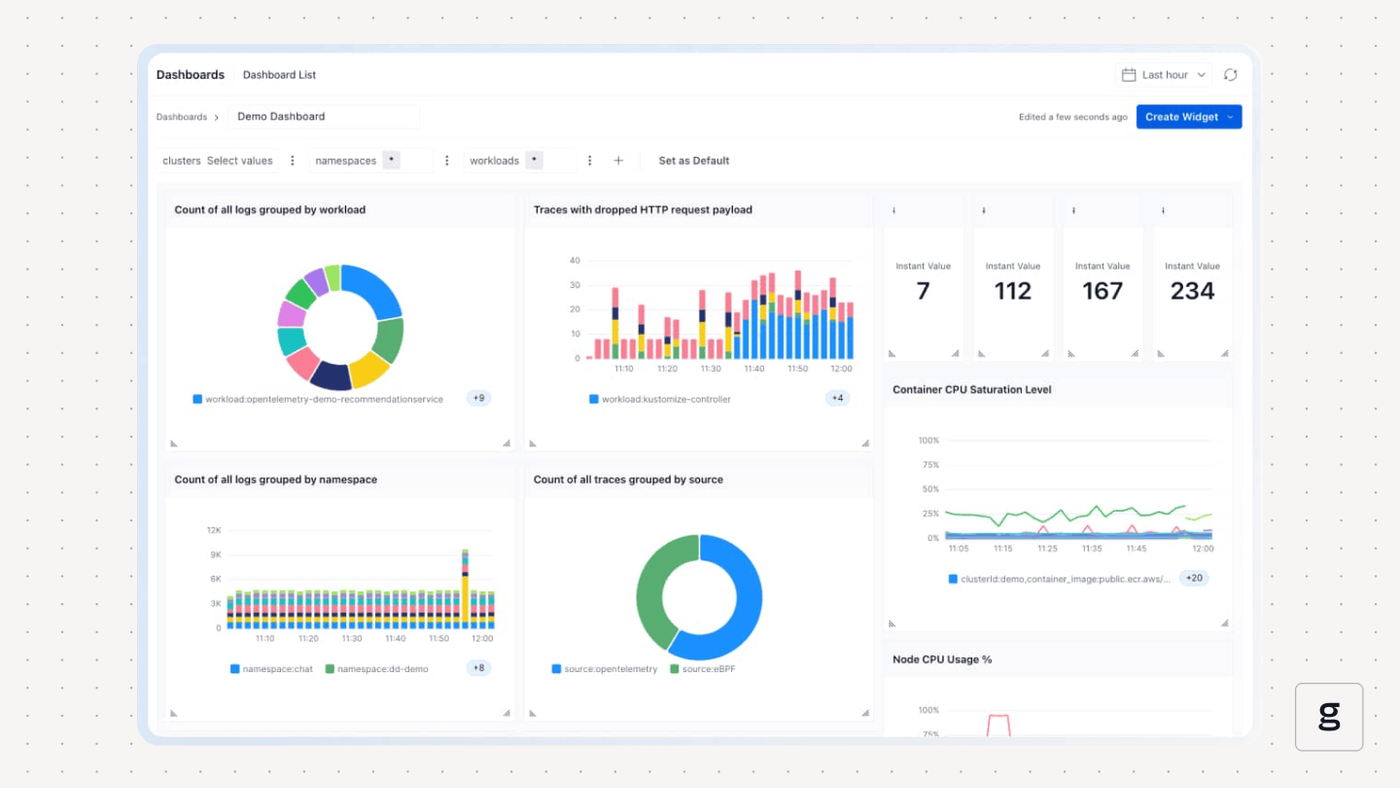
Combined with groundcover’s ability to collect observability data in a hyper-efficient way via eBPF, these comprehensive visibility features help ensure that your workloads have the storage resources they need, under the terms of access modes best suited for them.
Getting the most from PVC access modes
PVC access modes are an important feature for helping to optimize storage performance and reduce security risks. But they can also be challenging to work with because it’s not always easy to determine which access mode is the best for a given workload. Plus, various configuration issues may cause access modes from working as you expect.
The good news is that with the right knowledge of how storage systems work - and help from observability solutions like groundcover - you can effectively troubleshoot PVC access mode issues and optimize your Kubernetes storage performance.
FAQ
What are the main PVC access modes in Kubernetes, and when should I use each?
The main access modes are: ReadOnlyMany (which is best for apps that only need to read data, like a configuration file); ReadWriteOnce (which gives a single node and Pods hosted on it exclusive write access to a file and is useful for logging, for example); ReadWriteMany (this allows multiple nodes and their Pods to write to the same file, and can be useful for scenarios like log aggregation) and ReadWriteOncePod (which assigns exclusive write access to a single Pod and is ideal for ensuring high degrees of security and data integrity).
Why does my PVC not attach to multiple Pods even with ReadWriteMany mode?
If your PVC fails to attach to multiple Pods even with ReadWriteMany enabled, it’s most likely an issue with either the persistent volume (PV) or the underlying storage system. Check to ensure that the PV’s access mode supports read-write mode, and that the underlying storage system is also writable.
It’s also possible that you’re using a Container Storage Interface (CSI) driver that is outdated or buggy, causing read-write mode not to work. In that case, try updating the CSI.
How does groundcover monitor PVC performance and access mode issues?
By continuously collecting data from across all resources in a Kubernetes cluster and generating custom visualizations based on them, groundcover helps admins track which storage resources are available to which workloads. It also provides visibility into issues like problems on a node that impact storage availability and networking bandwidth limitations, which may cause network-mounted storage not to work properly.



